English
48
Audio Processor
Operation
1
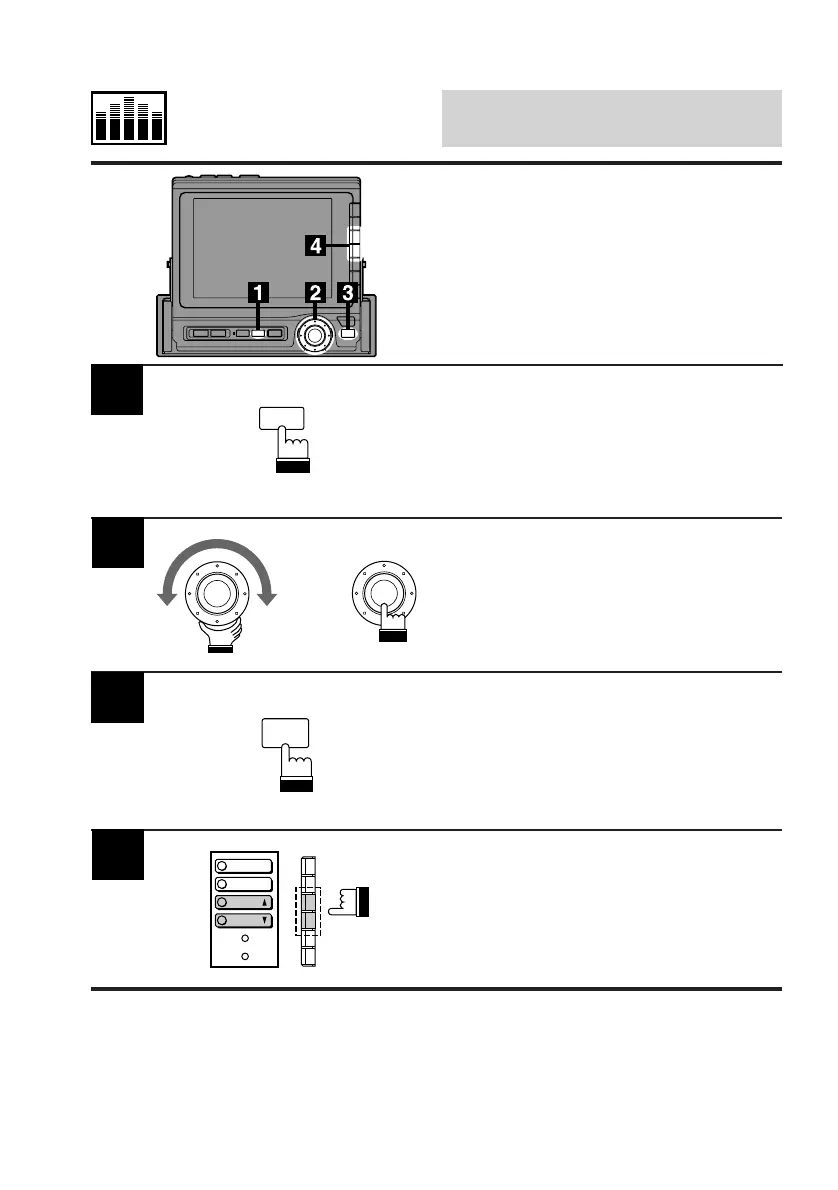
Press the SET UP button to display the Set Up
screen.
Turn the rotary switch and select the SURR.
cont. menu, then press the rotary switch to
display the SURR cont. (Surround Control)
screen.
Press the FUNC button.
The contents of the Function Guide screen
changes.
3
Press the F3 (P.UP) or F4 (P.DOWN) button to
select a desired surround mode.
4
SET UP
x
FUNC
P.UP
P.
DOWN
TIME
LEVEL
Factory (Maker's) Sur-
round Mode Preset Se-
lection Using P.UP/
P.DOWN Buttons



 To Next Page