English
62
Audio Processor
Operation
4
Turn the rotary switch clockwise or counter
clockwise to adjust the Cross-Over point
upward or downward to your desired point.
5
When the adjustment has been completed,
press the rotary switch. The display returns to
the Set Up List screen.
6
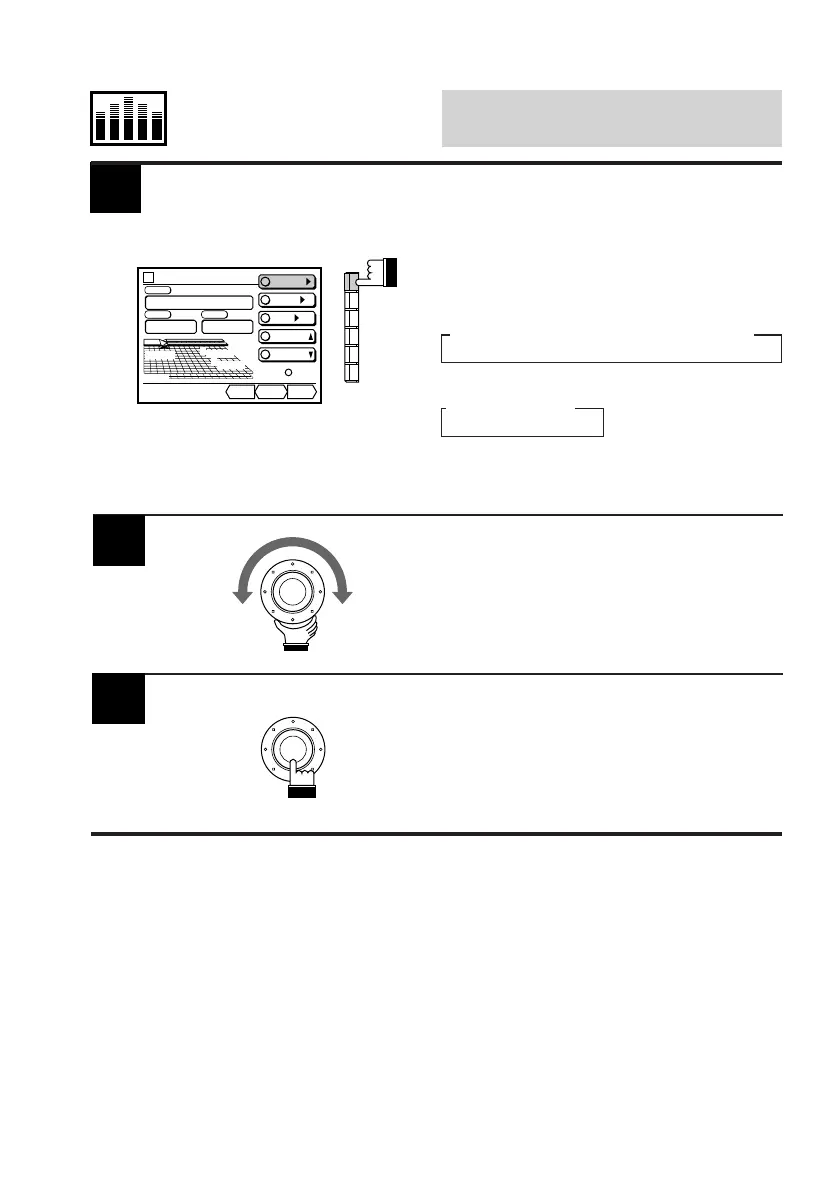
Select the frequency range you want to adjust.
When the F1 (X-OVER) button is pressed once,
the display shows the adjustment value of the
crossover point.
Each press changes the frequency ranges as
follows:
When only one divider is connected
→ Low → F-High → R-High
When two dividers are connected
→ Low → High
The cross-over adjustment mode is activated
and the "DN/RTN/UP" menu appears.
Divider
CONT.
X-OVER/
LEVEL/
T-CR/
P.UP
P.DOWN
C H STEP
Custom
PSET
vol. 35
R
400
FHz
400
31.5
DN RTN UP
Low 31.5
Hz



 To Next Page