71
English
Audio Processor
Operation
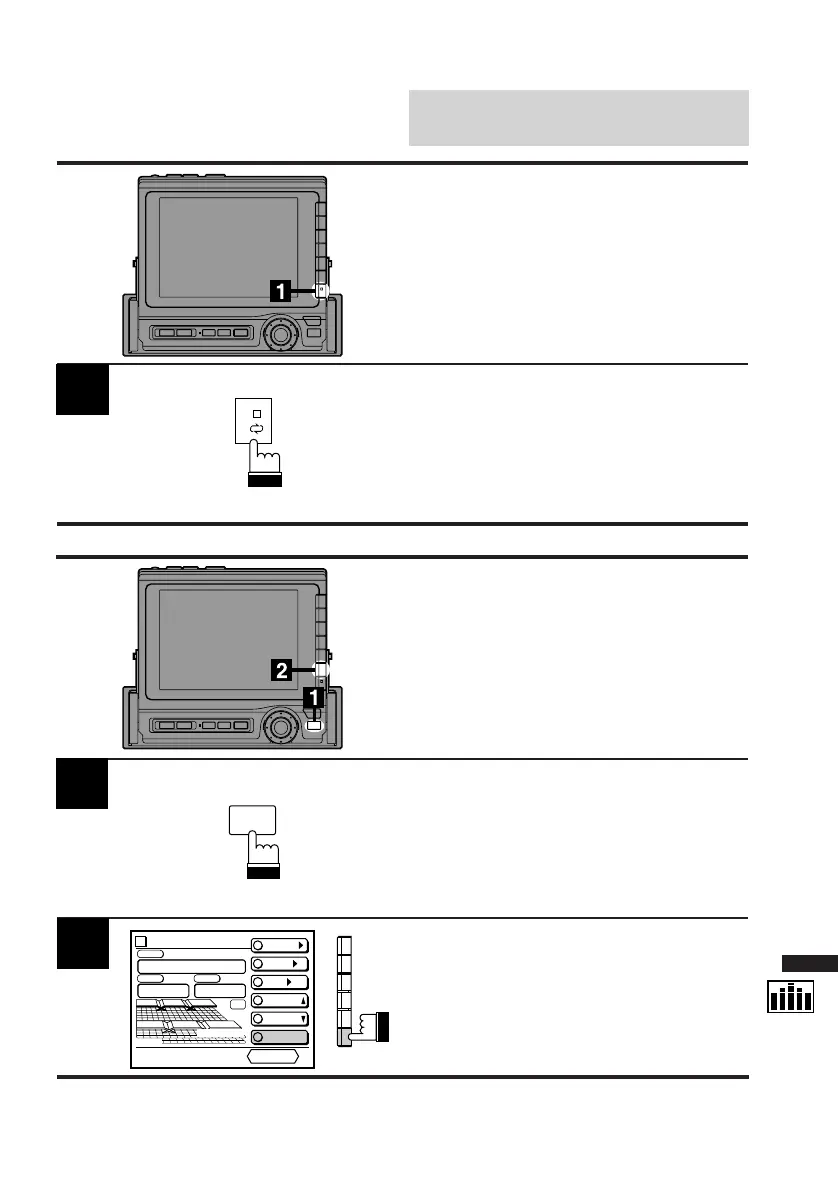
Display the DIV. cont. screen. Press the NEXT
(0/) button. Each press switches between
the Front and Rear speakers/indicators.
1
1
2
Display the DIV. cont. screen.
Press the FUNC button.
The contents of the Function Guide screen
changes.
Press the F6 (Fr/Rr) button.
Each press switches between the Front and
Rear speakers/indicators.
Switching Front and Rear
Speakers Using F6 Button
You can switch the Front and Rear Speakers
only when 2 channel dividers are connected.
Switching Front and Rear
Speakers Using NEXT
(
0/0/
0/0/
0/) Button
You can switch the Front and Rear Speakers
only when 2 channel dividers are connected.
FUNC
Divider
CONT.
X-OVER/
LEVEL/
T-CR/
P.UP
P.DOWN
C H STEP
PRESET No
.
4
PSET
RETURN
Fr/Rr
vol. 35
F
3-WAY



 To Next Page