85
English
Remote Control
(RUE-4160 supplied with CVA-1000E)
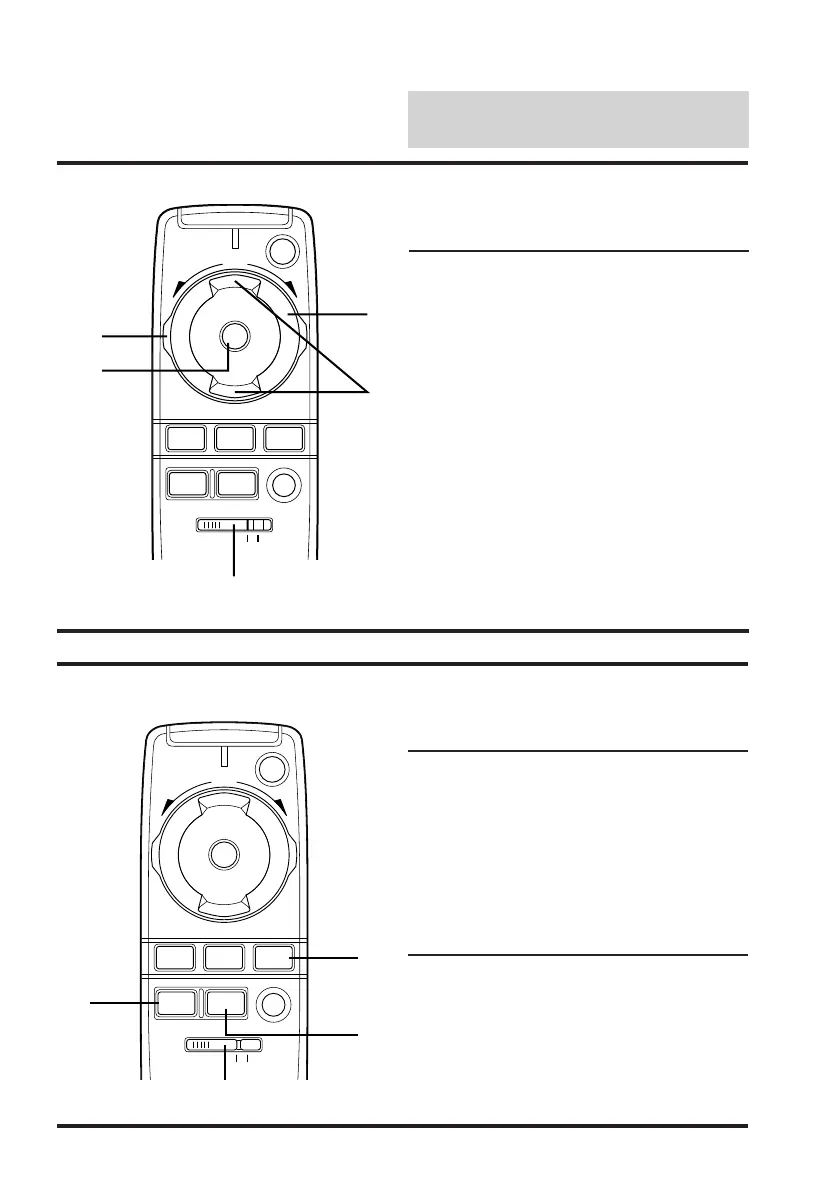
CD Shuttle Mode
1 Press the button to advance to the
beginning of the next track.
2 Disc Select (UP/DOWN)
Press the button to select a disc No.
3 Press the button to go back to the
beginning of the current track. Press
again to go back to the beginning of the
previous track.
4 Disc PLAY/PAUSE Button
5 A-position
f
f
/
/
VOL
PWR
ENT
UPDN
AUDIO
SEL
BAND
PROG
VISUAL
SEL
MUTE
SELECT
AV
A.PROC DEFEAT
CD/3D/6D
1
5
2
4
3
Other Mode
1 Press the button to defeat the external
audio processor. (A-position)*
1
2 Press the button to call the external audio
processor mode. (A-position)*
1
3 The audio source stays on but the video
source changes.
4 A-position
f
f
/
/
VOL
PWR
ENT
UPDN
AUDIO
SEL
BAND
PROG
VISUAL
SEL
MUTE
SELECT
AV
A.PROC DEFEAT
CD/3D/6D
4
2
1
Note:
*1 For the operation of external audio
processor, refer to the Owner's Manual of
the external audio processor you pur-
chased.
3



 To Next Page