Altai Technologies Ltd. All rights reserved
C1n Series WIFI AP/CPE Web-admin Configuration Manual
TPS15-003_rev1.3
Authentication Type: Here can select Local Authentication, RADIUS Authentication or
RADIUS + Local Authentication
Local Authentication: Support 3-level User Login (root/admin/guest)
RADIUS Authentication: Authenticate user through RADIUS; if no response returned
from RADIUS server, AP fallbacks to local authentication
RADIUS +Local Authentication: Login AP with local user login or RADIUS user login
6.2. Web Admin
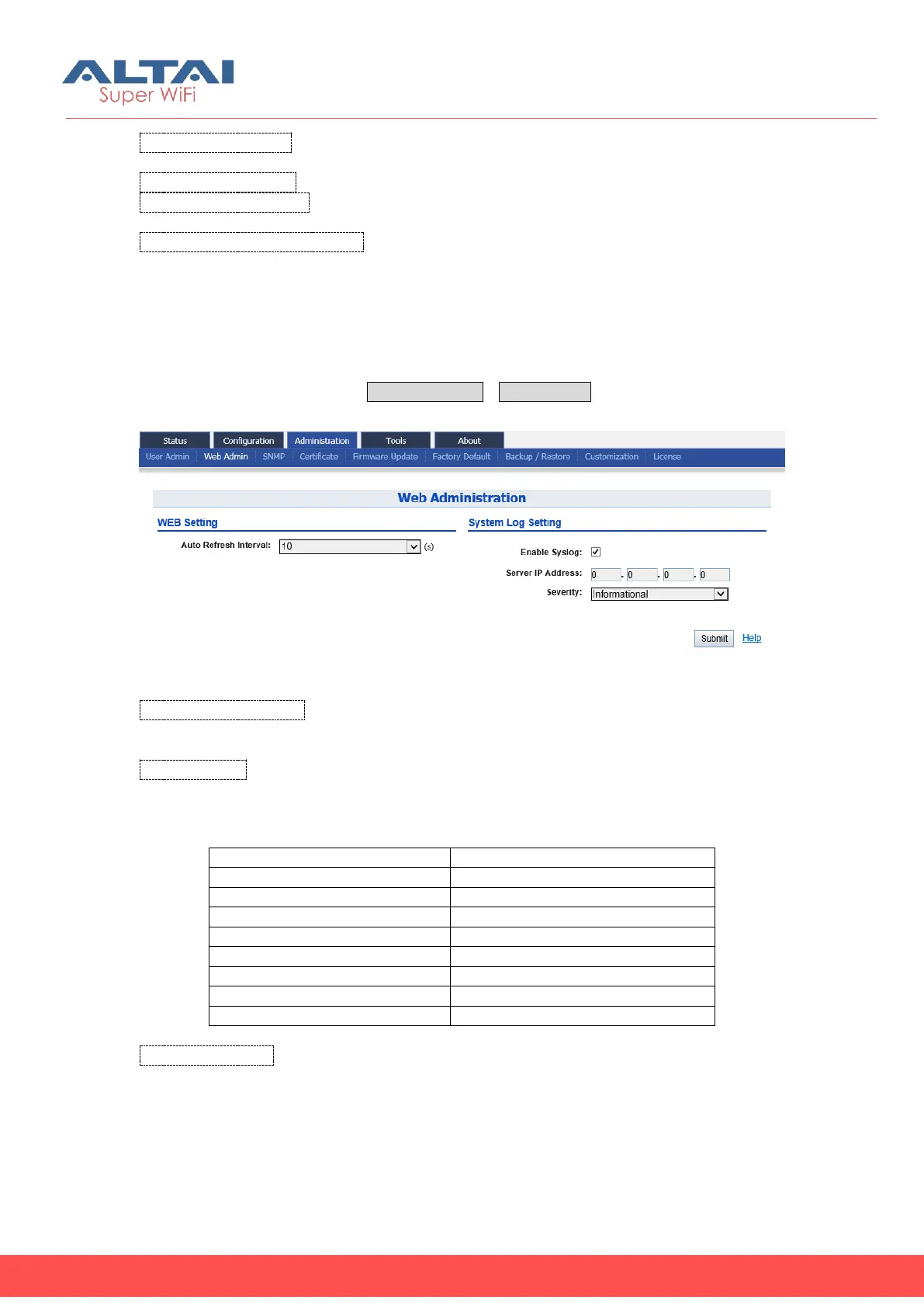
User may specify the refresh interval of C1n web page and enable or disable system
log for diagnostic purpose via AdministrationUser Admin.
Figure 6-2 WEB Administration
Auto Refresh Interval: Specify the refresh interval that C1n refresh its web page
automatically. The default setting is 10s.
Enable Syslog: Enable or Disabled syslog function; Administrator can classify system
log by configuring digit of Kernel Log Level. The following table lists Severity log level
which is presented by digits.
Table 6- 1 Syslog severity
Server IP Address: Specify a remote syslog server that C1n sends the log messages;
System Log allows C1n to send system log messages to a System Log server
instantaneously. Administrator can choose either Local System Log Server or Remote
System Log Server.



 To Next Page