Altai Technologies Ltd. All rights reserved
C1n Series WIFI AP/CPE Web-admin Configuration Manual
TPS15-003_rev1.3
6. Set the desired SNR value in Signal Level (SNR) Indicators .
7. Click Submit
8. Click Save&Apply to apply
5.4.1.2.2. Station Configuration
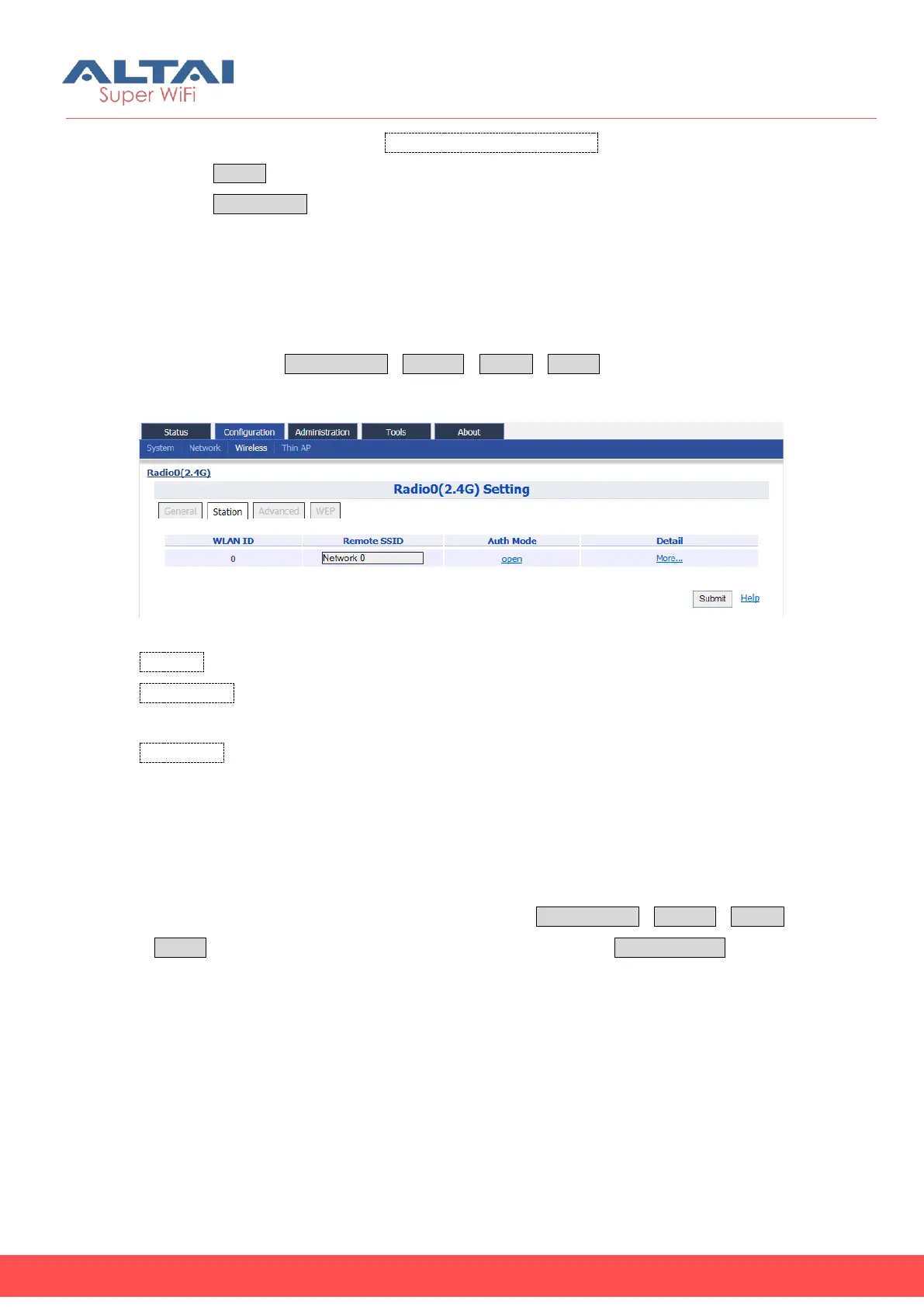
User may provide the remote AP’s information and configure the corresponding
security setting via ConfigurationWirelessRadio0Station. For more detail setting,
please click the “More…”under the “Detail”.
Figure 5-16 Radio0 Station Setting
WLAN ID: WLAN number. It must be “0”.
Remote SSID: Specify the SSID of access point that C1n is going to associate; User
may click the “More…” for more detail station settings.
Auth Mode: Specify the wireless security setting that the remote AP uses; User may
click “open” for configuring. This setting must be configured correctly; otherwise, C1n
cannot associate the remote AP. Also, user may click the “More…” for more detail
station settings.
5.4.1.2.2.1. WLAN 0 General Configuration
User may provide the remote AP’s details via ConfigurationWirelessRadio0
Station to click “More…” behind the WLAN0, and then select WLAN General.



 To Next Page