Altai Technologies Ltd. All rights reserved
C1n Series WIFI AP/CPE Web-admin Configuration Manual
TPS15-003_rev1.3
5.4.1.4.2. Static Bridge Setting
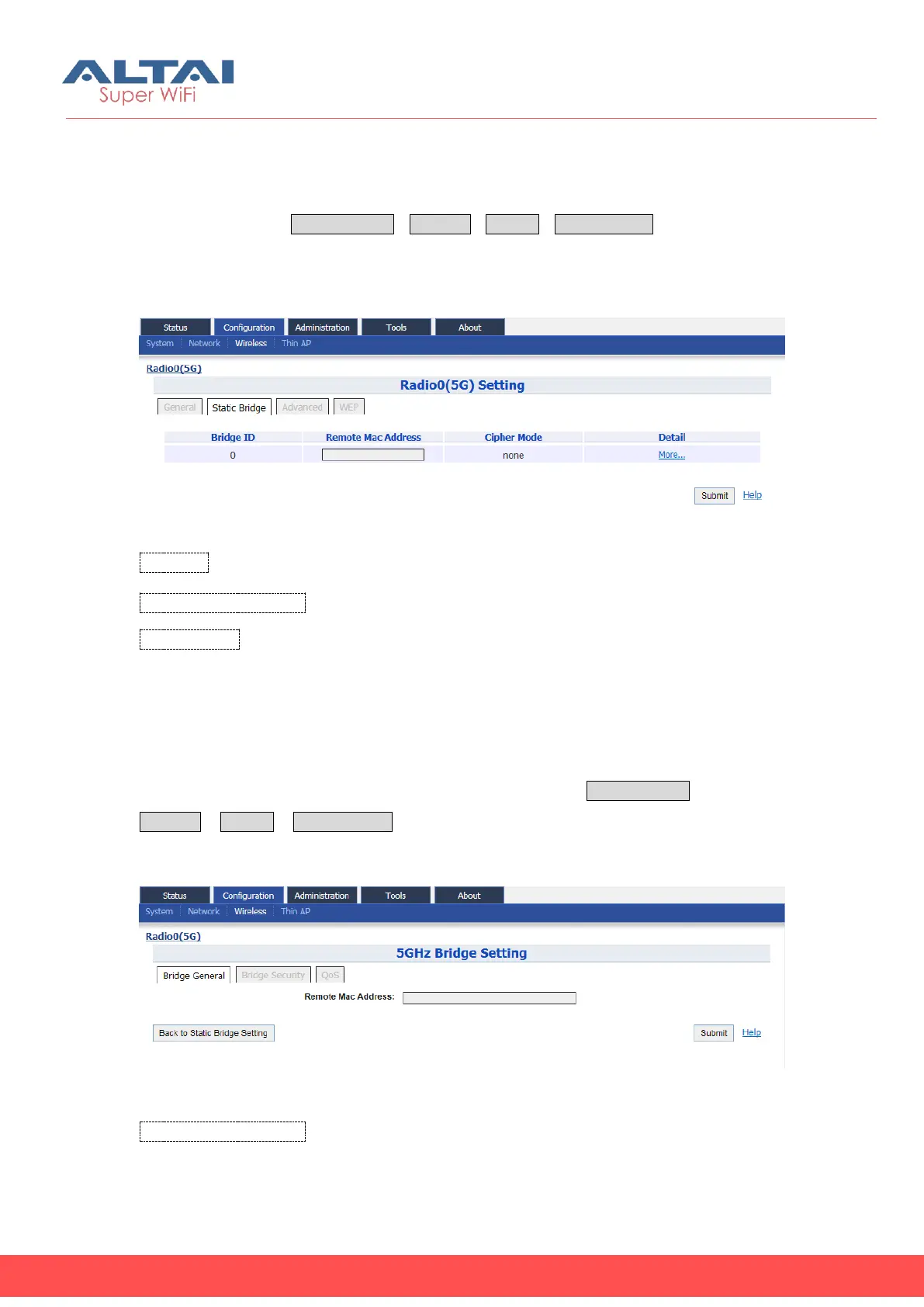
User may provide the remote AP’s information and configure the corresponding
security setting via ConfigurationWirelessRadio0Static Bridge. For more detail
setting, please click the “More…”under “Detail”.
Figure 5-51 5G bridge setting
Bridge ID: Bridge number.
Remote MAC Address: MAC address of the remote bridge peer.
Cipher Mode: Specify the data encryption mechanism; there are 3 options: “Disable”,
“WEP” and “AES”. The default setting is “Disable”.
5.4.1.4.2.1. Bridge General Setting
User may provide the details about remote bridge peer via Configuration
Wireless Radio0 Static Bridge to click “More…”
Figure 5-52 5G bridge setting
Remote MAC Address: Specify the MAC address of remote bridge peer.



 To Next Page