Altai Technologies Ltd. All rights reserved
C1n Series WIFI AP/CPE Web-admin Configuration Manual
TPS15-003_rev1.3
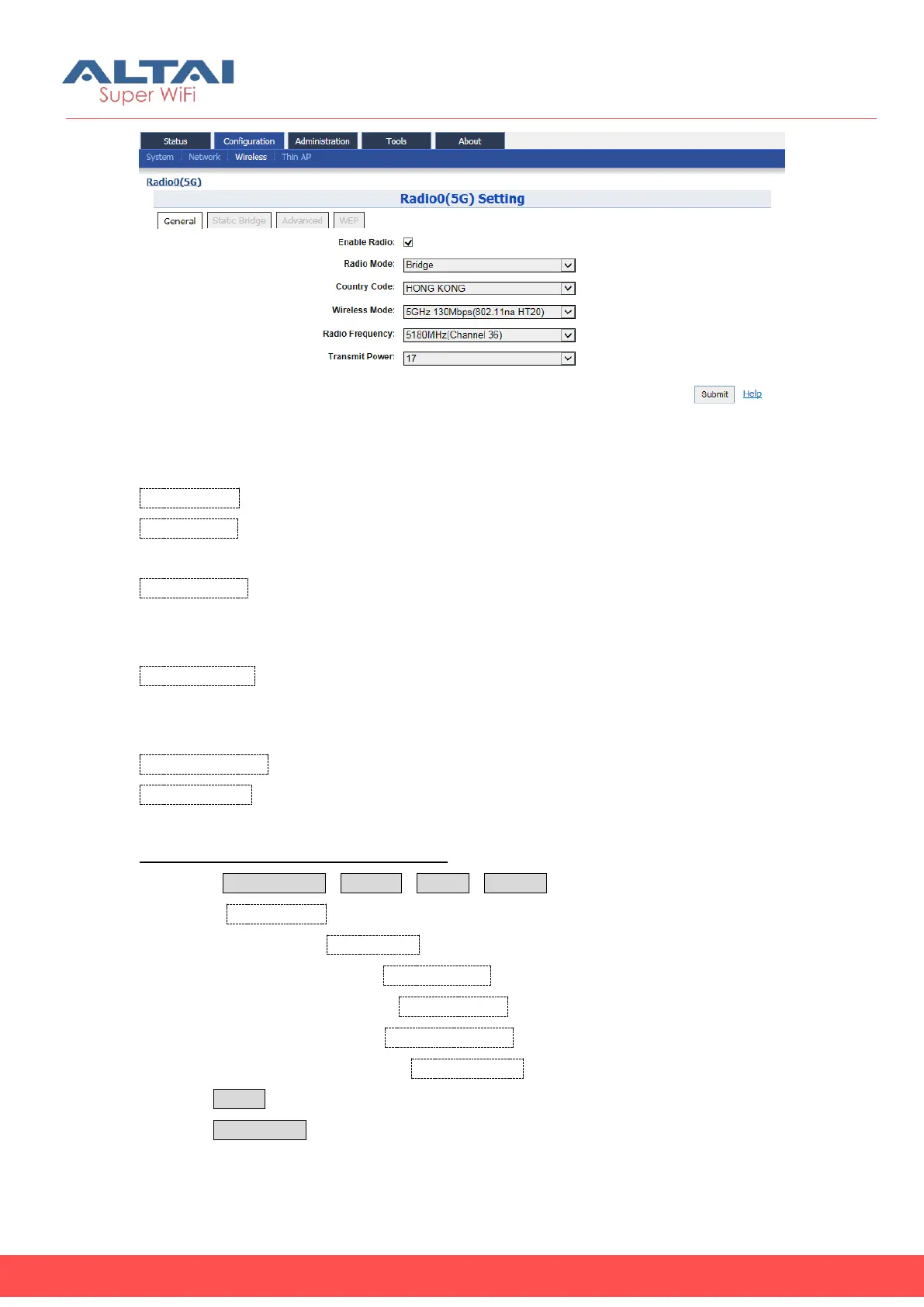
Figure 5-50 Bridge Mode
Enable Radio: Enable or disable Radio0.
Radio Mode: Operation mode of Radio0; It can be configured as AP, Station,
Repeater and Bridge.
Country Code: Specify country that C1an locates. This setting is related about radio
regulatory domain, such as maximum transmission power, available operating
frequency channel … etc. Hong Kong is default setting.
Wireless Mode: Specify wireless mode of C1an; User may configure the WLAN
standard and channel bandwidth via this option. By default, it is 5GHz 130Mbps
(802.11na HT20).
Radio Frequency: Specify the operating frequency channel.
Transmit Power: Specify the maximum transmission power (dBm) of C1an radio0.
Configure C1an radio0 as “Bridge” Mode:
1 Select Configuration->Wireless->Radio0->General
2 Check Enable Radio to enable radio0 if necessary.
3 Select to “Bridge” in Radio Mode
4 Select your country code in Country Code
5 Select desire wireless mode in Wireless Mode
6 Select operating channel in Radio Frequency
7 Set maximum transmit power in Transmit Power
8 Click Submit
9 Click Save&Apply to apply



 To Next Page