Altai Technologies Ltd. All rights reserved
C1n Series WIFI AP/CPE Web-admin Configuration Manual
TPS15-003_rev1.3
Example:
Device Ethernet MAC address: 00:19:BE:20:03:FF
Factory Default Secondary IP Address: 192.168.99.175 (FF (HEX)->AF(HEX)->175 (DEC))
3.5. Interface Introduction
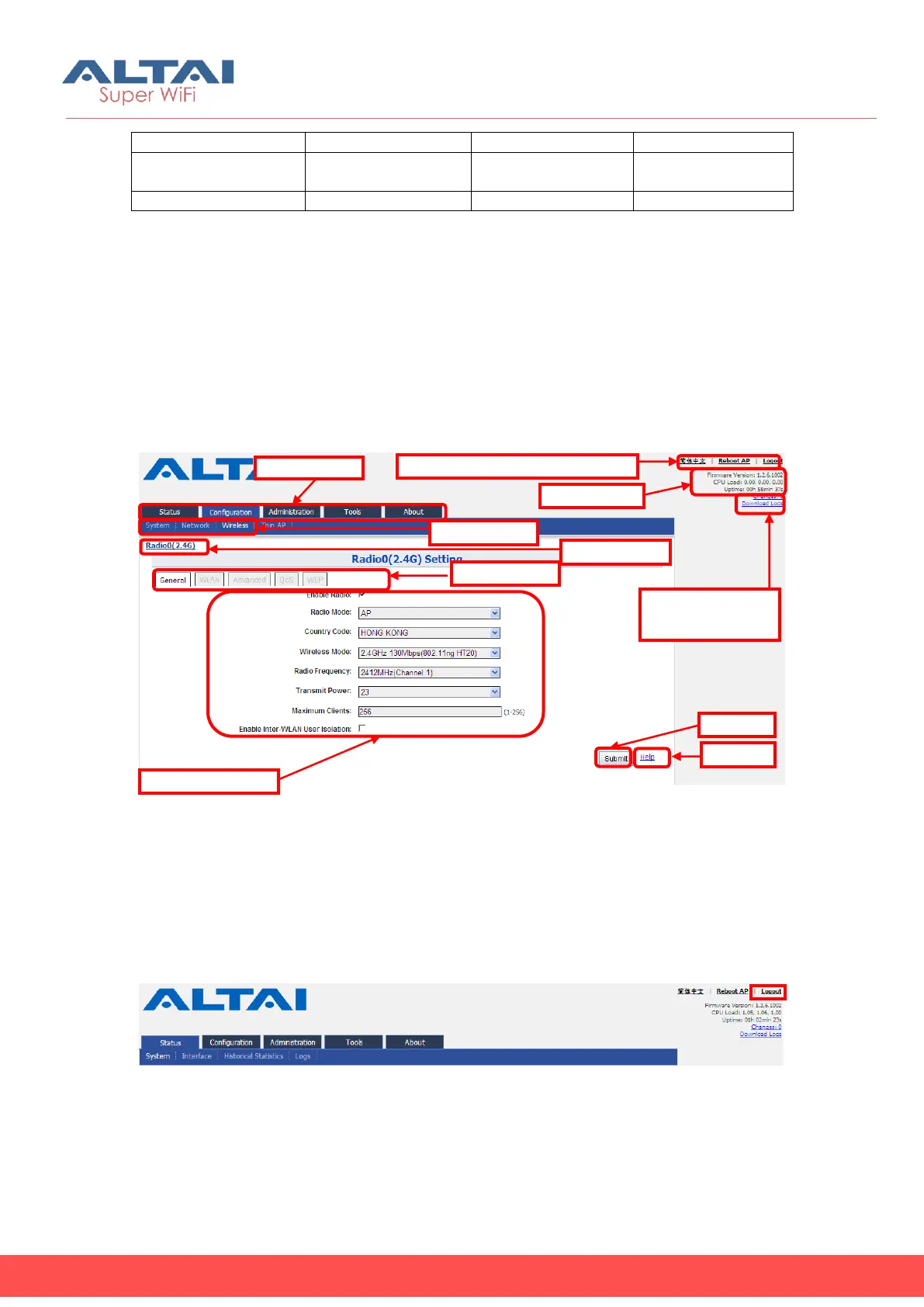
C1n Series web interface is separated to 5 levels: Level 1 menu, Level 2 menu,
Interface selection, Level 3 menu and Configuration options
Figure 3-7 C1n Series Webpage
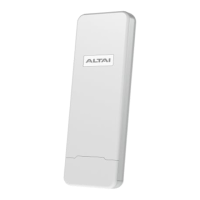
3.6. Logout from C1n Series Web Page
On the top right corner of C1n Series AP/CPE web interface, click “Logout” button to
logout from C1n Series. On the other side, you can directly close C1n Series AP/CPE
webpage to logout from C1n Series.
Figure 3-8 Logout
3.7. Reboot C1n Series AP/CPE
Language Options ,Reboot AP & Logout
& Download logs


 To Next Page