Altai Technologies Ltd. All rights reserved
C1n Series WIFI AP/CPE Web-admin Configuration Manual
TPS15-003_rev1.3
8. Click Submit
9. Click Save&Apply to apply
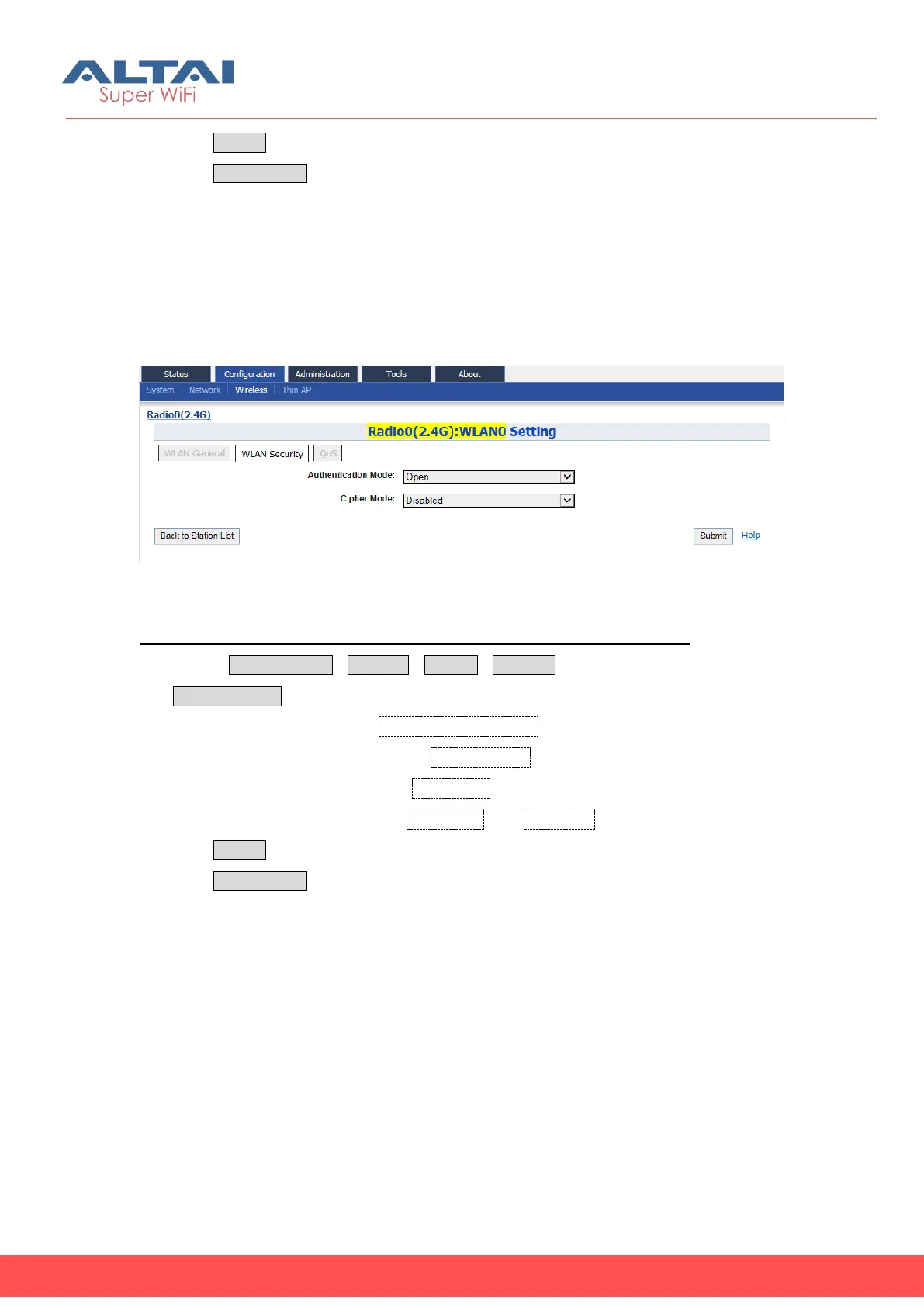
5.4.1.2.2.2. WLAN 0 Security
User may configure the wireless security that as the same as the setting in remote AP.
For the detail of wireless security in C1n, please refer to section WLAN X(0-15) Security
for more details.
Figure 5-18 Radio0:WLAN0 Security Setting
Configure WPA / WPA2 as wireless security in Station mode (for example):
1. Select ConfigurationWirelessRadio0Station to click “More…”then select
WLAN Security
2. Select “WPA” or “WPA2” in Authentication Mode
3. Select the desired cipher mode in Cipher Mode
4. Select the desired EAP mode in EAP Mode
5. Set username and password in Username and Password respectively
6. Click Submit
7. Click Save&Apply to apply
NOTE: The security setting Must be as the same as the remote AP; otherwise, C1n
cannot connect to remote AP.
5.4.1.2.2.3. WLAN 0 QoS
The WLAN QoS configuration in Station mode is as the same as that in AP mode. For
the detail of WLAN QoS configuration in Station mode, please refer to section WLAN
X(0-15) QoS for more details.



 To Next Page