Altai Technologies Ltd. All rights reserved
C1n Series WIFI AP/CPE Web-admin Configuration Manual
TPS15-003_rev1.3
Ethernet Duplex: AP Ethernet link operation mode; option includes 10 Mbps (Full
duplex/Half duplex), and 100 Mbps (Full duplex/Half duplex). This option is only
available if Ethernet mode is set as “manual”.
Configure C1n with Ethernet auto-negotiation:
C1n performs auto-negotiation to select transmission parameters in Ethernet port,
such as speed, duplex mode.
1 Select Configuration->Network->General
2 Select “auto” in Ethernet Mode.
3 Click Submit
4 Click Save&Apply to apply
Configure C1n without Ethernet auto-negotiation:
User configures the speed and duplex mode of Ethernet port manually. The option
includes 100Mbps (Full/Half), and 10Mbps (Full/Half).
1. Select Configuration->Network->General
2. Select “manual” in Ethernet Mode.
3. Select suitable speed and duplex mode in Ethernet Duplex.
4. Click Submit
5. Click Save&Apply to apply
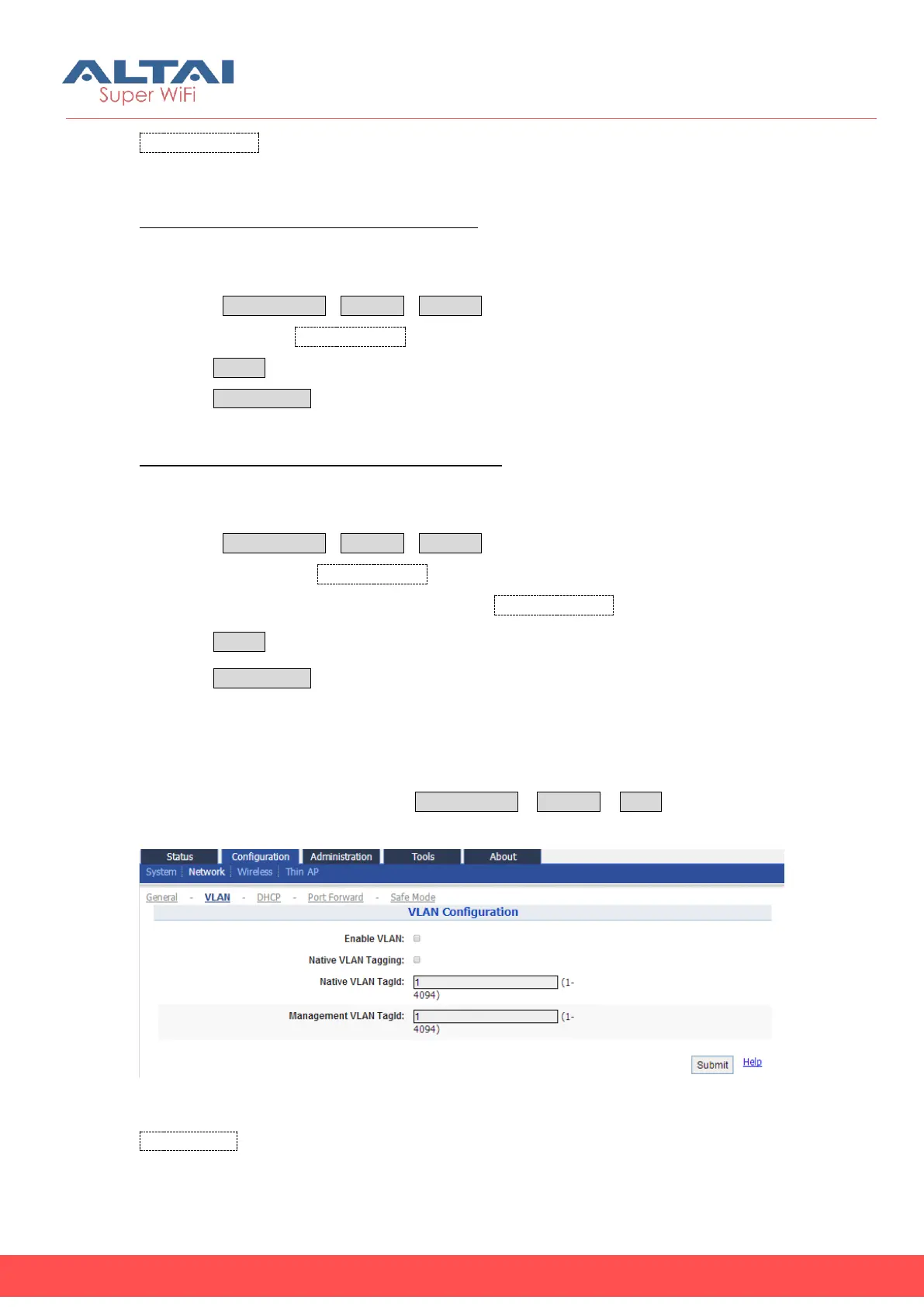
5.3.2. VLAN
User may configure VLAN setting via Configuration ->Network ->VLAN.
Figure 5-15 VLAN Setting
Enable VLAN: Enable or Disable VLAN function. By default, C1n Series CPE/AP VLAN
setting is disabled.



 To Next Page