Altai Technologies Ltd. All rights reserved
C1n Series WIFI AP/CPE Web-admin Configuration Manual
TPS15-003_rev1.3
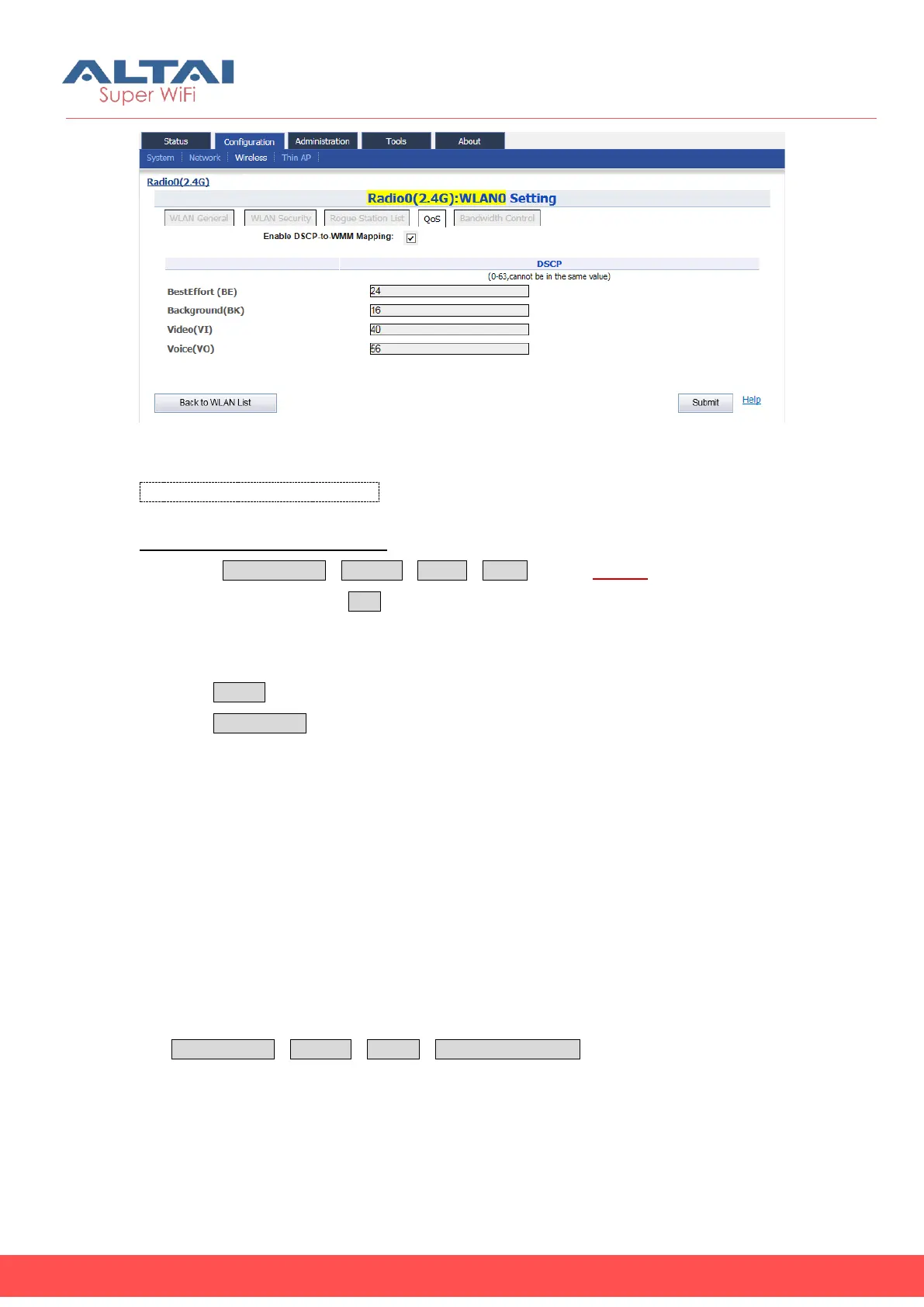
Figure 5-36 WLAN QoS
Enable DSCP-to-WMM Mapping: Enable or Disable DSCP to WMM mapping function.
Configure QoS based on a WLAN:
1. Select ConfigurationWirelessradio0WLAN to edit “More…”behind the
WLAN, and then select QoS to access Bandwidth Control configuration page
2. Set the DSCP value under “DSCP” that Correspondence to BestEffort (BE),
Background(BK), Video(VI) and Voice(VO).
3. Click Submit
4. Click Save&Apply to apply
5.4.1.1.2.5. WLAN X (0-15) Bandwidth Control
C1n supports different bandwidth control setting of each WLAN. User specifies the
maximum speed (kbps) of bandwidth based on WLAN or based on station.
Bandwidth control based on WLAN specifies limit the maximum speed of uplink and
downlink for particular WLAN. All wireless clients share the limited bandwidth in this
WLAN. Bandwidth control based on station specifies limit the maximum speed of
uplink and downlink for each associated wireless client. Wireless client cannot exceed
the limitation even it is the only client in WLAN. User may manage the rogue station
via ConfigurationWirelessRadio0Bandwidth Control to access to Bandwidth
Control configuration page.



 To Next Page