Altai Technologies Ltd. All rights reserved
C1n Series WIFI AP/CPE Web-admin Configuration Manual
TPS15-003_rev1.3
Warning: Customization will take effect after reboot. Since improper
customization may cause malfunction of C1n, please contact Altai support
team for any queries.
6.9. License
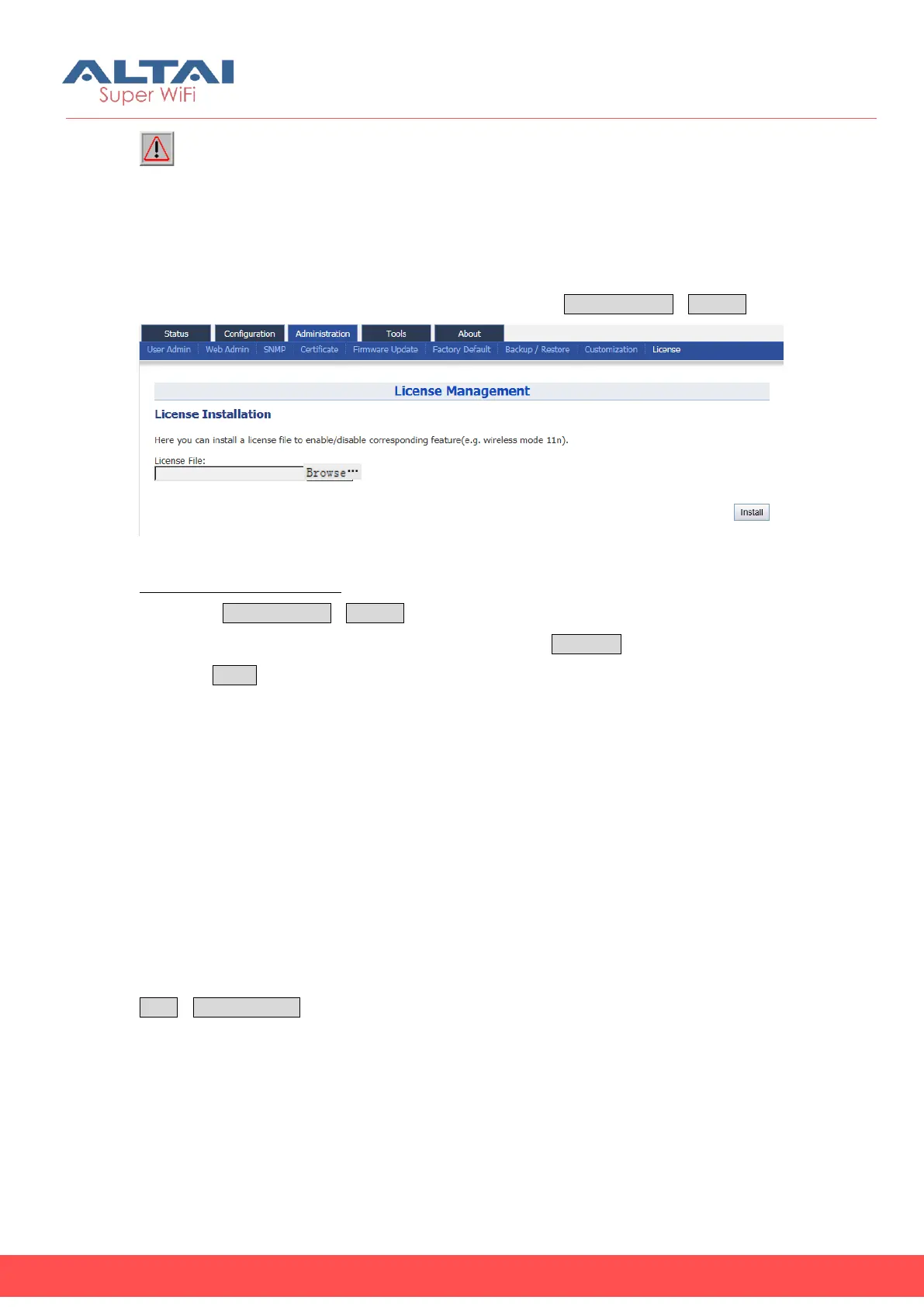
C1n supports license management functions for defining Radio module operating
mode. User may manage the customized license file via AdministrationLicense.
Figure 6- 22 C1n license management
Uploada license file to C1n:
1. Select Administration->License
2. Specify the license filein local directory by clicking Browse…
3. Press Install button
7. Tools
C1n provides useful tools for radio planning, diagnosis, and device’s maintenance.
7.1. Channel Scan
C1n Series AP/CPE provides a channel scanning tool; user is able to know the status of
2.4GHz radio (C1n and C1xn) or 5GHz radio (C1an and C1xan) in the surrounding
area. Throughout this tool, user may collect noise floor, percentage of channel busy,
and the number of AP in particular radio channels. User may configure this Wi-Fi
network based on such useful information. User may perform channel scan via
ToolsChannel Scan.



 To Next Page