Altai Technologies Ltd. All rights reserved
C1n Series WIFI AP/CPE Web-admin Configuration Manual
TPS15-003_rev1.3
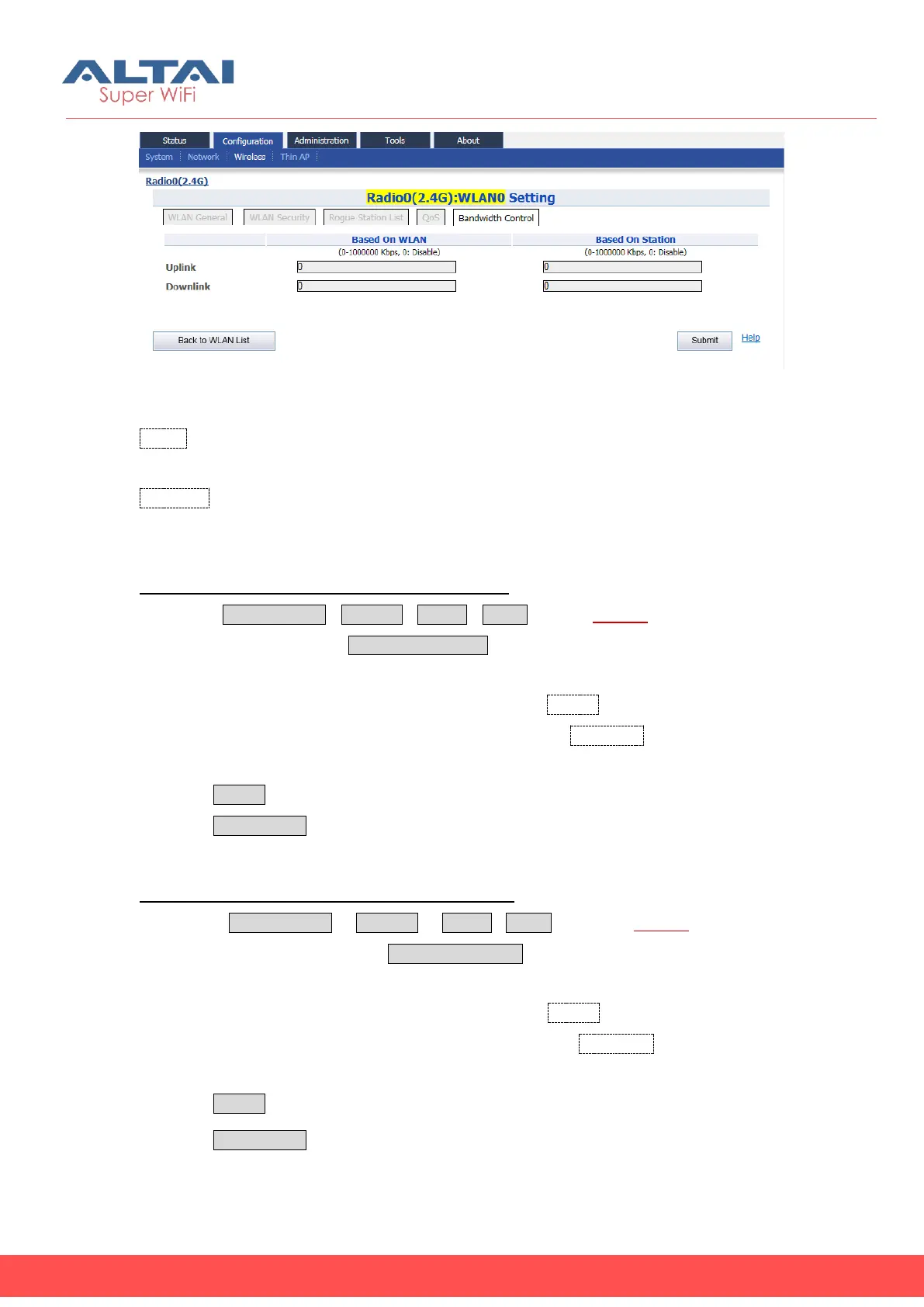
Figure 5-37 WLAN Bandwidth Control
Uplink: Specify the maximum bandwidth of uplink (from wireless clients to C1n); the
range is from 0-1000000Kbps. “0” means disable. The default setting is “0”.
Downlink: Specify the maximum bandwidth of downlink (from C1n to wireless clients);
the range is from 0-1000000Kbps. “0” means disable. The default setting is “0”.
Configure bandwidth limitation based on a WLAN:
1. Select ConfigurationWirelessradio0WLAN to edit “More…”behind the
WLAN, and then select Bandwidth Control to access Bandwidth Control
configuration page
2. Set uplink bandwidth limitation (Kbps) for uplink in Uplink under “based on WLAN”
3. Set uplink bandwidth limitation (Kbps) for downlink in Downlink under “based on
WLAN”
4. Click Submit
5. Click Save&Apply to apply
Configure bandwidth limitation based on a station:
1. Select Configuration ->Wireless ->radio0->WLAN to edit “More…”behind the
WLAN, and then select BandwidthControl to access Bandwidth Control
configuration page
2. Set uplink bandwidth limitation (Kbps) for uplink in Uplink under “based on Station”
3. Set uplink bandwidth limitation (Kbps) for downlink in Downlink under “based on
Station”
4. Click Submit
5. Click Save&Apply to apply



 To Next Page