Altai Technologies Ltd. All rights reserved
C1n Series WIFI AP/CPE Web-admin Configuration Manual
TPS15-003_rev1.3
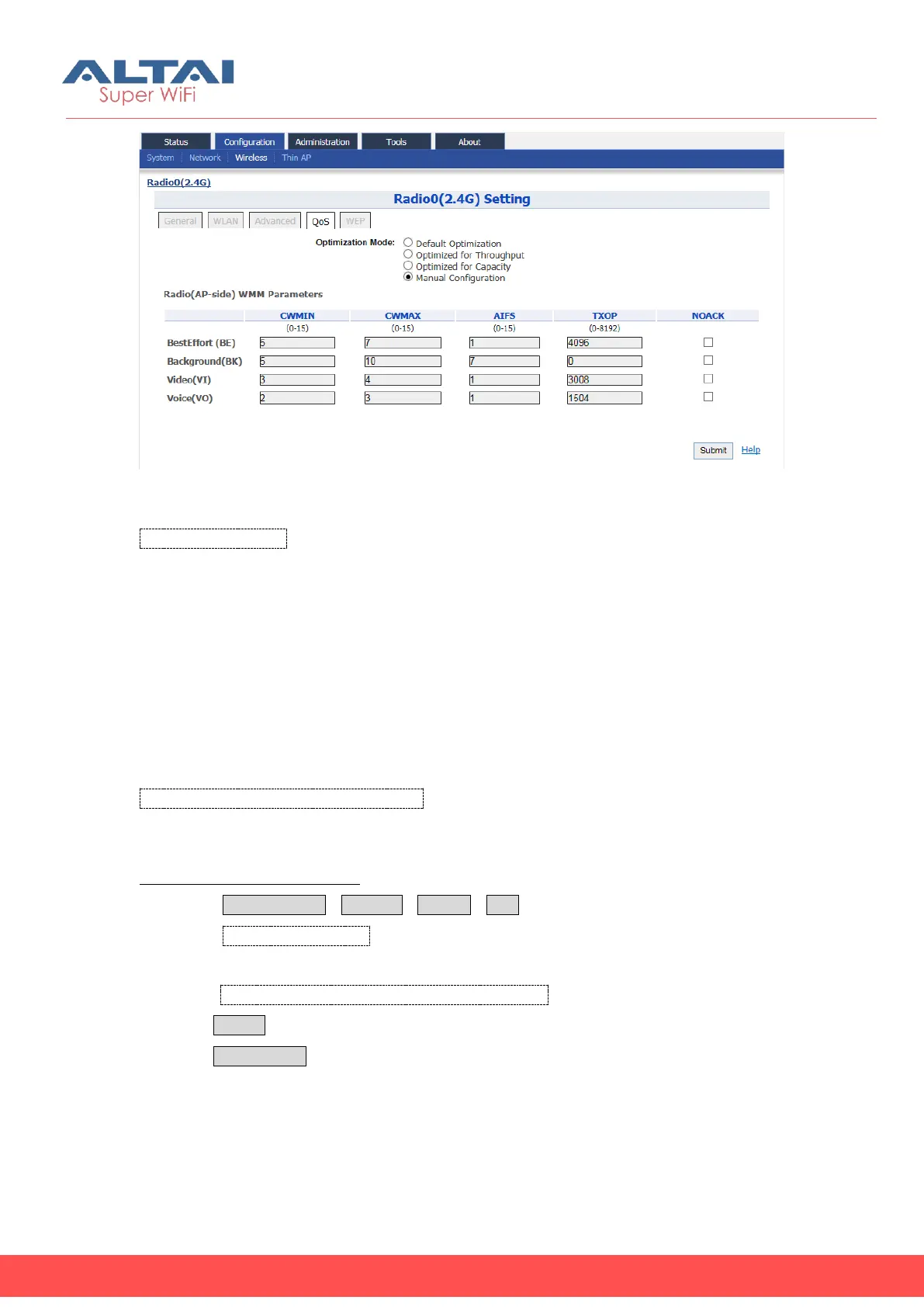
Figure 5-39 Radio0 QoS Parameters
Optimization Mode: Specify QoS/WMM parameters of Radio0. There are 4 modes,
“Default”, “Optimized for throughput”, “Optimized for capacity”, and “Manual
Configuration” .
“Default” is a set of QoS/WMM parameters as default configuration.
“Optimized for throughput” is a set of QoS/WMM parameters that can achieve the
highest throughput for a single user.
“Optimized for capacity” is a set of QoS/WMM parameters that that can achieve
highest system throughput for multiple users, e.g. > 30 users.
When select “Manual Configuration”, User can set Radio(AP-side) WMM Parameters.
CWMIN, CWMAX, AIFS, TXOP, NOACK: Specify the value that correspond to BestEffort
(BE), Background(BK), Video(VI) and Voice(VO).
Configure Radio0 QoS Setting:
1. Select ConfigurationWirelessRadio0QoS
2. Select Optimization Mode to Specify QoS/WMM parameters of Radio0.
3. When select “Manual Configuration” Specify the Radio(AP-side) WMM Parameters
under CWMIN, CWMAX, AIFS, TXOP and NOACK.
4. Click Submit
5. Click Save&Apply to apply


 To Next Page
 Loading...


