AM8a Instruction Manual (18-0037) Front Panel Operation
0037-S01.L_19 February 10, 2000
1-1
1. FRONT PANEL OPERATION
1.1 FRONT PANEL PROGRAMMING METHODS
The following sub-sections describe the basic methods for programming the AM8a through
the front panel. Refer to Sections 2 through 6 for details on the parameters which may be
entered. Refer to Section 7 for the RS232 Commands that provide the means to duplicate front
panel operations from a terminal. (Figures 7-3 through 7-5 may also be used as a quick-
reference to CONFIGURE, EMULATE, and ANALYZE menu parameter descriptions.)
LOOP
TIMS
TRUNK INPUTS
CAUTION: 10 VOLTS MAX
E & M
PCM2
TX RX
TX/2W
RX
E/M
SB/SG
PCM1
TX/2W
RX
!
T/R
SEIZE
START
REV
SEND TONE
RING
SHIFT
VALUE
TALK
VOLUME
POWER
HANDSET
PCM/VF CALL ANALYZER
1 2 3
4
5 6 7
WAIT DT
WAIT WINK
WAIT
FLASH
UNBAL
TOGGLE
BLANK
DIAL
STORE
RECALL
CONFIG'N
EMULATE
ANALYZE
AUTO DIAL
8
9
0
KP
*
#
ST
A B C
D
MENU
+ / -
INPUT
TIMS
TALK
AUTO
FREEZE
PRINT
CANCEL
ON / OFF
EVENTS
METER
DISPLAY
SETUP
Model AM8a
T+R–
T–R+
RINGING
TRUNK /SLC
TYPE
E&M/SLC
OFFHOOK
EMULATE
a b c d
PCM2
PCM1
EMULATE
GND ST/SF
a b
c
d
LOOP/DID
R-GND
E
M
/
TERMINAL/LINE
SWITCH
T-GND
FIELD
>HX9x155441XxXxHTthh
11:25:08 10-19-94 Emulate Switch
Ameritec
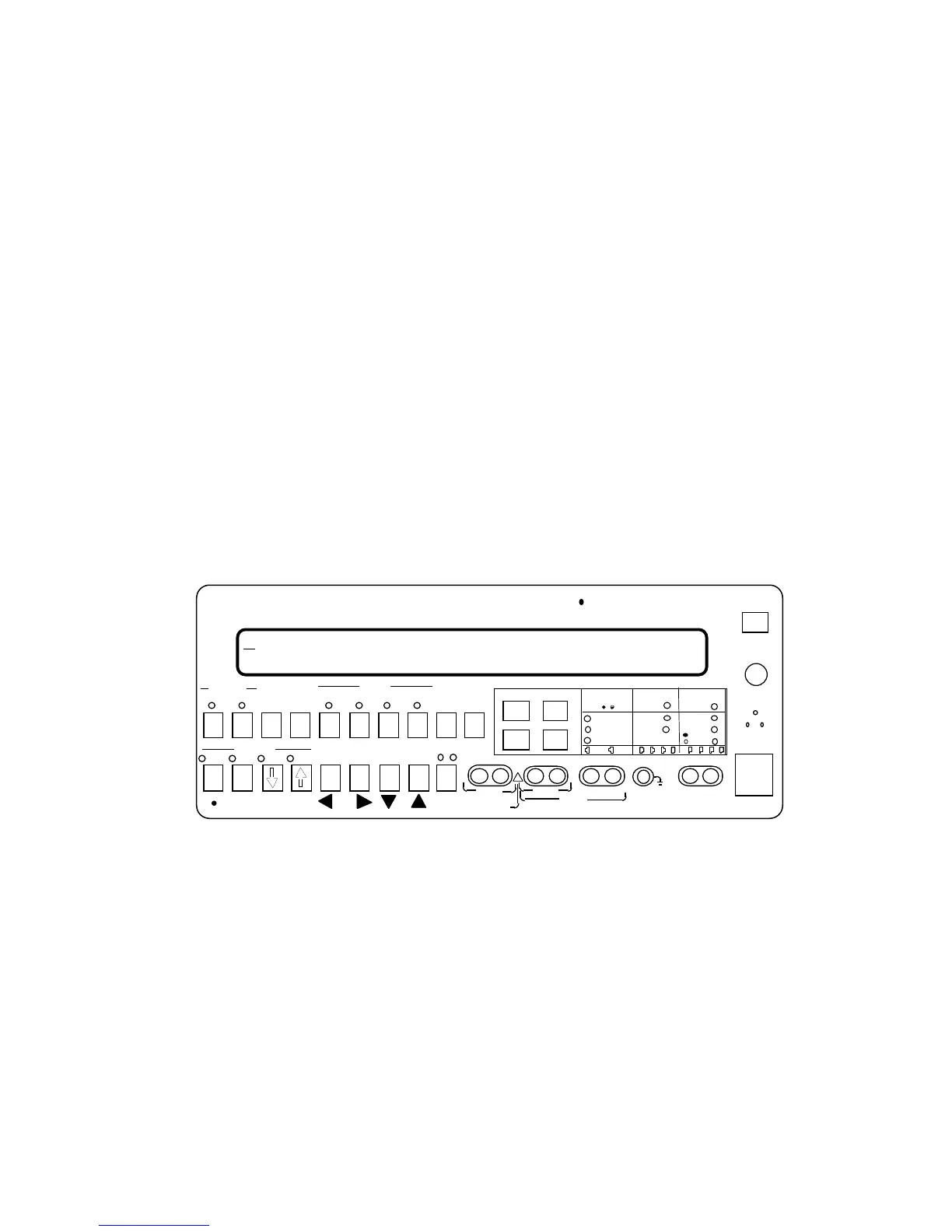
Figure 1-1. AM8a Front Panel
1.1.1 The SHIFT Key: Some keys may have as many as three separate functions. The SHIFT
key (see figure 1-1) controls access to each one of these.
• The No-Shift (or "Data Entry") functions for each key are either listed on the
center of the key itself (e.g. 1 through 0, *, #, A, B, C, D), or appear below the
key in black type (• (decimal point), +/- (plus or minus sign toggle), VALUE, and
MENU). These keys are usually for data entry, dialed number sequence entry, or
for scrolling through fields and parameters on the LCD display. both LEDs above
the SHIFT key must be off.
• Pressing the SHIFT Key once causes the green LED above it to come on and
activates the functions described in green type above the Data Entry keys.


 To Next Page