Description
Page 26 of 100 Back-in-Box-Lift K70 / K90 / K90 ACTIVE
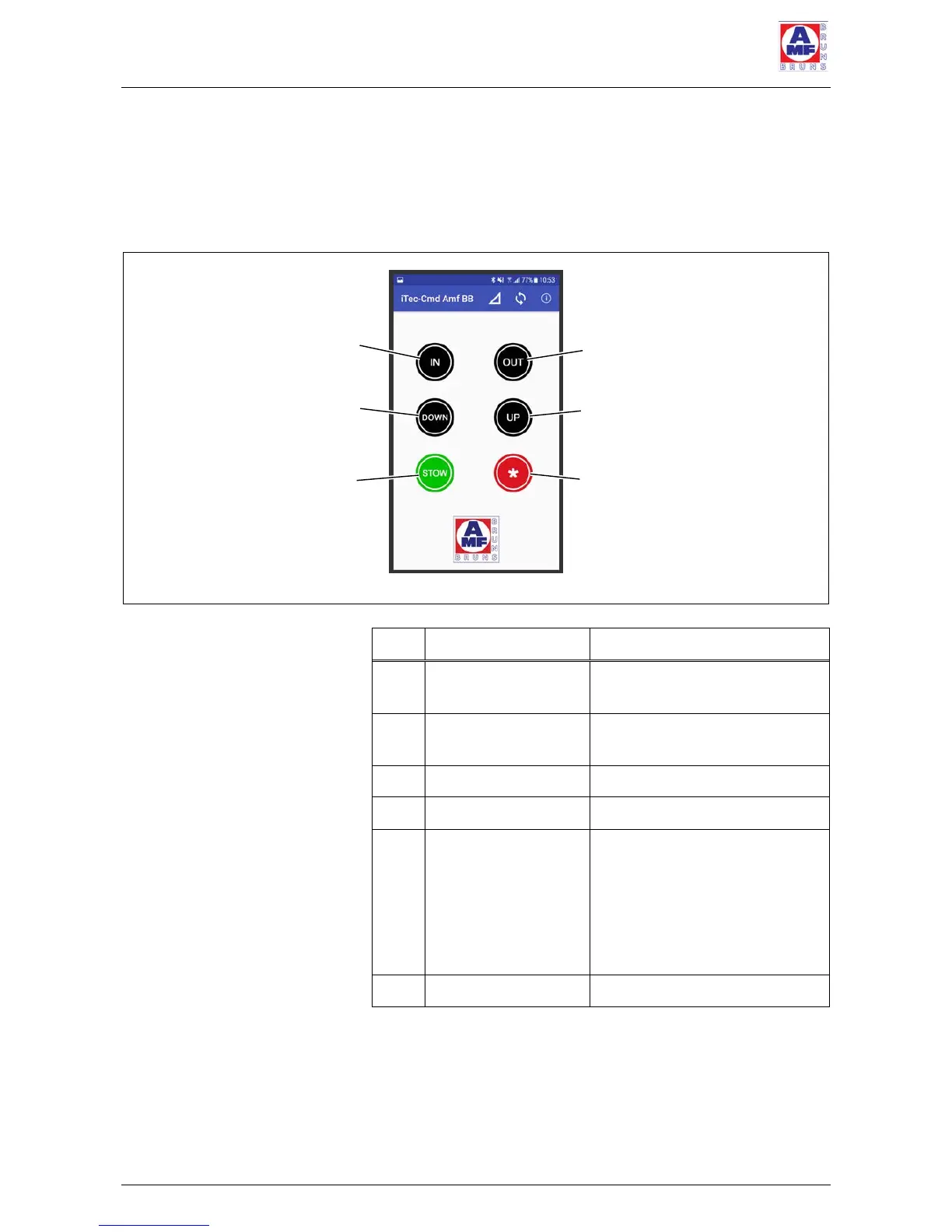
2.3.3 Remote control per Smartphone APP
An optional Smartphone App, that can replicate all of the
cable-connected remote control functions, is available for
the Back-in-Box-Lift (see Figure 17).
Figure 17: Smartphone App Operating Controls
Retracts the platform into
the cassette.
Extends the platform from
the cassette.
"Retract Position"
button
Brings the platform to the
position from which it can be
retracted into the cassette.
The platform must be higher
than the cassette for this
button to be effective.



 To Next Page