- 11 -
3378702_ATE_ut_GB ENGLISH
GB
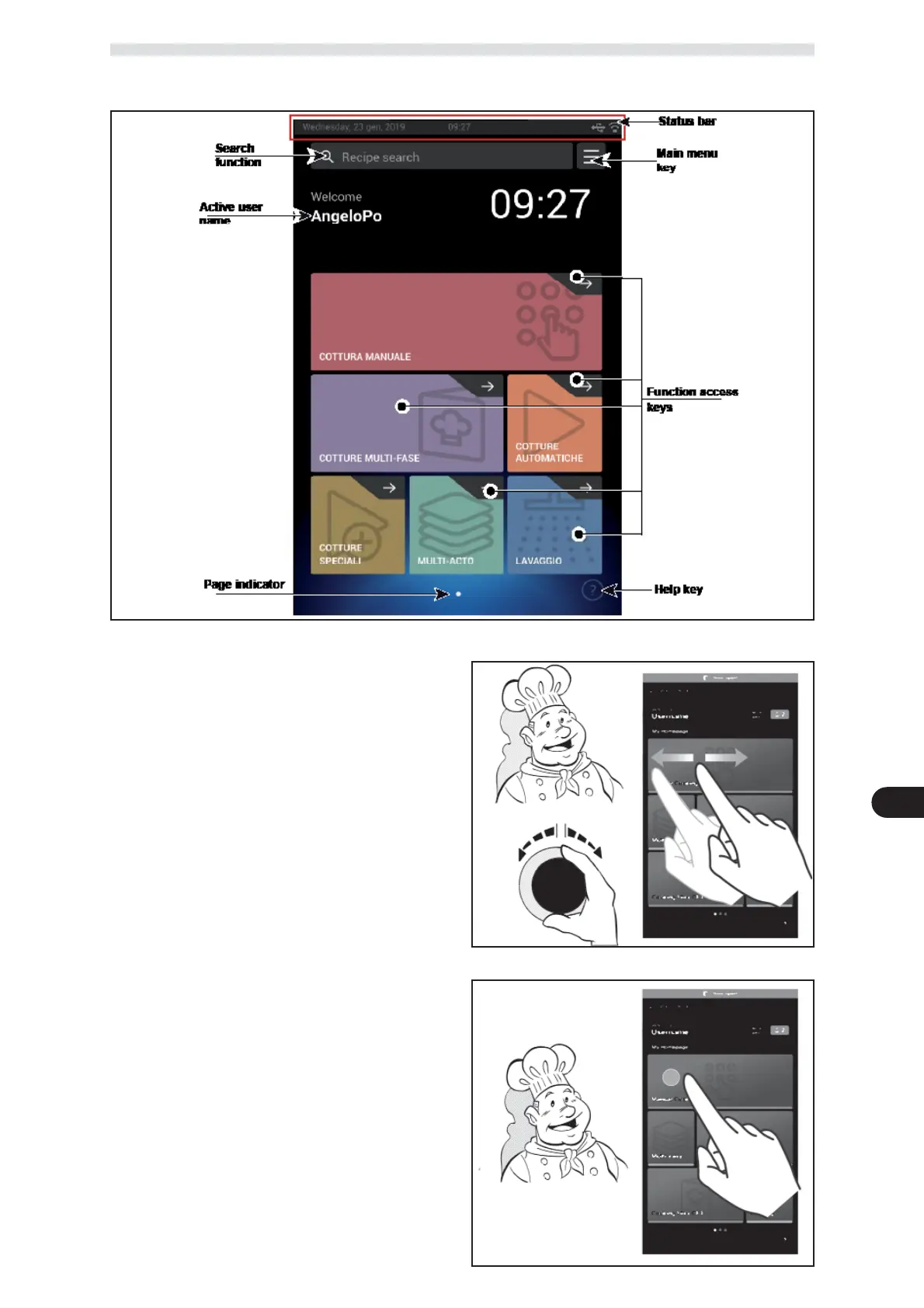
MAIN SCREEN
Used to access the program and display pages of the operating parameters of the equipment.
Proceed as follows to scroll the pages:
) Select the relative function by scrolling on the screen
with your ngers, to the left or right or by turning the
knob clockwise or anti-clockwise.
) Tap the screen to con rm the highlighted func-
tion.
) Tap the screen to select the parameter to be ed-
ited.
) Tap the screen or turn the knob to edit the value
of the parameter.
) Tap the screen to con rm the new value displayed.



 To Next Page