- 18 -
3378702_ATE_ut_GB ENGLISH
GB
AUTOMATIC COOKING
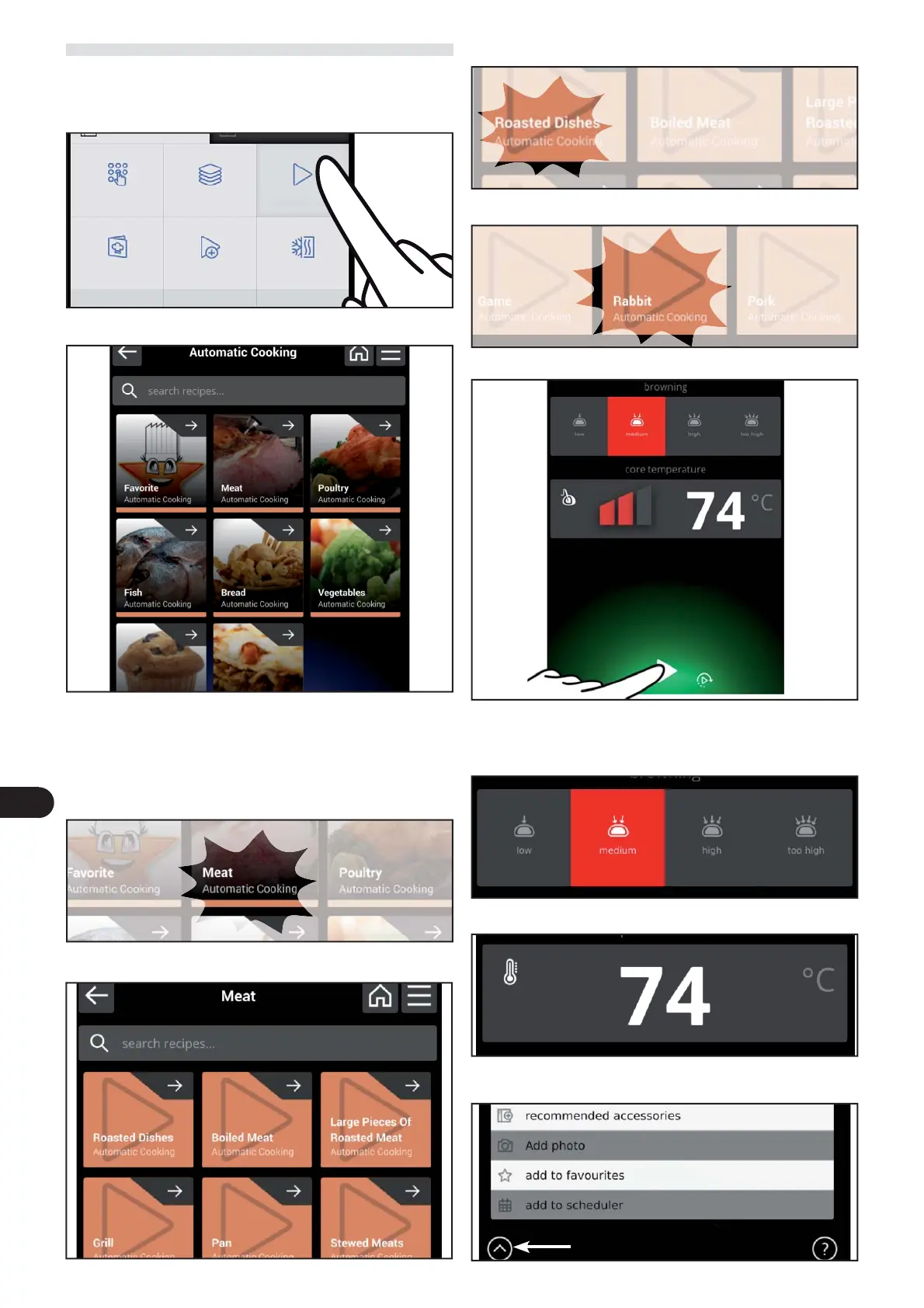
) On the main menu screen, press the icon to access the “ C3
automatic cooking “ function.
Proceed as follows.
The following screen appears on the display.
Preset cooking modes for the di erent foods can be re-
called on this screen.
Food cooking can also be selected, modi ed or program-
med.
) select the type of cooking between low, medium, high
and very high.
The following screen appears on the display.
) Select the name of the cooking program.
) Select the type of food.
The following screen appears on the display
This screen allows you to:
– select the type of cooking between low, medium, high and
very high.
– the cooking temperature for each type of cooking.
– set a cooking phase as a preference or select the recom-
mended accessories for that type of cooking.
Manual cooking
Multi-ActO Automatic
cooking
multi-step cooking
Special cooking Cook & Chill



 To Next Page