- 27 -
3378702_ATE_ut_GB ENGLISH
GB
HACCP DATA
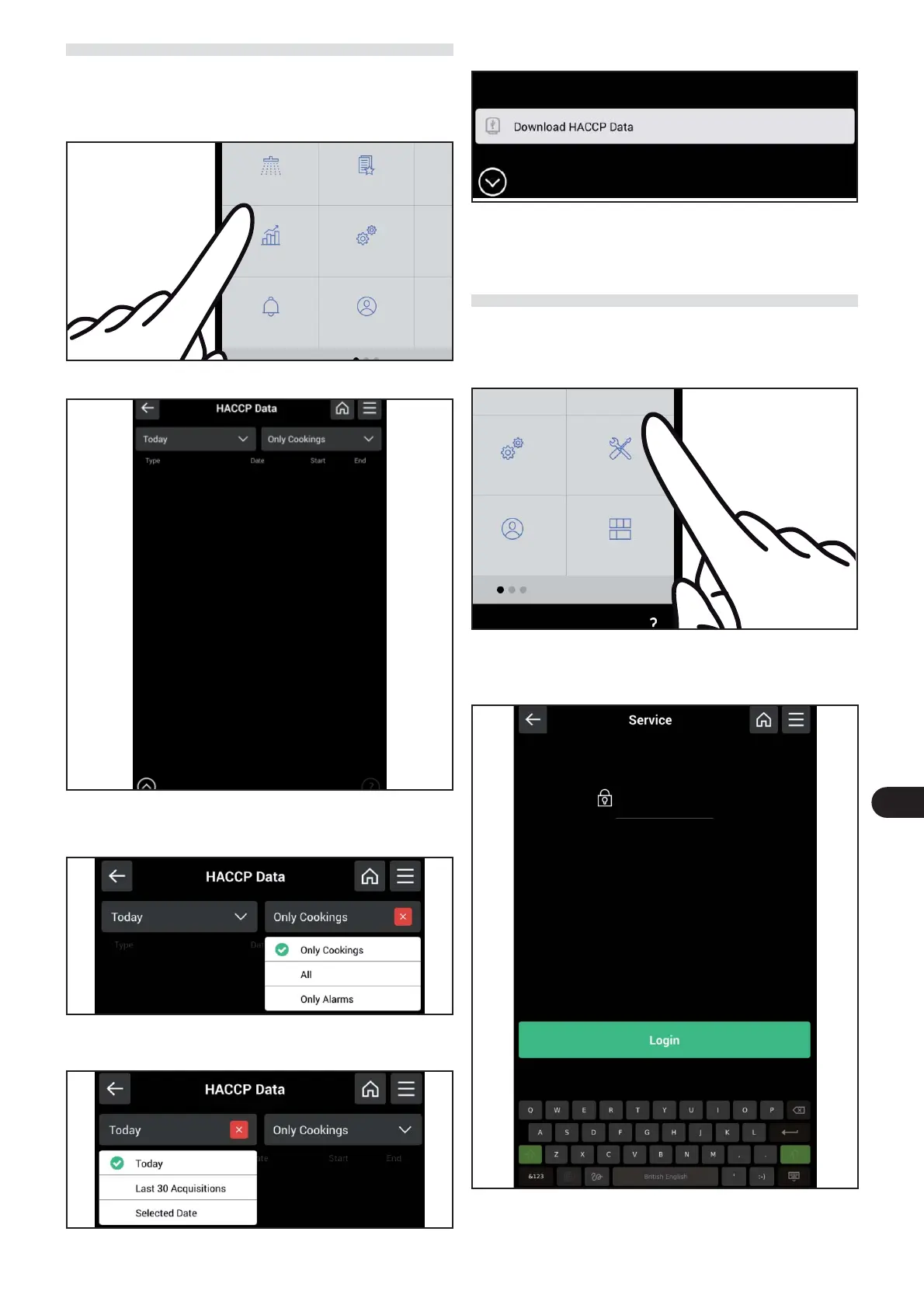
) On the main menu screen, press the icon to access the “
HACCP data “ function.
Proceed as follows.
The following screen appears on the display.
This screen displays the HACCP data of the coo-
king cycles alone, of the triggered alarms or of both
(cooking+alarms).
The data acquired on the current date, the last 30 acquisi-
tions or the data of a given date can also be displayed.
It is also possible to download the data to a USB device.
SERVICE
Function for the exclusive use of the After-Sales techni-
cal assistance service (to be used with Password).
) On the main menu screen, press the icon to access the
“service“ function.
Proceed as follows.
The following screen appears on the display.
avour
e
c
e
u
er
Settings Service
Users Modify dashboard
Cleaning
Favourite Sc
HACCP date
Settings S
Users Modif



 To Next Page