- 28 -
3378702_ATE_ut_GB ENGLISH
GB
NOTICES
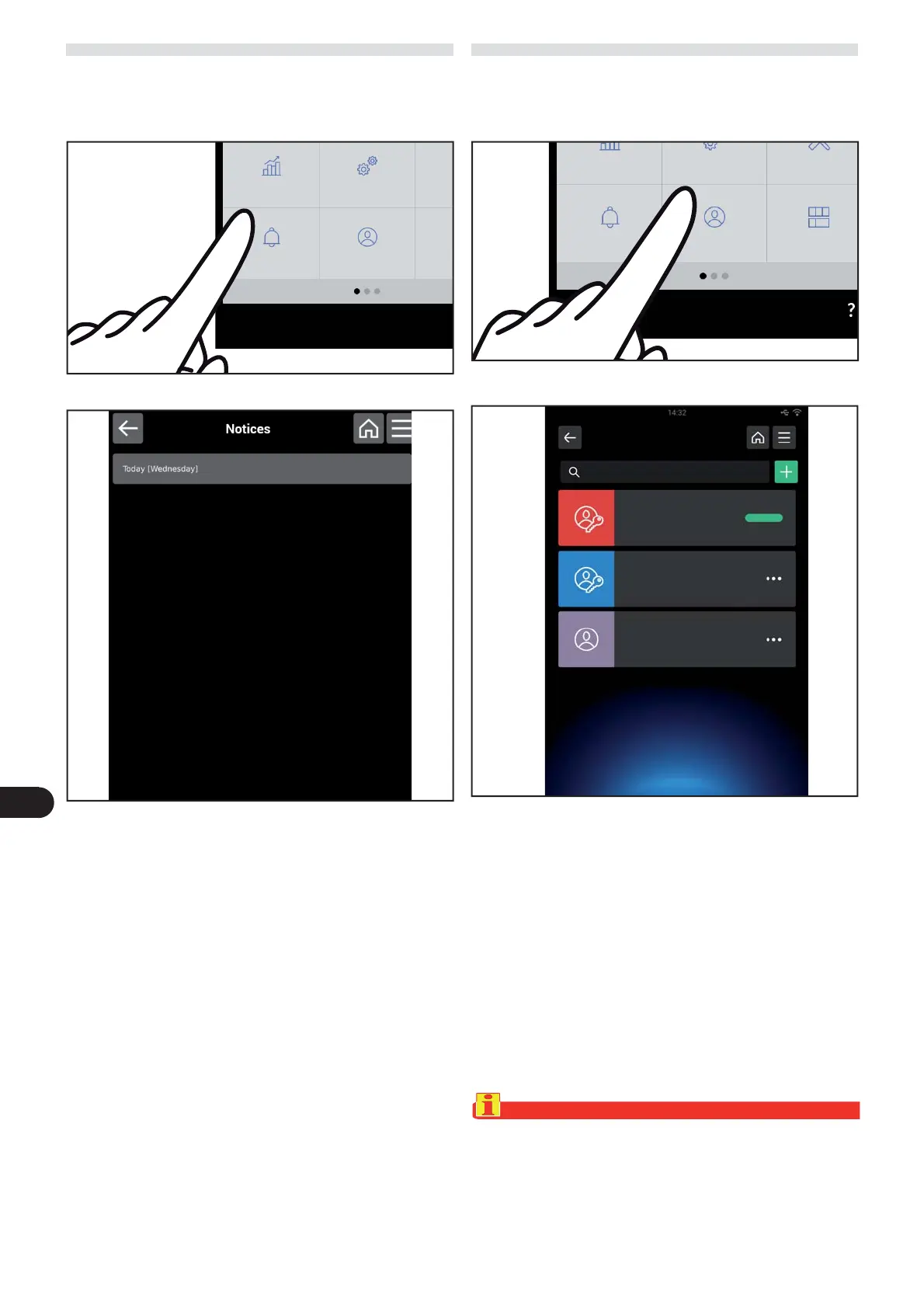
) On the main menu screen, press the icon to access the
“Notices“ function.
Proceed as follows.
The following screen appears on the display.
This screen grants access to the list of activities program-
med through the “scheduler” function.
HACCP date
Settings S
Users Modif
Notices
USERS
) On the main menu screen, press the icon to access the
“ users “ function.
Proceed as follows.
This screen is used to select the active user or to manage
the list of users.
Each user is associated with a personalised homepage”.
The following screen appears on the display.
Two di erent types of users are possible: administrator and
limited.
What the administrator user can do:
– Create, edit and delete other users.
– Password protected.
What the limited user can do:
– Only has access to the functions on the Homepage.
– Cannot edit the content of the Homepage.
– Cannot edit, create or delete other users.
Important
The “Angelo Po” user cannot be deleted.
HACCP date
Settings Service
Users Modify dashboardNotices



 To Next Page