- 26 -
3378702_ATE_ut_GB ENGLISH
GB
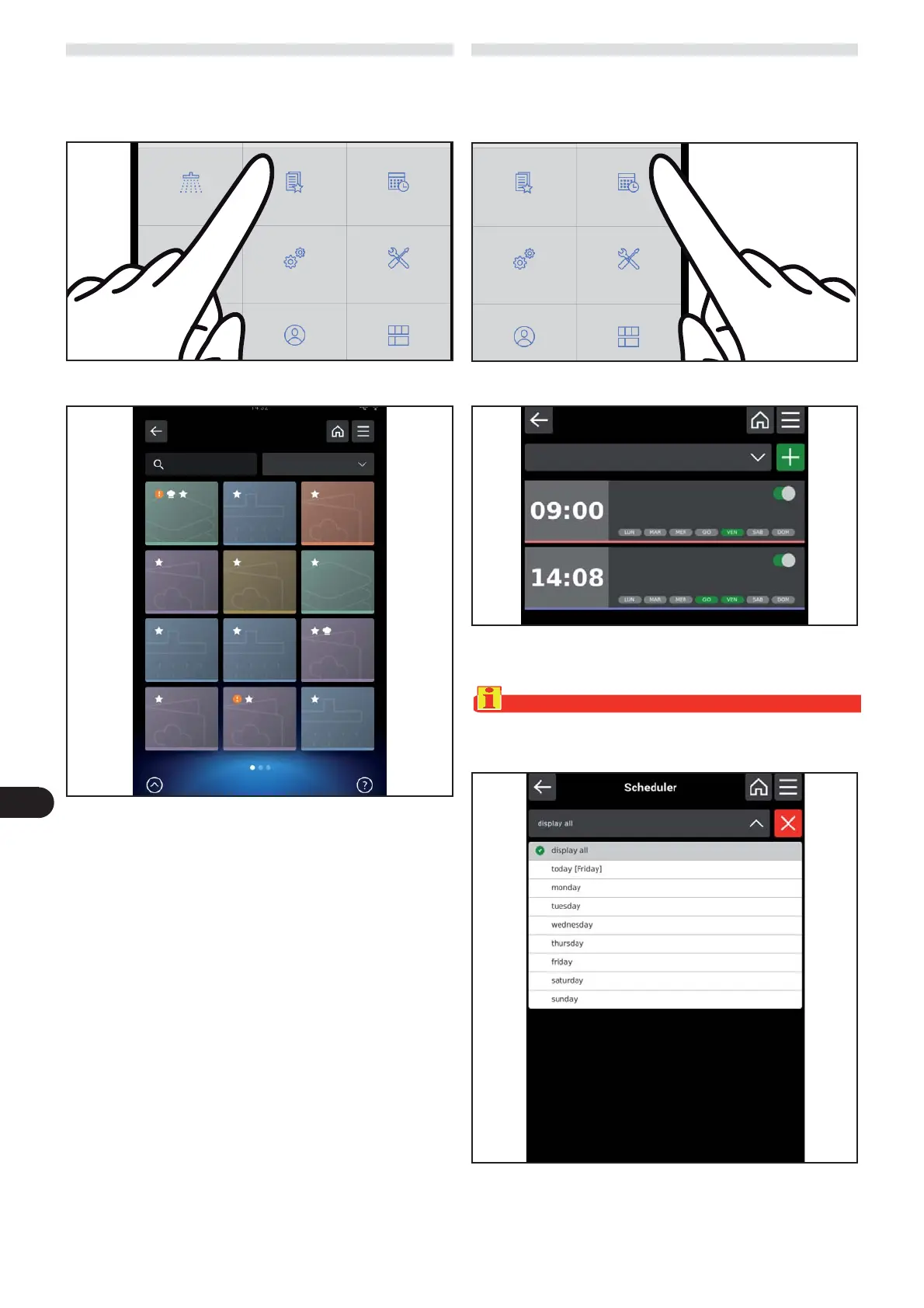
FAVOURITES
) On the main menu screen, press the icon to access the “
favourites “ function.
Proceed as follows.
The following screen appears on the display.
This screen grants access to the cooking programs saved
as favourites.
SCHEDULER
) On the main menu screen, press the icon to access the “
Scheduler “ function “
Proceed as follows.
The following screen appears on the display.
This screen is used to program warnings or activities (e.g.
cooking programs) on certain days and at certain times.
Important
The warning can only be a text message or it can be associ-
ated with a cooking or wash program.
Favourite Scheduler
Settings Service
Scheduler
View All
Manual cooking
Manual cooking
Automatic cooking
Automatic cooking
Cleaning
Favourite Scheduler
Settings Service



 To Next Page