- 13 -
3378702_ATE_ut_GB ENGLISH
GB
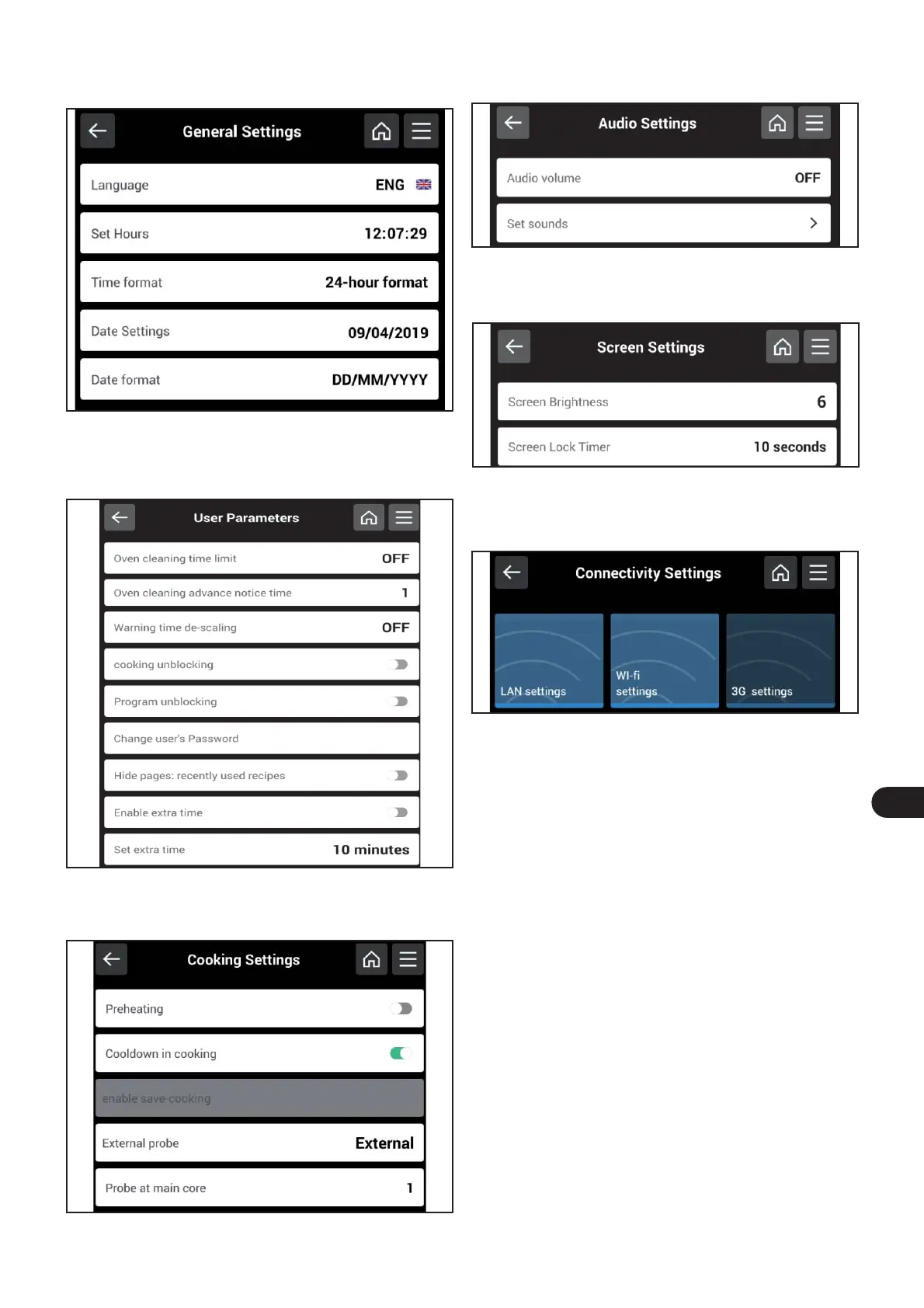
If “General settings” is selected, the following screen will ap-
pear on the display, which allows you to select and/or edit
the parameters on the display.
If “User parameters” is selected, the following screen appe-
ars on the display, which allows you to select and/or edit the
parameters on the display after entering the password pro-
vided by the manufacturer (APGC).
If “Cooking settings” is selected, the following screen will
appear on the display, which allows you to select and/or edit
the parameters on the display.
If “Audio settings” is selected, the following screen will ap-
pear on the display, which allows you to select and/or edit
the parameters on the display.
If “LCD settings” is selected, the following screen will appear
on the display, which allows you to select and/or edit the pa-
rameters on the display.
If “Connectivity settings” is selected, the following screen
will appear on the display, which allows you to select and/or
edit the parameters on the display.



 To Next Page