- 15 -
3378702_ATE_ut_GB ENGLISH
GB
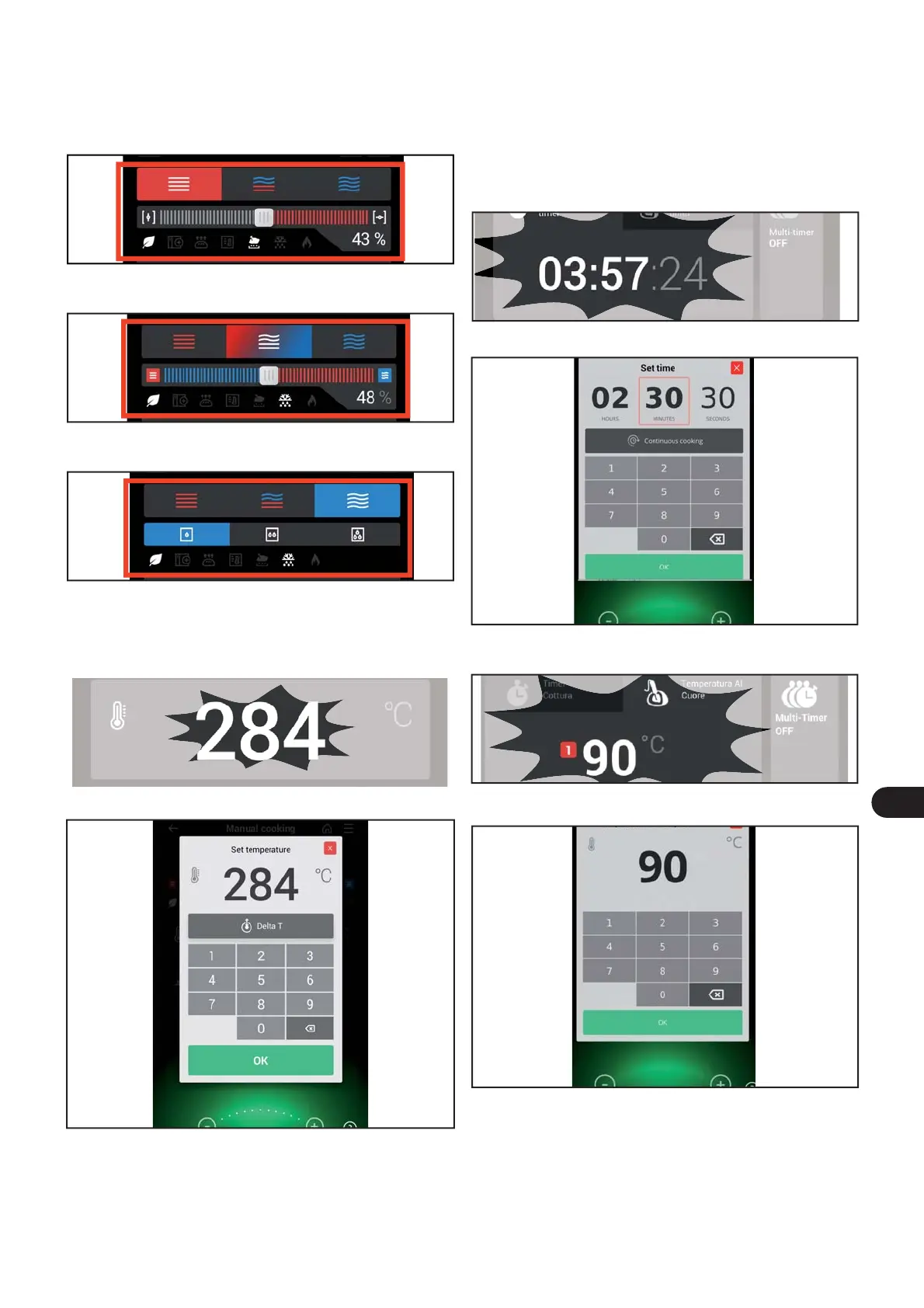
Press the relative area to select the type of cooking (mixed,
convection, steam).
Cooking type
) Press the temperature zone to select the cooking tempe-
rature.
Temperature adjustment
If “combined cooking” is selected, the percentage of humi-
dity inside the oven appears in zone.
If “convection cooking” is selected, the percentage of ope-
ning of the steam vent appears in zone.
If “steam cooking” is selected, the steam intensity selection
(three selection levels) appears in the zone..
The following screen appears on the display.
This screen allows you to:
– enter the desired temperature directly on the keyboard or
turn the knob to the left/right to increase and/or decrease
the temperature.
– Enable or disable the Delta T of a cooking phase.
) Press OK to save the selection made and exit.
Cooking time or core temperature
) Press one of the zones, “cooking time” or “core tempera-
ture”.
For example, if a user selects the “cooking time” function
and then selects “core temperature”, the rst function is
cancelled, or vice-versa.
The following screen appears on the display.
It is possible to do the following on both screens:
– Use the keyboard to directly enter the time (hour, minutes,
seconds) or temperature to be edited.
– Turn the knob right/left or press the “+” or “-” icons to in-
crease or decrease the time or temperature.
) Press OK to save the new setting and go back to the previ-
ous screen.
Press the zone to edit the cooking time.
Press the zone to edit the core temperature.
The following screen appears on the display.


 To Next Page
 Loading...