- 21 -
3378702_ATE_ut_GB ENGLISH
GB
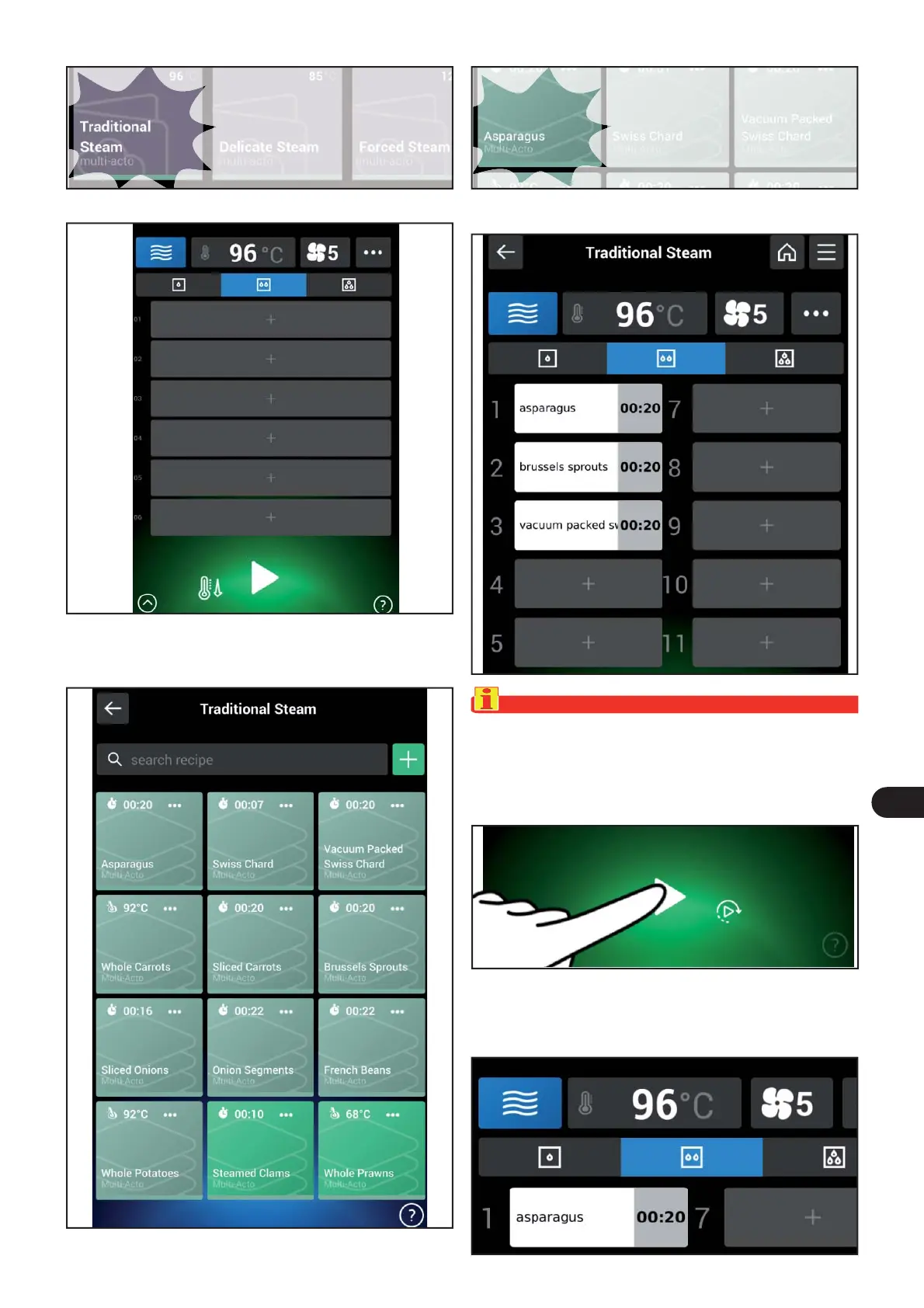
The following screen appears on the display.
) Press the + icon to add a cooking program to the grey box.
The following screen appears on the display.
) Select the name of the cooking program.) Select the name of the cooking program.
The following screen appears on the display.
)
Press the icon to strat the cooking .
Important
To add more cooking programs to the grid, move the cur-
sor to an empty grey box and repeat steps 3 and 4 of the
procedure.
For each cooking program you can also temporarily
modify the c
ooking time as follows:
) Select the name of the cooking program.



 To Next Page