W-CDMA/HSPA+ Signal Analyzer 3-4 W-CDMA/HSPA+ RF Measurements
3GPP MG PN: 10580-00234 Rev. T 3-11
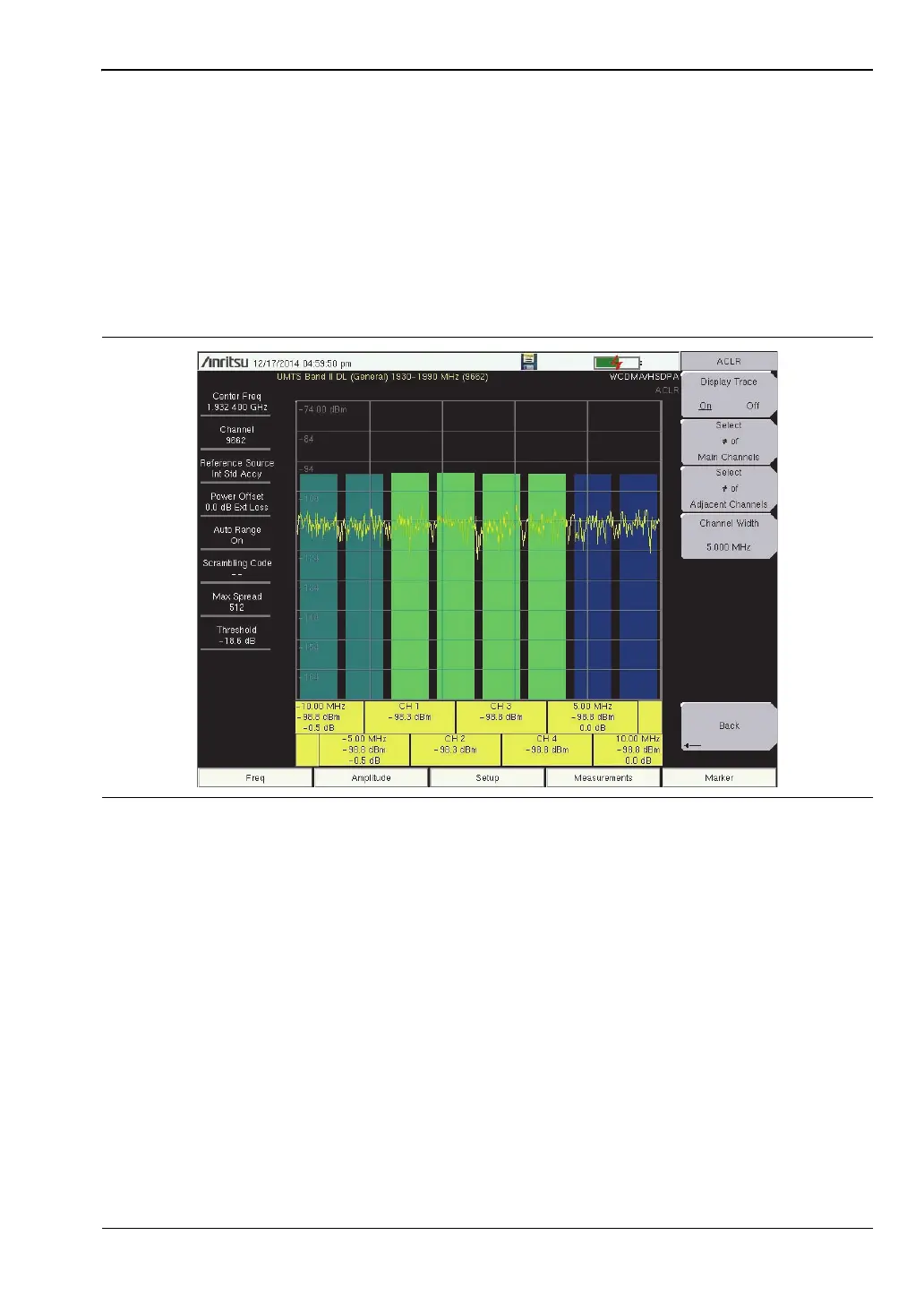
ACLR Multi-channel ACLR Procedure
1. Press the Measurements main menu key.
2. Press the RF Measurements submenu key.
3. Press the ACLR submenu key to activate the ACLR measurement.
4. Press the ACLR submenu key again to open the ACLR menu.
5. Press Select # of Main Channels to open the Num of Main Channels list box. Highlight
the desired number of channels and press Enter. In Figure 3-4, four channels were
selected.
Spectral Emission Mask Setup
The Spectral Emission Mask displays the selected signal and the mask as defined in the
3GPP specification. The mask varies depending upon the input signal. The instrument also
indicates if the signal is within the specified limits by displaying PASSED or FAILED. The
emission mask is also displayed in a table format with different frequency ranges and
whether the signal PASSED/FAILED in that region.
The 3GPP specification specifies four masks depending upon the base station output power:
• P ≥ 43 dBm
• 39 ≤ P < 43 dBm
• 31 ≤ P < 39 dBm
• P < 31 dBm
Figure 3-4. ACLR Multi-channel Measurement
ООО "Техэнком" Контрольно-измерительные приборы и оборудование www.tehencom.com


 To Next Page
 Loading...











