130
Refer to the relationship table between value and ‘flip’ frequency:
Frequency (kHz) 2.4 2.8 3.2 3.6 4.0 4.4 4.8 5.2 5.6 6.0 6.15
Inverter value 0 37 64 86 102 116 128 138 146 154 156
When the voice inverter has been activated and you exit from the
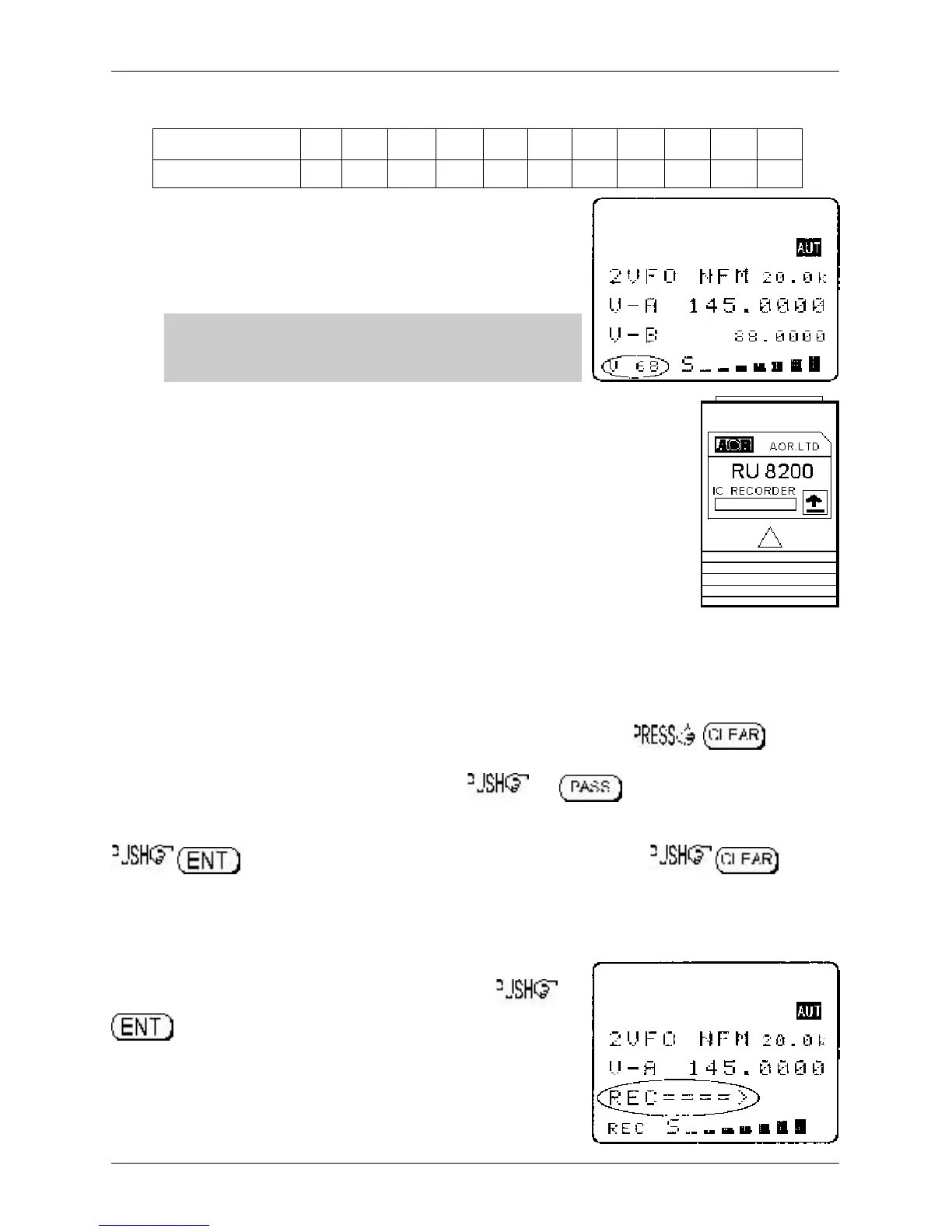
voice inverter menu back to VFO, the legend “v 68” will be
displayed in the bottom right corner of the LCD. The legend “v”
indicates that the inverter is active while the legend “68” indicates
the current ‘flip’ value in use.
&Note: Using the voice inverter to monitor normal
transmissions will cause them to distort and sounds rather
like tuning across a busy short wave band using USB.
18-6 RU8200 optional record & playback slot card
The RU8200 enables around 20 seconds of audio to be recorded to a chip within
the RU8200 for playback at a later time. The chip may be used to recorded over
and over again overwriting the previous recordings. The recording may also be
played back over and over, very useful if you have grabbed an interesting
recording! It is also possible to set the RU8200 to continuously record the last 20
seconds of activity ensuring that an interesting transmission is never missed. The
RU8200 may be used in VFO, scan, search and memory read modes.
Register the RU8200 slot card
Insert the RU8200 slot card and switch the AR8600 on and REGISTER the RU8200 card via the
OPTION SELECT registration menu.
Refer to section 18-2 and the example for the TE8200 shown
in section 18-3.
Remember, the RU8200 is listed in group 2 of the slot card option list.
To use the RU8200
Insert the RU8200 slot card and switch the AR8600 on, select VFO mode. to access
the VI8200 menu. The AR8600 will present the record / playback menu. The legend “RECORDER”
confirms selection of the record & playback menu. the key or use the main dial or ï
ð keys to toggle between “REC” (RECORD), “C.REC” (continuous record) and “PLAY” (play).
to accept the selection and return to the previous menu or to
abort. Recording and playback can be carried out while the AR8600 is in VFO, scan or search mode.
18-6-1 Recording
While in the record & playback menu select “REC” and
. The LCD will return to its previous display with the
legend “REC” in the bottom left corner of the LCD to show that the
RU8200 is active. If the squelch is currently open, recording will
take place immediately, otherwise recording will take place next
time the squelch opens.
Section 18-5, 18-6, 18-6-1



 To Next Page