60
&Note: The priority mode is automatically suspended during entry of frequencies via the
keypad, this prevents the receiver from changing frequency while you are busy programming.
Priority operation is disabled when the band scope is in operation.
6-1 Engaging PRIORITY channel
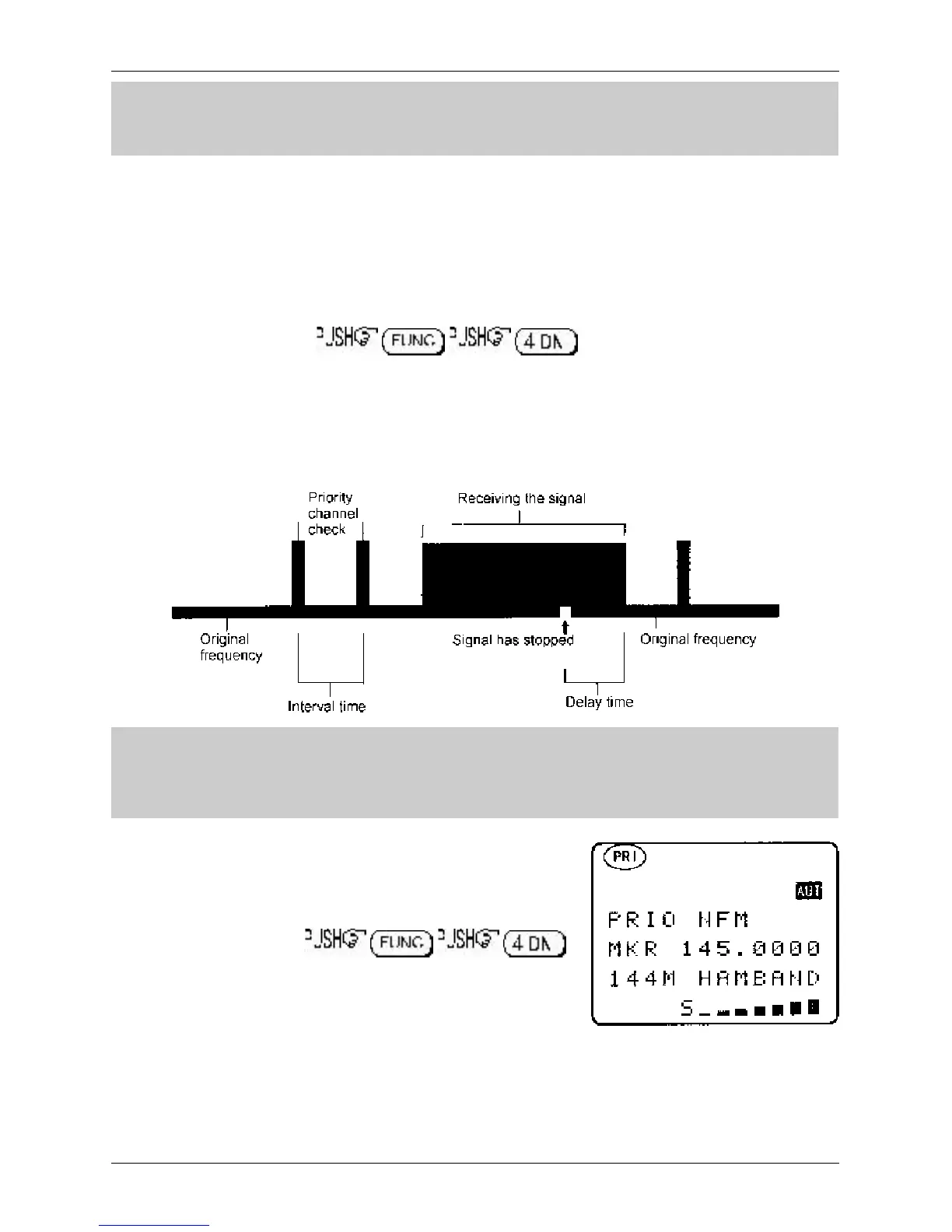
Once engaged, the default channel used for PRIORITY is “A00” and the frequency contained is checked
for activity every 5 seconds.
First ensure that there is data stored in memory channel “A00”.
To engage the priority facility , this may be carried out while in
SCAN, SEARCH or VFO modes. The legend “PRI” is displayed in the top left hand corner of the LCD to
indicate that PRIORITY IS ENGAGED (switched on).
If activity is encountered on the priority channel, the AR8600 will stay on the priority frequency until the
transmission ends (and the squelch closes) after which time the priority frequency will be checked for
activity every few seconds.
&Note: Once priority has been activated, the data contents of the memory channel used
(default A00) may be altered without affecting the data used for PRIORITY operation which is
stored separately and assumes an identity of its own irrespective of the data contents of
memory A00.
Should you subsequently wish to alter the priority data, you
will have to use the “PRIO SET” menu detailed in
section 6-2-1
of this manual.
To cancel priority operation
(which acts as a toggle), the legend “PRI” will be removed from
the LCD.
6-2 Changing PRIORITY channel data
The default channel used for PRIORITY is “A00” and the frequency copied from this channel is checked
for activity every 5 seconds. You may select a different memory channel from which the data will be
copied or may vary the sampling time for priority activity checking.
Section 6, 6-1, 6-2



 To Next Page