83
1. DELAY OFF / HOLD / 0.1 - 9.9 seconds (default 2.0s)
2. LEVEL OFF / 1 - 255 (default OFF)
3. VOICE OFF / 1 - 255 (default OFF)
4. FREE OFF / 1 - 60 seconds (default OFF)
5. AUTO STORE ON / OFF (default OFF)
6. DELETE J Yes / No (using key)
8-7-1 Search DELAY
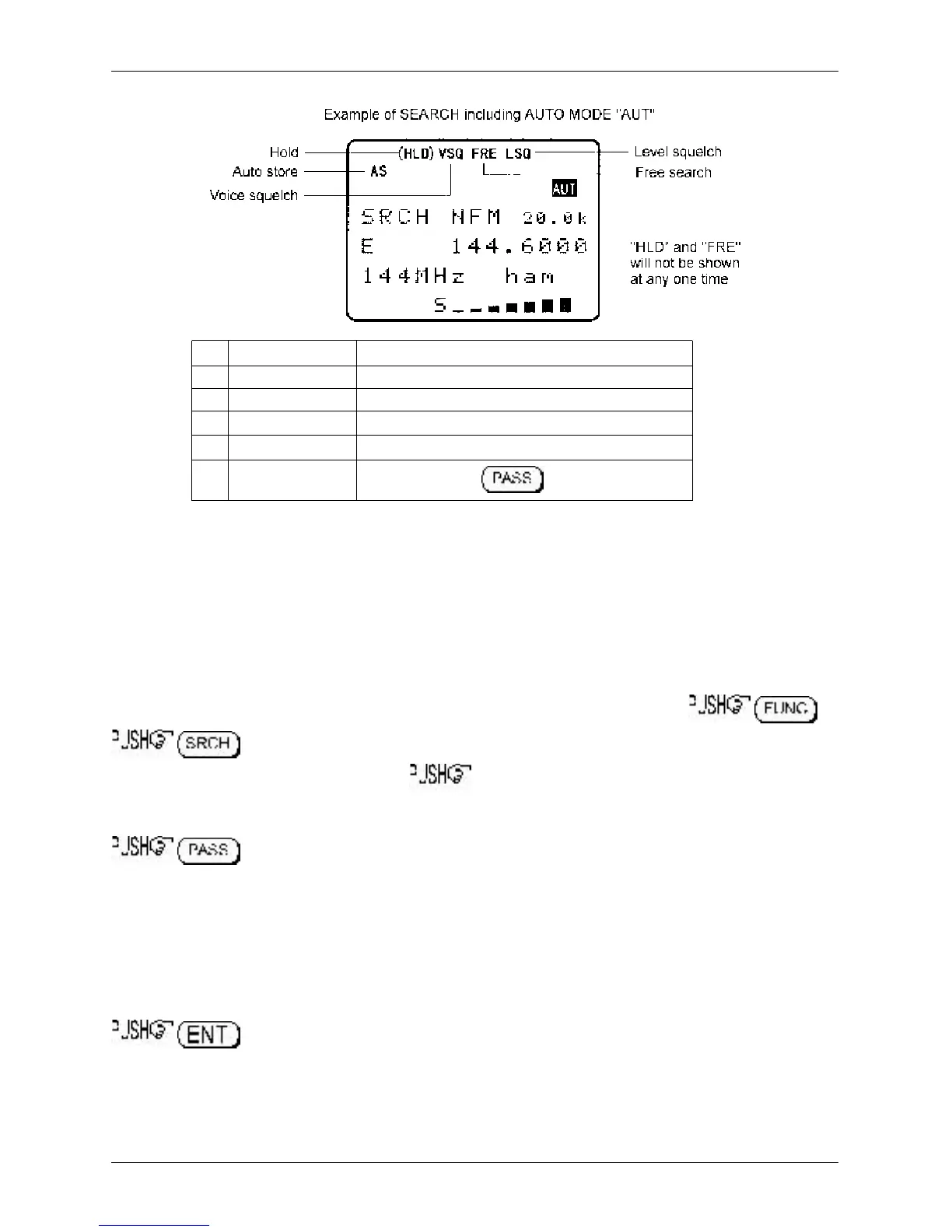
The search DELAY parameter affects the time the AR8600 will remain on an active frequency in search
mode once the received signal has disappeared and the squelch has closed. This is particularly useful
for customising how long the receiver will wait for a reply before resuming search. For example, when
communications are passed back and forth between a control tower / aircraft which may take a few
seconds. The limits are OFF / HOLD and 0.1 to 9.9 seconds in 0.1s increments (default 2.0 seconds).
Search DELAY is configured via the SRCH-GROUP menu. Use the key sequence
to access the “SRCH-GROUP” menu. Use the ï ð keys to select the
SRCH-GROUP number between 1 and 9. ò five times to display the search environment
parameters starting with the DELAY.
to toggle the status between 2.0s / HOLD / OFF, the default is 2.0s. Use the main
dial to increment delay time in 0.1s or the ï ð keys to increment in 1.0s.
2.0s The AR8600 will wait the specified time after the squelch closes before
resuming search.
HOLD The AR8600 will stop indefinitely when an active frequency is located, this is
very useful when you don’t want to miss that once-in-a-lifetime transmission!
OFF The AR8600 will resume search instantaneously when the squelch closes.
to accept the changes and return to the display prior to accessing the SEARCH
environment menu. Alternatively you may move to the next option (search LEVEL squelch) by pressing
the ò key.
Section 8-7, 8-7-1



 To Next Page