29
3-7 Changing receive mode
Due to the necessities of signal bandwidth, channel occupancy and transmission efficiency, different
receive modes are used by various services. In addition to this the specification for tuning step and
receive mode are allocated by departments of Governments following International discussions so are
not consistent throughout the world. For this reason, it is necessary to change receive mode in order to
monitor various transmissions.
For your convenience, receive mode and tuning step size have been pre-programmed into the AR8600
auto-mode bandplan data at the factory to simplify operation of the receiver, especially while you
familiarise yourself with all the facilities. Should you wish, the defaults may be manually overridden at
any time so that you may select an alternative receive mode and tuning step on any frequency.
3-7-1 Auto-mode selection
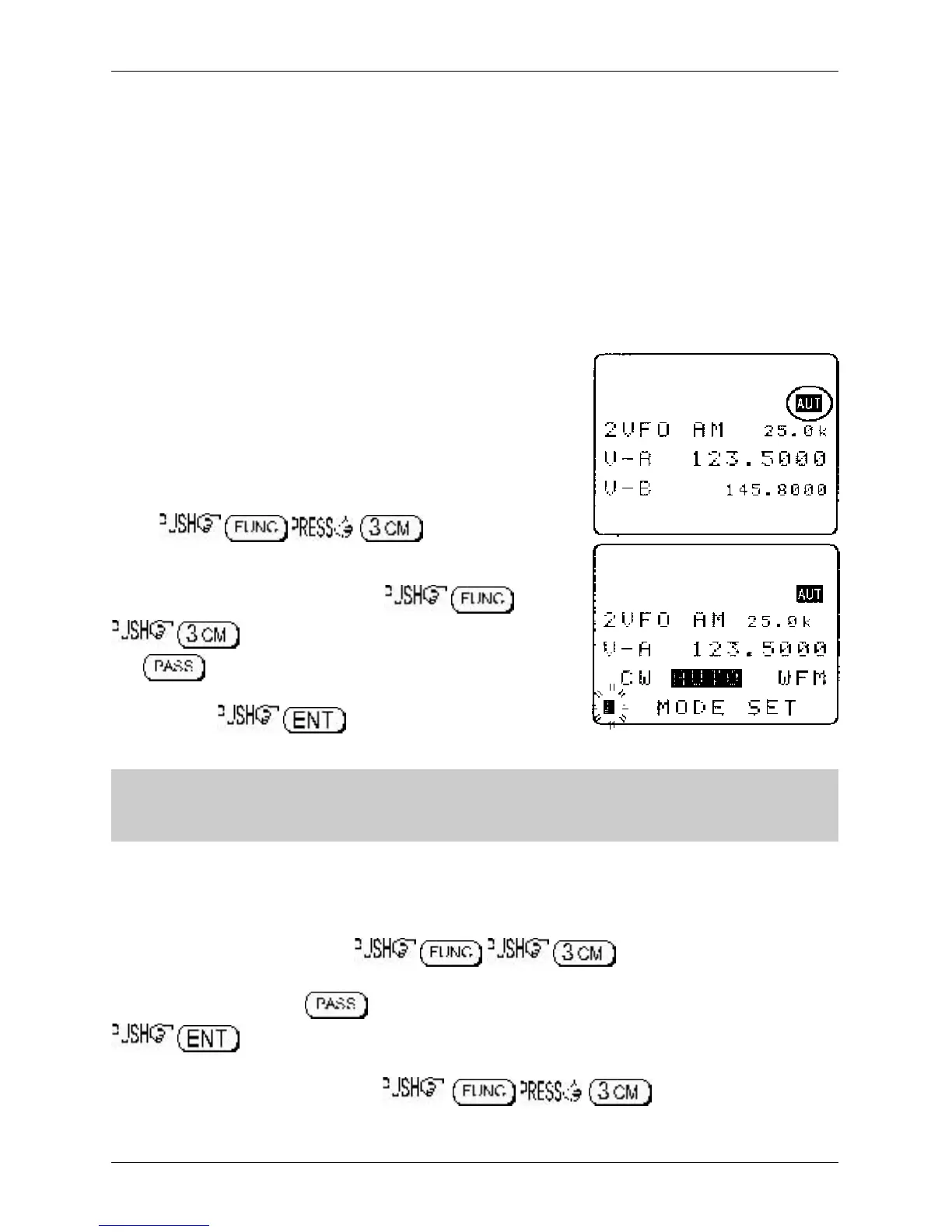
When auto-mode is in operation (so that receive mode and tuning
step size are automatically selected for you by the AR8600
microprocessor), the reverse legend “AUT” is displayed toward
the top right of the LCD.
To activate auto-mode or reconfirm its selection while in VFO
mode,
Alternatively “AUTO” may be selected from the “MODE SET”
menu accessed with the key sequence
The key acts as a short cut to “AUTO”, alternatively use
the main dial or ï ð keys. When the reverse “AUTO” legend has
been selected, to accept the data input. The
LCD will revert to VFO mode with the “AUT” legend confirming selection.
&Note: Auto-mode is cancelled as soon as the receive mode, tuning step or other
related data is changed. Remember that auto-STEP and auto-MODE are linked, reselect
AUTO-MODE if either have been adjusted and you require the auto bandplan selection.
3-7-2 Receive mode selection menu
Any receive mode may be selected at any frequency within the receiver’s frequency coverage.
To access the receive mode menu , the following modes are
available: AUTO, WFM, NFM, SFM, WAM, AM, SAM, USB, LSB, CW. Use the main dial or ï ð ñ ò
keys to make selection, the key acts as a short cut to “AUTO”. To accept the selection
As a further short cut to AUTO MODE, . The reverse LCD legend
“AUT” confirms selection.
Section 3-7, 3-7-1, 3-7-2



 To Next Page