78
8-4 Programming a search bank
Each of the 40 search banks may be programmed with
different frequency limits, receive modes, step size etc as
listed in
section 8-1-1
of this manual.
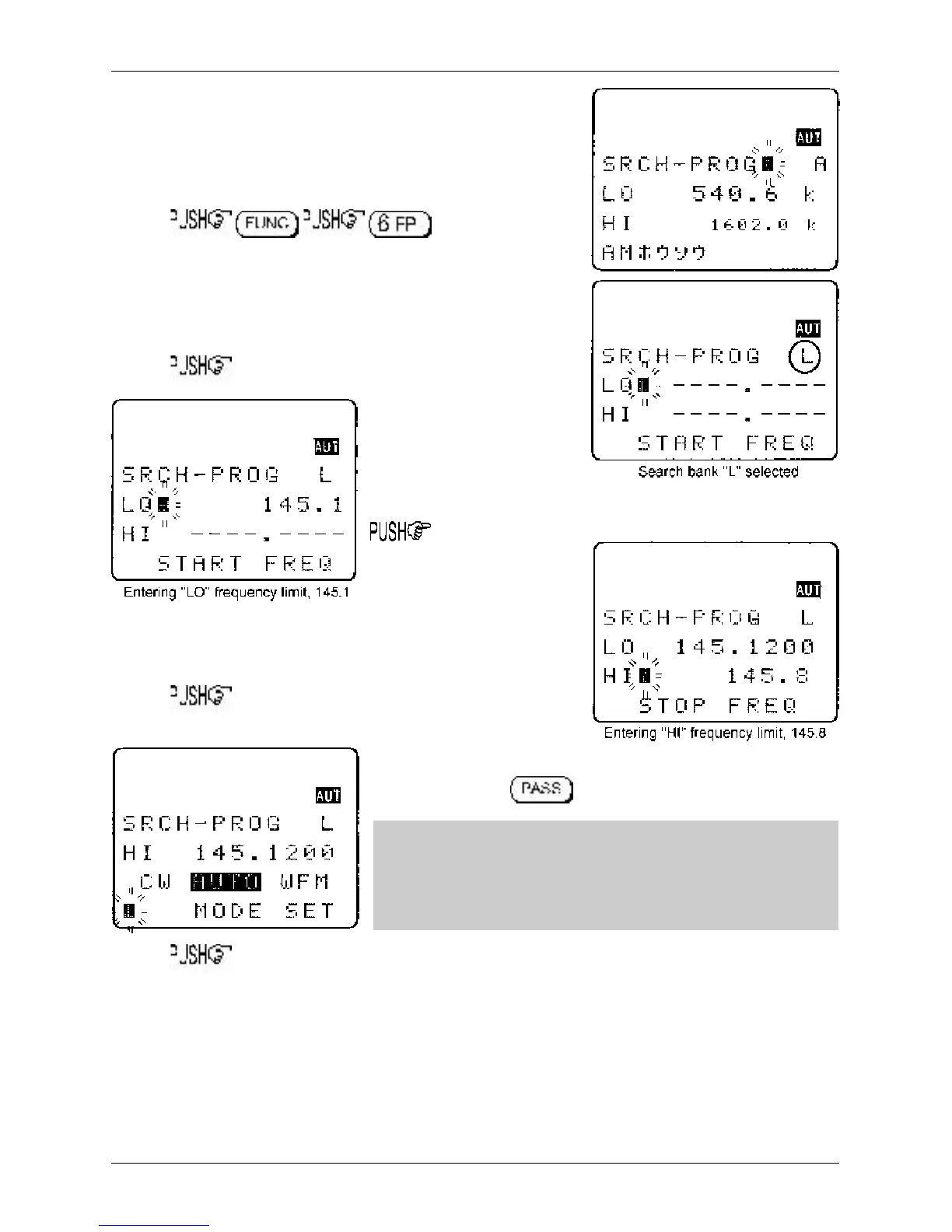
to access the
“SRCH-PROG” menu.
Use the main dial or ï ð keys or keypad to select the
bank you wish to program or over write. (The ò key is
used to move through the menu).
ò
LO Input the lower
start
frequency in MHz format
(don’t push enter)
ò
HI Input the higher
end
frequency in MHz format
(don’t push enter)
ò
MODE SET Use the ï ð keys or main dial to select
receive mode, the key is used as a short cut to “AUTO”.
&Note: If the receive mode is set to “AUTO”, the receive mode,
channel step, step-adjust, frequency offset will be taken from the
pre-programmed auto band plan data, for this reason the
detailing will not be required while programming so is skipped…
the next menu will be TEXT INPUT.
ò
STEP Assuming that a receive mode other than “AUTO” was selected, you will be presented
with the “SET STEP” menu. Use the main dial or ï ð keys to select the required tuning step
from the following: 0.05 kHz (50 Hz), 0.1 kHz (100 Hz), 0.2 kHz (200 Hz), 0.5 kHz (500 Hz),
1.00 kHz, 2.00 kHz, 5.00 kHz, 6.25 kHz, 8.33 kHz, 9.00 kHz, 10.00 kHz, 12.50 kHz, 20 kHz,
25.00 kHz, 30 kHz, 50 kHz, 100.00 kHz. Alternatively a step size may be entered in kHz format
via the keypad in multiples of 50 Hz in the range of 50 Hz to 999.95 kHz (do not push enter).
Section 8-4



 To Next Page