89
&Note: If the SAVE location is write protected, the legend “PROTECT” will be displayed.
You must remove write protect from the SAVE memory location before you can copy new
data to that location. You may remove the write protection for one or all memory channels,
refer to
sections 11-1 & 11-5
of this manual.
to exit the menu returning to the standard display, alternatively ò to move
to the “COPY MEM-BNK” selection point.
9-2 EDIT COPY memory bank
The COPY MEMORY BANK menu enables you to make an exact copy of one memory bank into another
location, the original memory bank is left intact and completely unaffected.
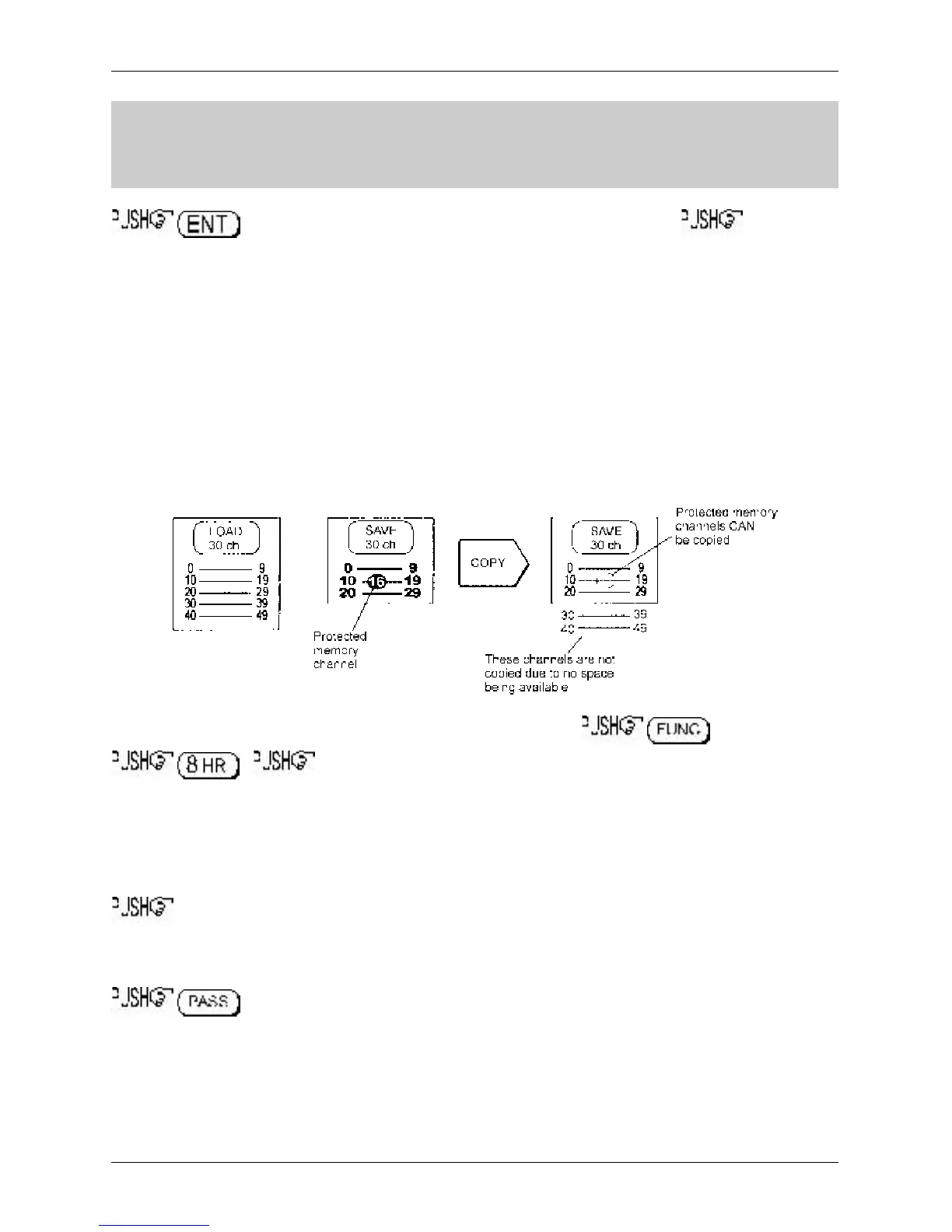
Due to dynamic bank resizing, it is possible to write a large memory bank into a small memory bank
location, in this case an exact copy of bank is not possible and data will be lost from the target bank.
For example, if BANK “A” has 80 channels and the target BANK “e” has only 20 channels available, the
last 60 channels will be lost. If banks are the same size (at default all banks are 50 channels in size)
then no data will be lost and exact copies of memory banks will be made.
The “COPY MEM-BNK” menu is accessed using the key sequence
. the ò key twice to move the cursor to the “COPY MEM-BNK”
selection point. Two data input lines are presented LOAD and SAVE.
The cursor will be positioned on the LOAD line. “LOAD” represents the memory bank which you would
like to make a copy of (this is the data you want). Use the main dial or ï ð keys to select bank,
alternatively type in the required bank via the keypad.
ò to move to the SAVE line. “SAVE” is the target bank location where data is to be written.
Use the main dial or ï ð keys to select bank, alternatively type in the required bank via the keypad (the
load and save bank locations must be different).
to copy the memory bank data to the target location, the legend “
MEM BANK COPY !!
”
will be displayed, after a few seconds both LOAD and SAVE displayed memory bank locations revert to
LOAD location.
The process may be repeated for other locations.
Section 9-1, 9-2



 To Next Page