75
To assist testing in the factory, several search banks may be programmed with data (which can be easy
deleted or overwritten). This pre-programming is useful to ease familiarisation during the early days of
operation… so that when you push a key there is something already programmed to work!
8-2 Starting program search
Presuming that data is already stored into a search bank…
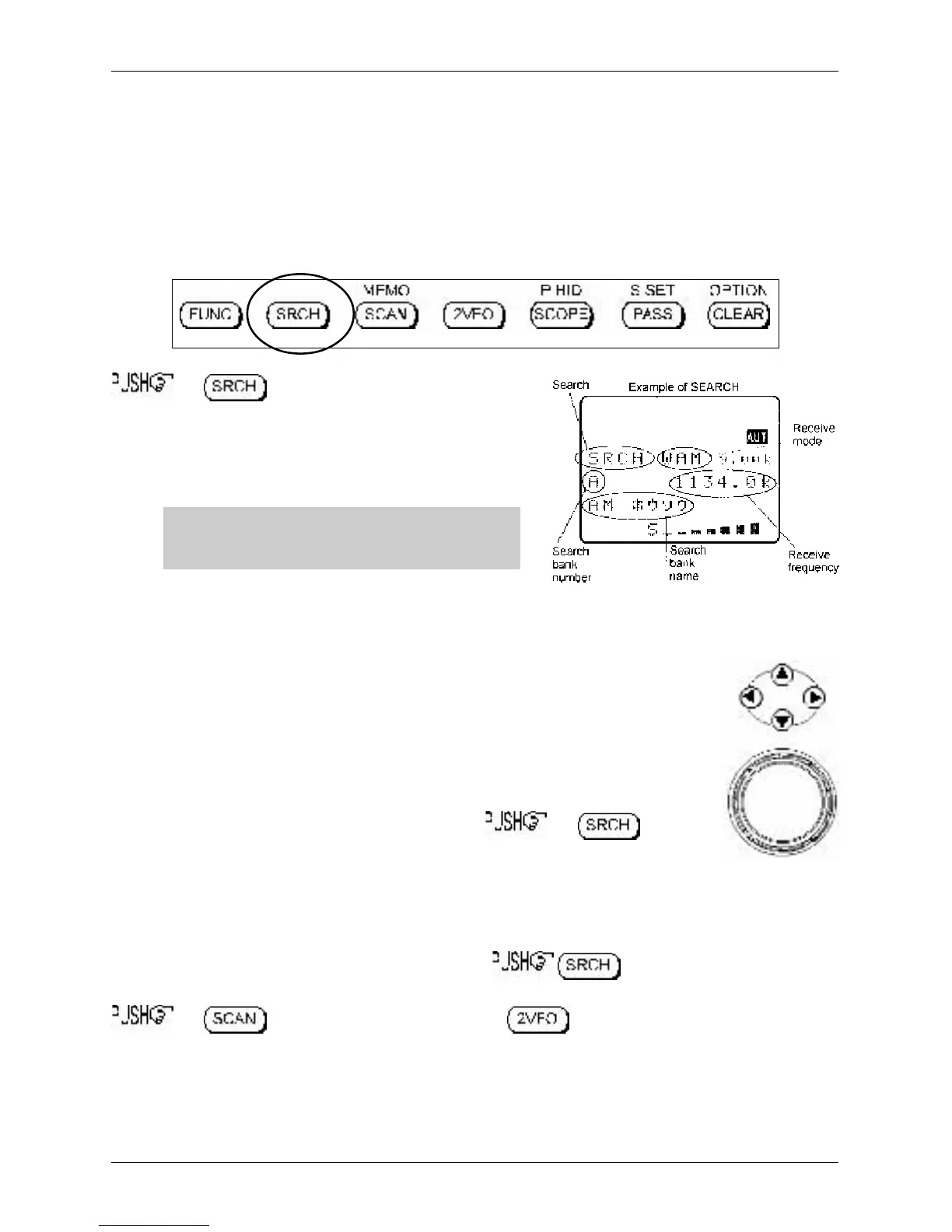
the key to start the program search
process. The LCD legend “SRCH” will be displayed and as
long as the squelch is closed, the search process will start
from the lower frequency limit and will progress toward the
upper frequency limit. When the program limit is reached,
the search loops around and starts the process again.
&Note: If no search banks have been
programmed, the search process will not operate.
8-2-1 Reversing the direction of search
To reverse the direction of search use the main dial or ñ ò keys, this is useful to
enable you to search back over and over an interesting point of the search process.
8-2-2 Forcing the search to resume
If the AR8600 stops on an unwanted busy frequency, the key
or use the ñ ò keys or main dial to force the search process to resume from the
current frequency displayed.
8-2-3 Stopping the search
While the search process is in progress (not stopped), to stop searching and transfer
the current frequency to the single VFO for monitoring or tuning from. To exit the search process
the key for memory read mode or the key for 2VFO mode (displaying the
data on-screen before search was started).
Section 8-1-1, 8-2, 8-2-1, 8-2-2, 8-2-3



 To Next Page