53
to place the AR8600 into VFO mode.
to select the desired frequency, the mode and step size will be automatically set by
the AR8600 microprocessor.
b)
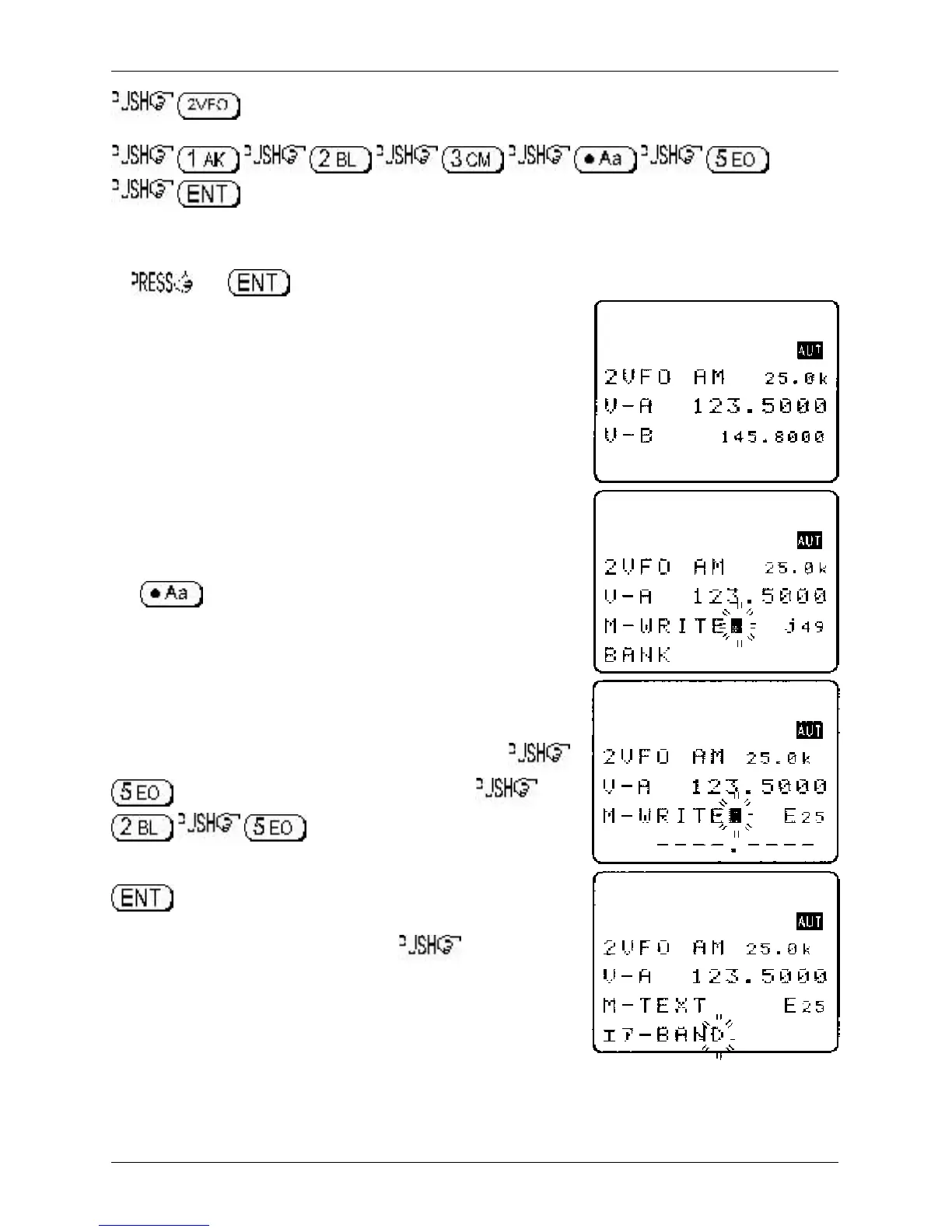
the key for more than one second to enter ‘memory input’ mode.
One line up from the bottom of the LCD will be the legend
“M-WRITE” with the highlight cursor positioned to the left of the
bank identification letter such as “j”. The microprocessor will
automatically select the youngest free memory location.
c)
You may change the bank identifier at this time by pushing the
ï ð keys or by typing in a three digit memory location using the
numeric keypad.
You will notice that to the right of the keypad numbers, there are
small orange letters which are bank identifiers, available memory
locations are A - J and a - j. Key 1 is “A”, key 2 is “B” etc, ignore
the letters K - T as these are used in search mode only. The lower
case bank identifiers may be accessed pushing the CASE SHIFT
key
Remember, if you take too long entering data (90 seconds)
the display will revert to it’s original condition of 2VFO mode,
if you are selecting the memory location via a three digit
key sequence, you only have 2 seconds before the keypad
times-out!
Assuming that you wish to store 123.500 MHz into “E25”
to select bank “E” then select the channel,
for “25”. If any data is already stored
in location “E25”, the bottom line of the LCD will flash with the
stored frequency. You may accept & store the data (by pushing
or add a text comment at this point (see below).
d)
To add the text comment “AIRBAND”, ò then use the
main dial to select the text and the ï ð keys to move position of
text input.
A maximum of 12 characters may be added to each memory
channel, it is recommended that a minimum of three be used for
efficient use of the text search feature (a minimum of 2 characters
are required for text search). Refer to
section 12
of this manual for
details of text search and
section 13-2
for short cut text input).
Section 5-2



 To Next Page