1-6 System Overview
Introducing an Important Screen
Create/Edit Screen
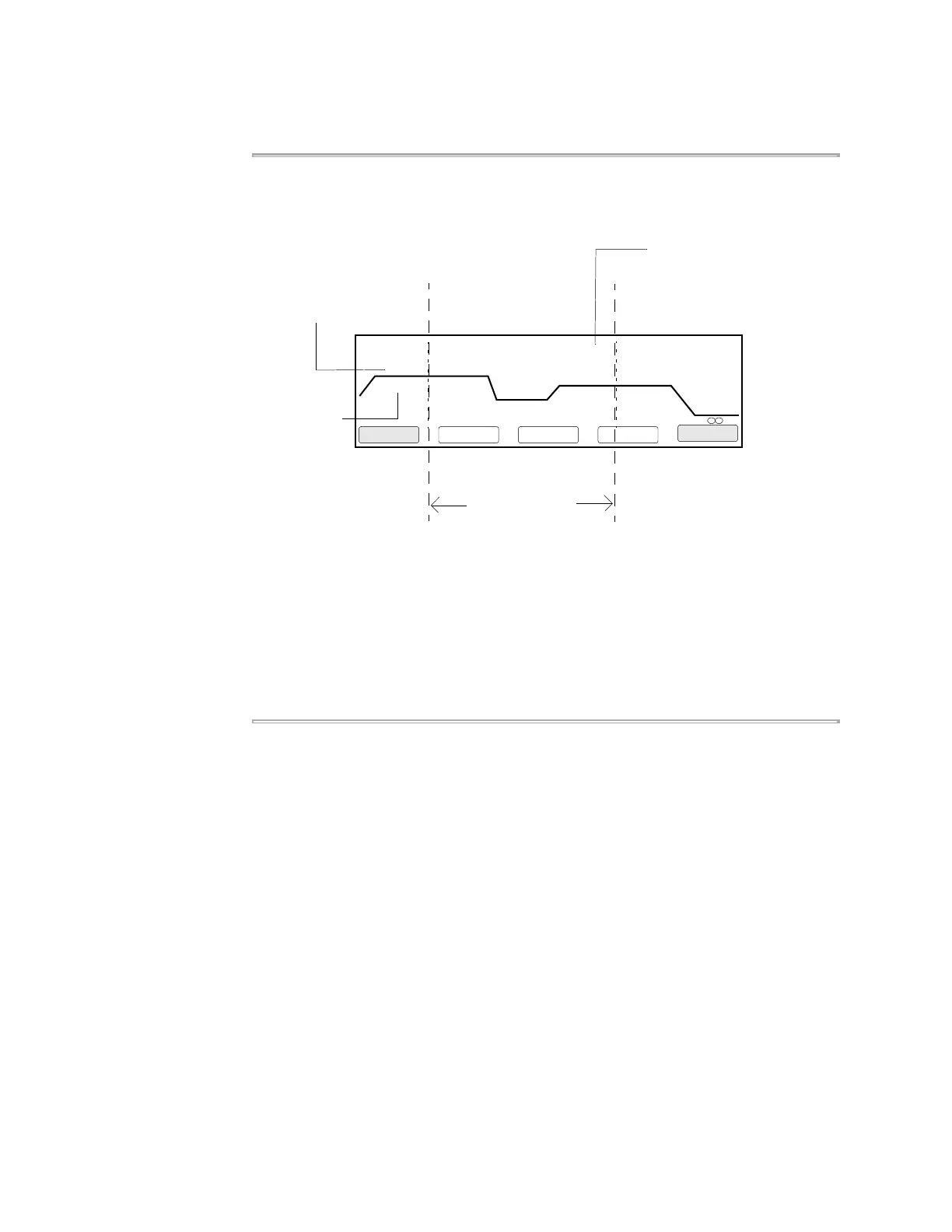
One of the features that makes the 2720 Thermal Cycler easy to use is its graphical
representation of a method, as shown below on the Create/Edit screen. The graph is
the wavy line.
A method is a set of instructions in which you specify how the instrument should heat
and cool your samples in a PCR thermal profile.
On the Create/Edit screen, temperatures are shown above the graph in degrees
Celsius. Hold times in minutes and seconds are shown below the graph. The central
portion of the screen, delineated by dashed lines, is the PCR segment. In this
example, the PCR segment repeats 25 times. After PCR (in the post-PCR segment),
the instrument holds the samples at 72 °C for 7 minutes, then cools to 4 °C and holds
the samples at this temperature until you stop the run.
1 Hld 3 Tmp 25 Cycles 2 Holds
94.0 94.0
5:00 0:30
55.0
0:30
72.0
0:30
72.0
7:00
4.0
F1 F3 F4 F5F2
Start CancelMorePrintStore
Create/Edit
PCR Segment
PCR segment repeated
25 times (cycles)
Temperatures above
Times below











 To Next Page