EasyManua.ls Logo

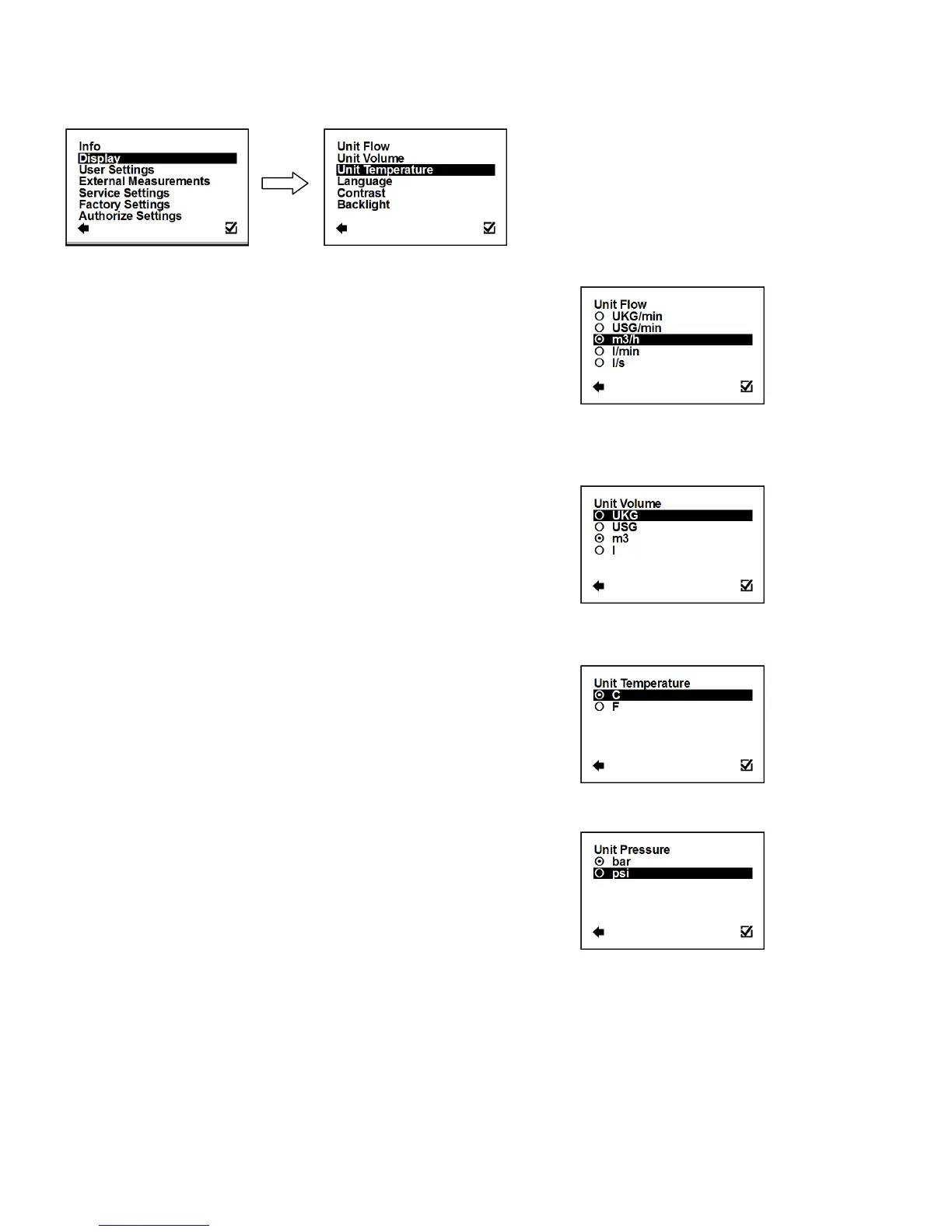
Arkon MAGX2 - Display Menu; Display > Unit Flow; Display > Unit Volume; Display > Unit Temperature

Arkon MAGX2
63 pages
Print Icon
To Next Page IconTo Next Page
To Previous Page IconTo Previous Page
Loading...
MAGX2 User Guide
17
V2.14 1-2-2017
3.4. Display menu
3.4.1. Display > Unit Flow
Setup of the displayed measurement unit for current flow.

Back with no change

Item selection

Selection identification

Confirmation of setup and saving to memory
UKG / min
UK gallon per minute
USG / min
US gallon per minute
m3 / h
Cubic meters per hour
l / min
Litres per minute
l / s
Litres per second
3.4.2. Display > Unit Volume
Setup of the displayed measurement unit for total flow.

Back with no change

Item selection

Selection identification
Confirmation of setup and saving to memory
UKG
UK gallon
USG
US gallon
m3
Cubic meter
l
Litre
3.4.3. Display > Unit Temperature
Setup of the displayed measurement unit of temperature indication
and external measurement of temperature.

Back with no change

Item selection

Selection identification

Confirmation of setup and saving to memory
C
Degrees Celsius
F
Degrees Fahrenheit
3.4.4. Display > Unit Pressure
Setup of the displayed measurement unit of the external pressure
measurement.

Back with no change

Item selection

Selection identification

Confirmation of setup and saving to memory
bar
Pressure in bar unit (1 bar = 100 kPa = 14,50 psi)
psi
Pressure in psi unit (1 psi = 6,89 kPa = 0,07 bar)

Table of Contents