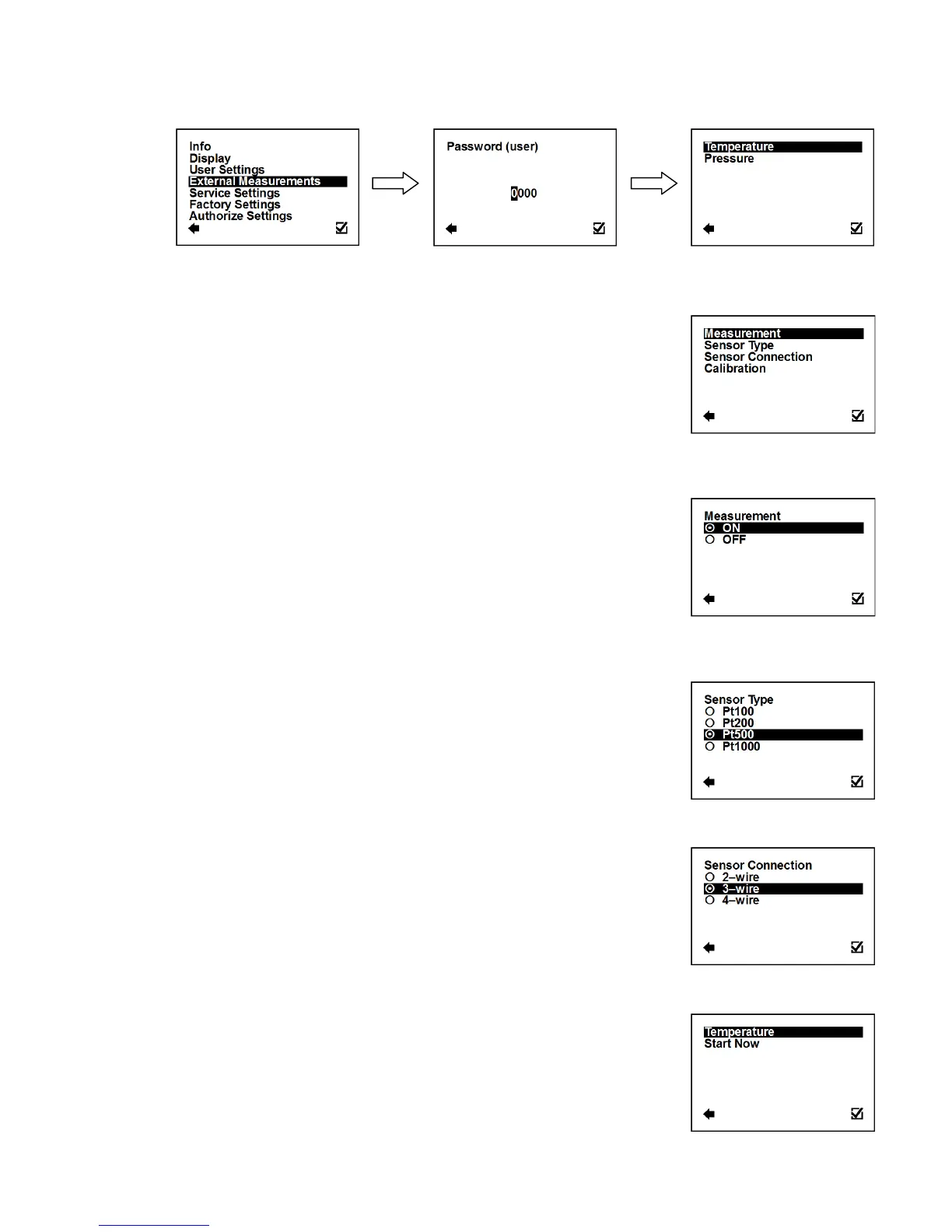
3.6. External Measurements Menu
To enter this part of the menu, it is necessary to enter the User Password.
3.6.1. External Measurements > Temperature
Setup of the external measurement of temperature.
Enter this part of the menu
External Measurements > Temperature > Measurement
Measurement of external temperature.
Confirmation of setup and saving to memory
When set ON, the value of external temperature is
shown amongst totalizers (XTemp)*
It is not possible to use simultaneously External Temperature Module and Pulse module
External Measurements > Temperature > Sensor Type
Confirmation of setup and saving to memory
External Measurements > Temperature > Sensor Connection
Sensor connection selection.
Confirmation of setup and saving to memory
External Measurements > Temperature > Calibration
Calibration of the external temperature sensor.
Enter this part of the menu



 To Next Page