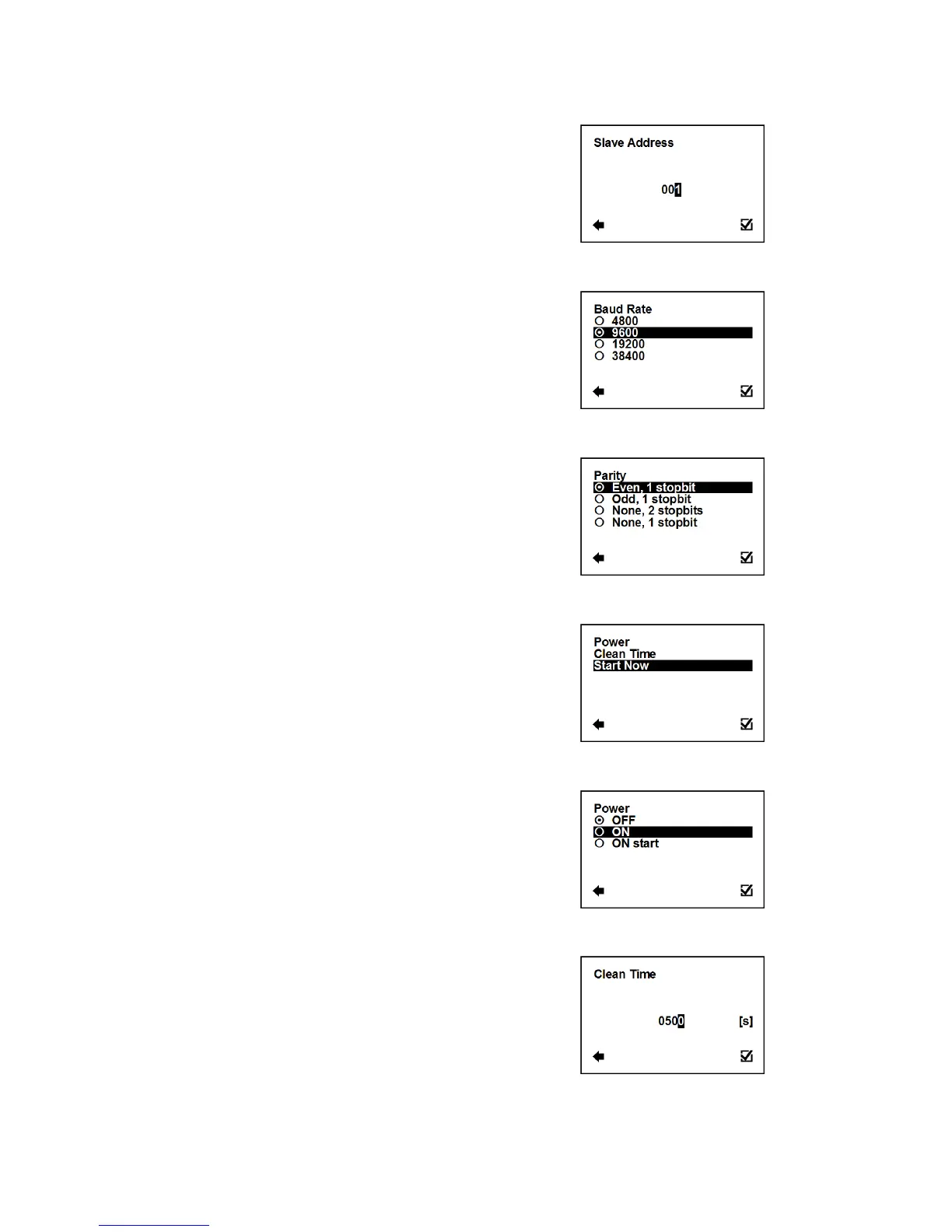
User Settings > Modbus > Slave Address
Modbus device address (Factory settings: 1).
Selection of digit position
Confirmation of setup and saving to memory
User Settings > Modbus > Baud Rate
Setup communication speed (Factory settings: 9600).
Confirmation of setup and saving to memory
User Settings > Modbus > Parity
Setup communication parameters (Factory settings: Even, 1 stopbit).
Confirmation of setup and saving to memory
3.5.20. User Settings > Electrode Cleaning
Enter this part of the menu
User Settings > Electrode Cleaning > Power
Setup automatic electrodes cleaning.
Confirmation of setup and saving to memory
User Settings > Electrode Cleaning > Clean Time
Setup clean time for automatic electrode cleaning
(Factory setting: 500 s).
Possible range: 1 – 9999 s
Selection of digit position
Confirmation of setup and saving to memory



 To Next Page