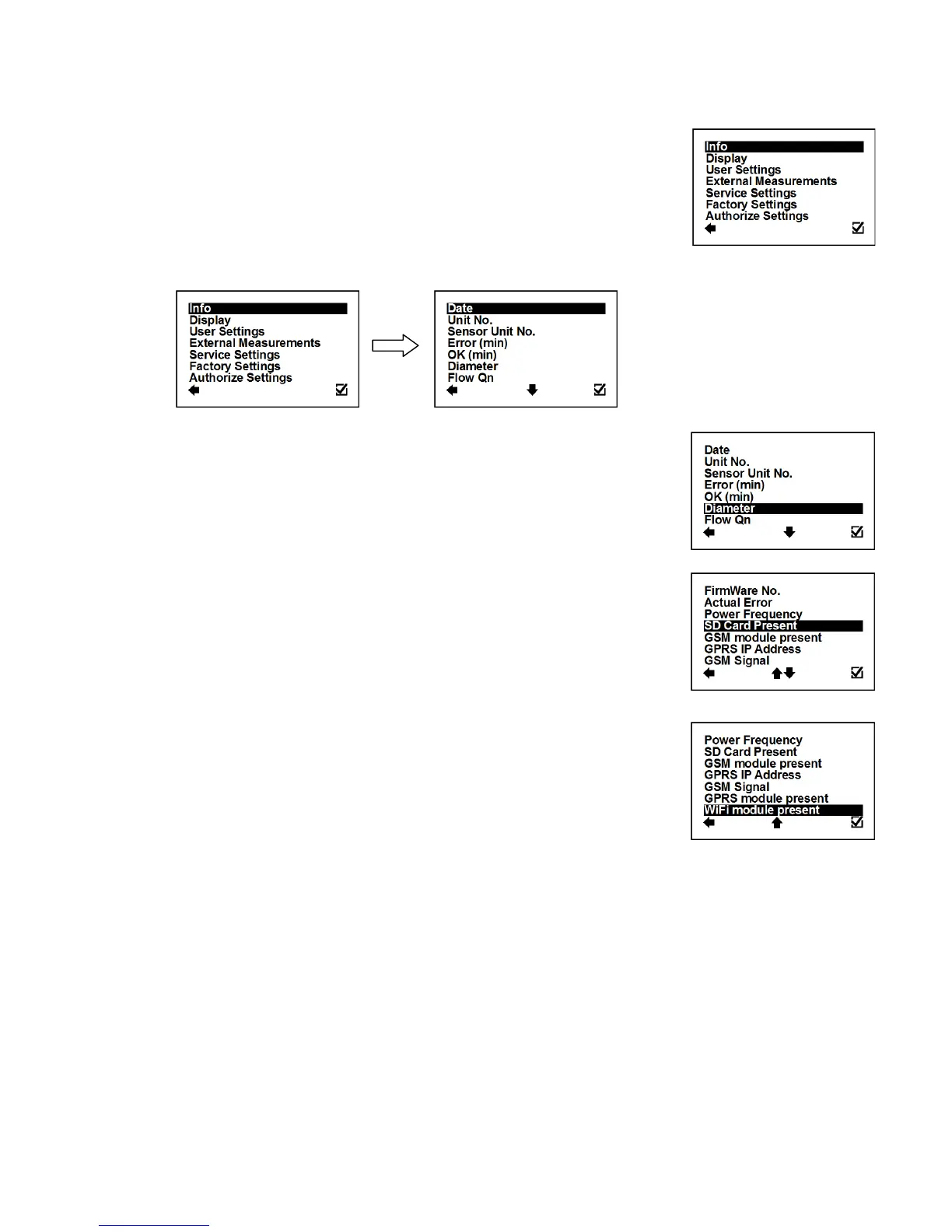
After pressing the enter button you get to into the root-menu. From
here, you can chose any of the sub-menu’s displayed in the picture on
the right.
Navigate with and select your choice with .
This item shows the current date according to the
transmitter’s setup. It can be changed in the User
Settings menu.
Displays the serial number of the motherboard. This
number is allocated during production by the
manufacturer.
Displays the serial number of the sensor. This number
is allocated during production by the manufacturer.
This item is working with sensor ver. 8 and newer.
The number of minutes the device was not measuring
because of errors.
The number of minutes that the device measured
correctly.
This item shows the nominal sensor diameter that is
currently configured for the given flowmeter.
Here, the flowmeter displays the predicted nominal
flow. Values can be changed under User Settings.
This shows the current firmware version.
This shows all actual errors (see chapter 10).
Identifies the network power supply frequency.
Shows if the SD card is inserted in the flowmeter.
Shows if the GPRS module is inserted in the
flowmeter.
Displays IP address of GPRS module.
Signal strength of the GSM SMS Module.
Shows if the GPRS module is inserted in the
flowmeter.
Shows if the Wi-Fi module is inserted in the flowmeter.



 To Next Page