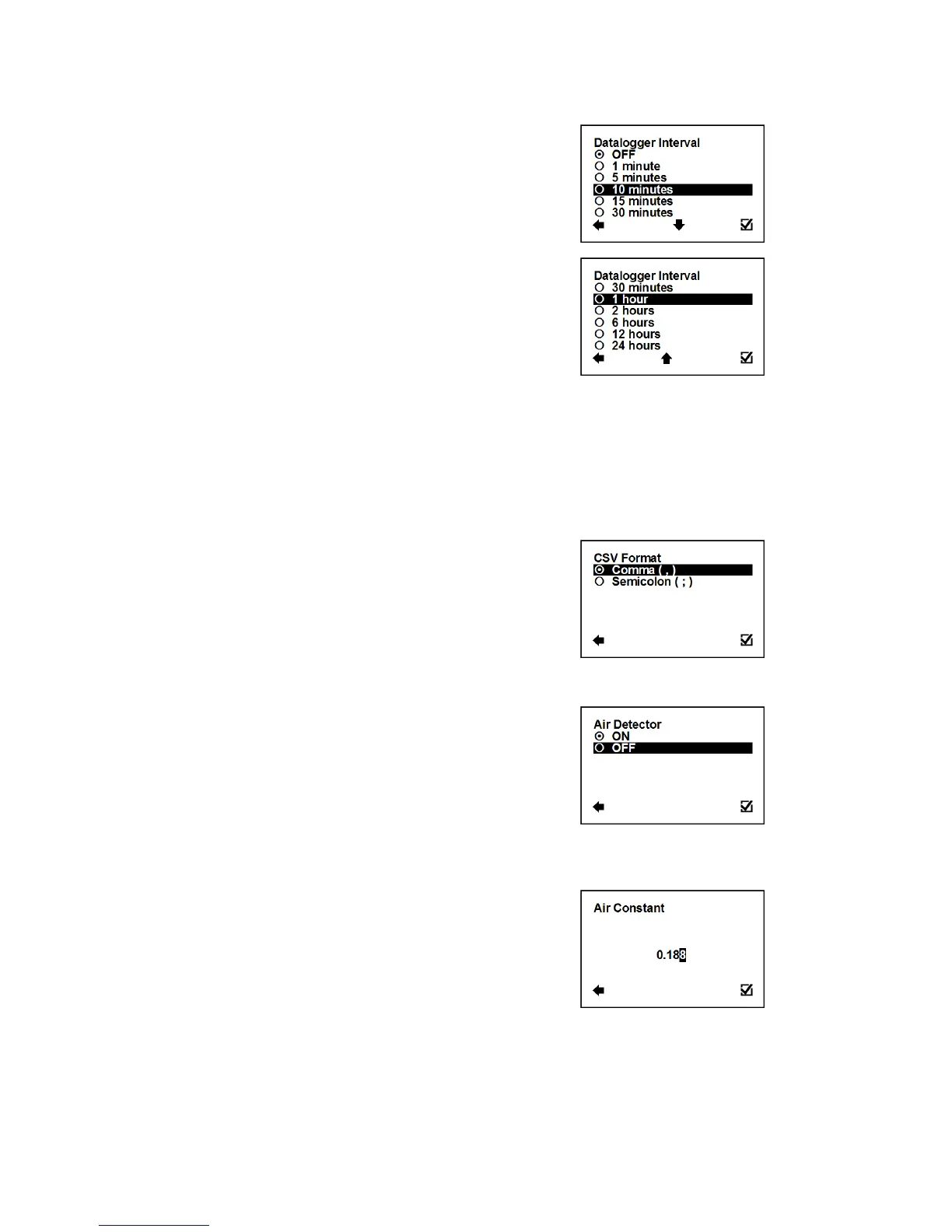
3.5.2. User Settings > Datalogger Interval
This option allows select how often will be totalizers saved on
SD card.
Confirmation of setup and saving to memory
Totalizer is not used (SD card not necessary)
The interval of saving totalizers; SD card needed
While there is an error “SD card not inserted” or “SD Open file” active and the user plugs in the SD
card, error will disappear after next write to the datalogger. It is recommended to setup the
datalogger interval again or restart the flowmeter after every SD card plug.
It is not recommended to use 1 minute statistic for a long term logging. 1 minute datalogging
is mainly used for troubleshooting of the meter.
3.5.3. User Settings > CSV Format
This option allows selecting separator between each data in
datalogger.
Confirmation of setup and saving to memory
3.5.4. User Settings > Air Detector
This option allows selecting empty pipe check (air detector) to be
on or off.
Confirmation of setup and saving to memory
The detector is switched off
3.5.5. User Settings > Air Constant
Constant value to determine the empty pipe detection limit.
Possible range: 0.000 – 0.999
Selection of digit position
Confirmation of setup and saving to memory



 To Next Page