CHAPTER 4 REFERENCE GUIDE
EFD1000 PRO MAX PFD Pilot’s Guide
Page 4-47
091-00005-002 ()
Activate Auto Range
1. Press the RNG +/- button to select the highest or lowest map range.
2. Release and then press and hold the RNG +/- button for two seconds.
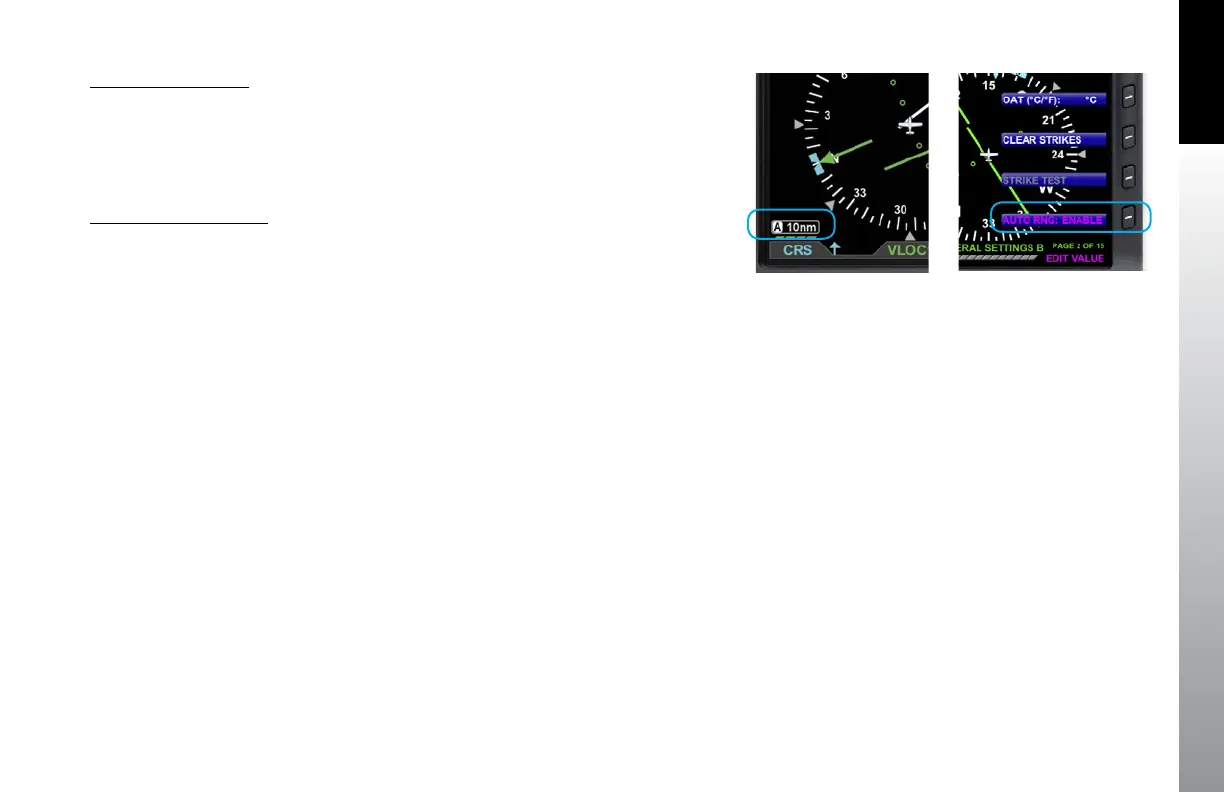
The map range changes and the new map range is indicated on the map. An inverse
white A displays next to the numeric range value.
Deactivate Auto Range
1. Press the RNG +/- Button once to deactivate Auto Range mode. The inverse
white A next to the numeric range value is removed.
Pressing RNG + moves to the next higher range; pressing RNG - moves to the next
lower range.
Auto Range is only available when a flight plan is active. Since Auto Range uses the
distance between the present position and the next active waypoint to compute the
appropriate map range, if the currently Selected CDI Navigation Source does not have
a valid flight plan, then Auto Range is not selectable. If Auto Range cannot be selected
check:
• To ensure a flight plan is active
• The GPS source with the flight plan is the Selected CDI Navigation Source
• That Auto Range is enabled from the General Settings B Menu page
Figure 4-92
Auto Range Mode
Figure 4-93
GENERAL SETTINGS B Page Editing
Auto Range Setting



 To Next Page