CHAPTER 3 FLYING THE EFD1000 PRO PFD
EFD1000 PRO MAX PFD Pilot’s Guide
Page 3-2
091-00005-002 () EFD1000 PRO MAX PFD Pilot’s Guide
Page 3-3
091-00005-002 ()
3.1 Startup
When the EFD1000 PRO MAX PFD initializes you are presented with the default PAGES
pre-configured with what we thought would be the most useful VIEWS. This section will
give you a quick overview of the default settings so that you can start flying with the
EFD1000 PRO MAX PFD right away. You will learn how to change the backlighting, how
to manually power the system off and on, and how to navigate PAGES, VIEWS, Weather
Products, and other screen elements.
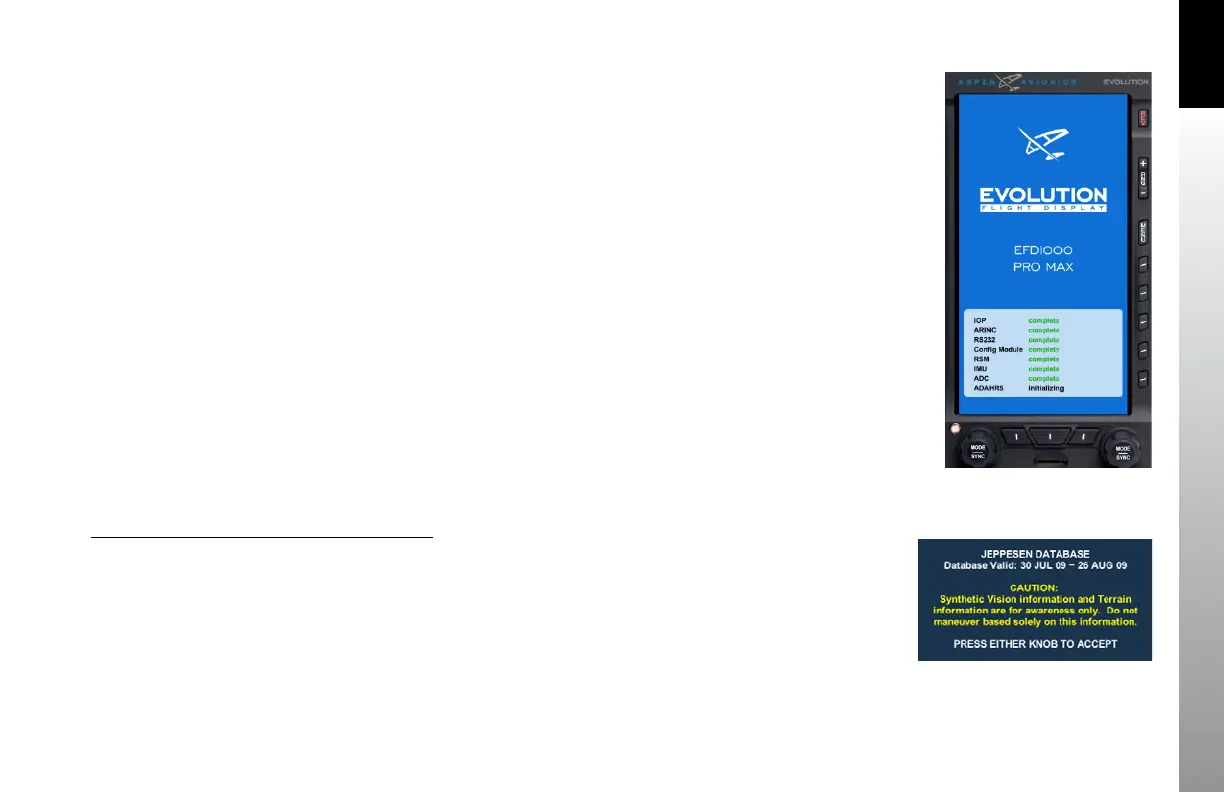
When the EFD1000 PRO MAX PFD powers up the first screen you see is the Initializing
Screen which displays the system configuration and any status annunciations
(Figure 3-2).
After the Initializing Screen, the EFD1000 PRO MAX PFD presents the Jeppesen
Database Confirmation Screen, overlaid on the lower half of the EFD1000 PRO MAX
PFD display. The confirmation screen displays the validity dates of the currently loaded
Jeppesen Database and the terrain awareness message (Figure 3-3).
Press either the Left or Right Knob to acknowledge and accept the information and
display the first PAGE of the EFD1000 PRO MAX PFD. The validity and expiration date
of all databases is displayed in the Main Menu, on the Database Menu page.
View Database Validity and Expiration Dates
1. Access the Main Menu.
2. Navigate to the SV SETTINGS page.
3. The database expiration dates are displayed next to the database titles.
4. Push the MENU key to exit the Main Menu.
Figure 3-2
EFD1000 Pro MAX PFD Startup
Figure 3-3
Jeppesen Database Message



 To Next Page