CHAPTER 2 CONTROLS AND DISPLAY
EFD1000 PRO MAX PFD Pilot’s Guide
Page PB
091-00005-002 () EFD1000 PRO MAX PFD Pilot’s Guide
Page 2-1
091-00005-002 ()
Chapter 2
Controls and Display
The PFD is a flat-panel LCD primary flight instrument that presents
the pilot with all of the information from the traditional six-pack of
mechanical instruments: Airspeed, Attitude, Altitude, Turn Coordinator,
Heading Indicator (or HSI) and Vertical Speed Indicator (VSI). Modern
technology and standard EFIS symbology enable the consolidation of
all six instruments into a single display, tightening the pilot’s instrument
scan and reducing pilot workload.
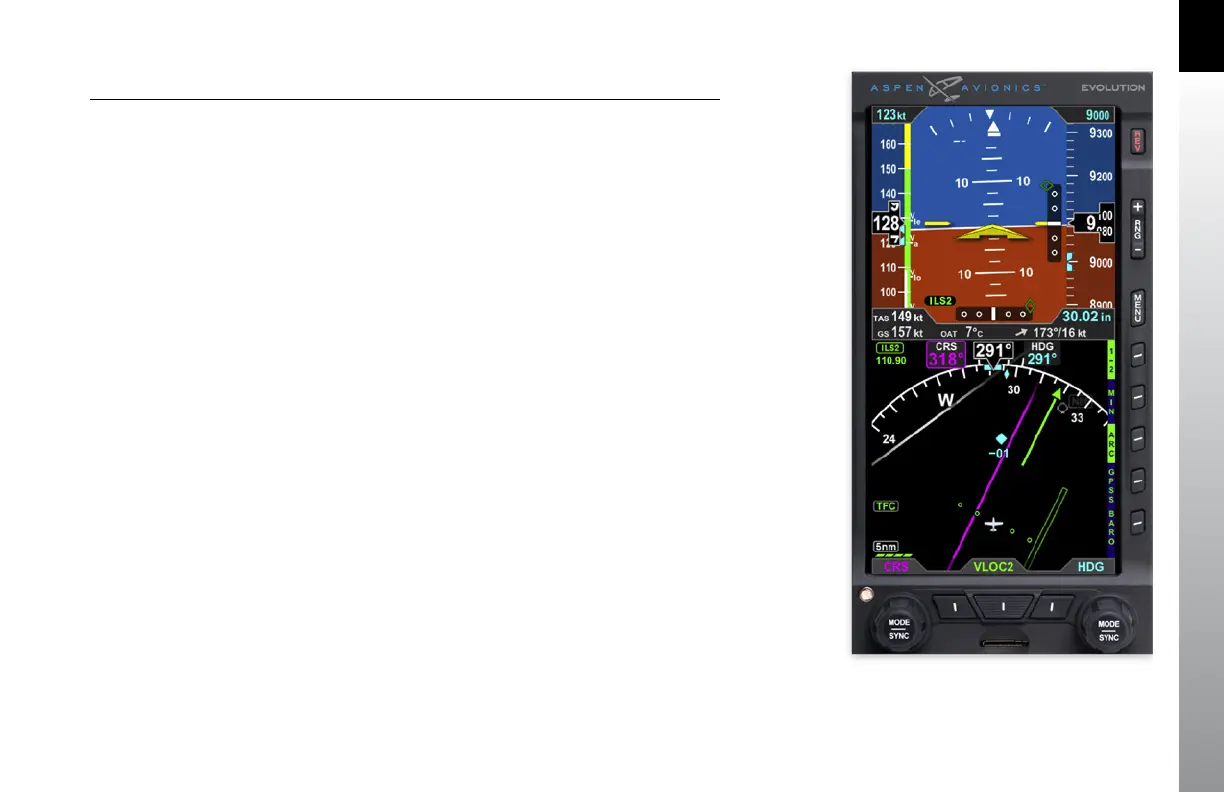
The PFD is a single vertical instrument that replaces the existing Attitude Indicator
and Heading Indicator/HSI. The display is divided into three parts: an upper Attitude
Display, a lower Navigation Display, and a Data Bar between the upper and lower halves.
The Attitude and Navigation displays are highly customizable — from stripped down,
minimalist presentations, to dense, information-rich displays — depending on pilot
preference and phase of flight.
The primary means for the pilot to control the PFD are the two knobs and three buttons
at the bottom of the display. The knobs control setting CRS and HDG, and additional
bugs and altitude settings. The lower three buttons control selection of navigation
sources for the CDI and Bearing Pointers. There are three additional buttons above
the Hot Keys to control entering and exiting the Menu, setting the Map Range, and
Reversion or Manual Power Control.
Five Hot Keys to the right of the Navigation Display toggle various features on and off.
The function of each is indicated by the label on the display to the left of each key.
Figure 2-1
Pro MAX PFD



 To Next Page