CHAPTER 4 REFERENCE GUIDE
EFD1000 PRO MAX PFD Pilot’s Guide
Page 4-14
091-00005-002 ()
slight lag in the indication. If the ribbon meets or exceeds the display limit, the
vertical trend is large. The Altitude Trend Vector does not display when the altitude
remains constant.
If the altitude exceeds 51,000 feet, the Numerical Altitude Value is dashed, and the tape
is frozen at this limit. All altitude information is removed and replaced with a red X with
the textual annunciation of ALT FAIL when altitude data is invalid
4.3.1 Barometric Pressure Setting
Barometric units of measure adjustment may be made in either inches of mercury (in)
or millibars (mB) , as configured by the pilot in the Menu. The adjustment range is 28.10
– 30.99 inches Hg or 946 – 1049 mB.
Set the Barometric Pressure
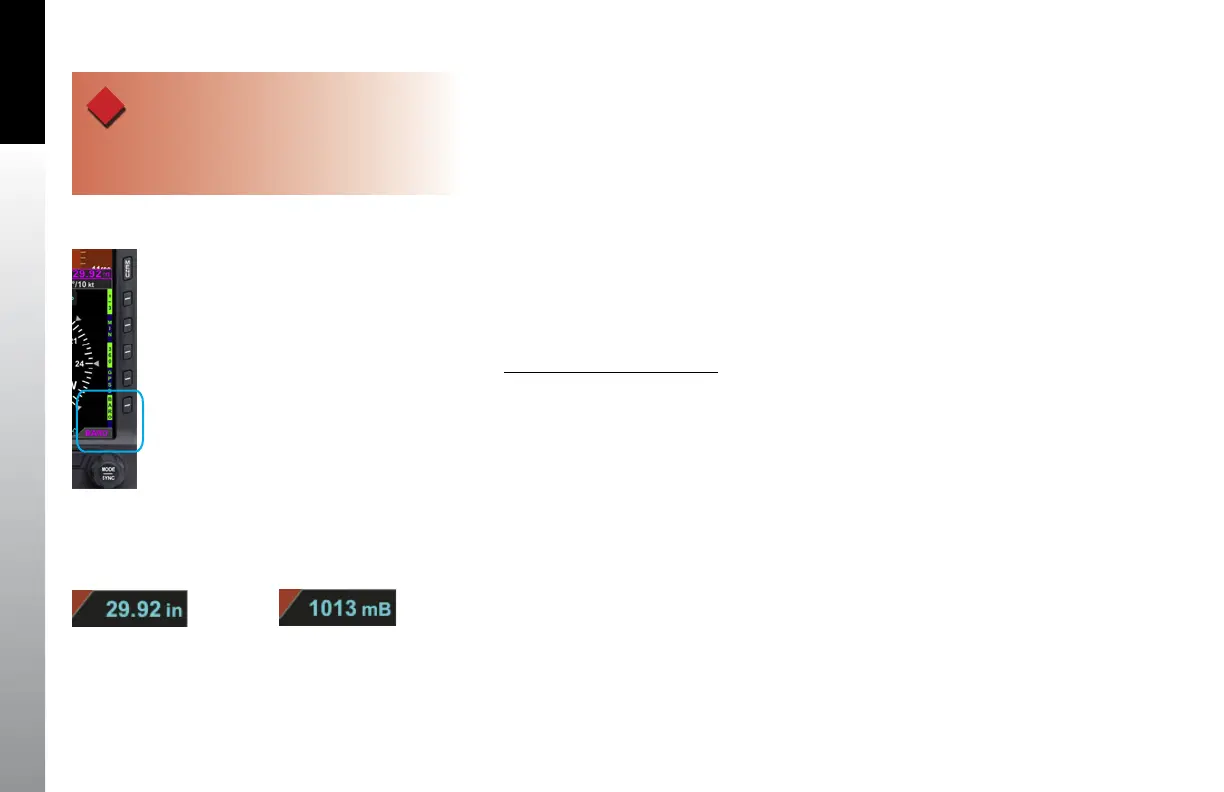
1. Press the BARO Hot Key. The BARO label above the Right Knob and Barometric
Pressure Setting Field appear in magenta (Figure 4-19).
2. Rotate the Right Knob to change the value of the Barometric Pressure Setting
Field.
3. Press the BARO Hot Key or any knob, button/key to exit.
If no action is taken, after 10 seconds of inactivity, the label, and field are rendered
in cyan.
Figure 4-20
Baro Shown in Inches of Mercury
Figure 4-21
Baro Shown in Millibars
WARNING
Always check and set the PFD BARO whenever the
mechanical altimeter is adjusted
Figure 4-19
BARO Field Enabled



 To Next Page