CHAPTER 4 REFERENCE GUIDE
EFD1000 PRO MAX PFD Pilot’s Guide
Page 4-52
091-00005-002 ()
4.7.6 Traffic
When the EFD1000 PRO MAX PFD is configured with a traffic sensor, the traffic display
can be enabled on the Navigation Display
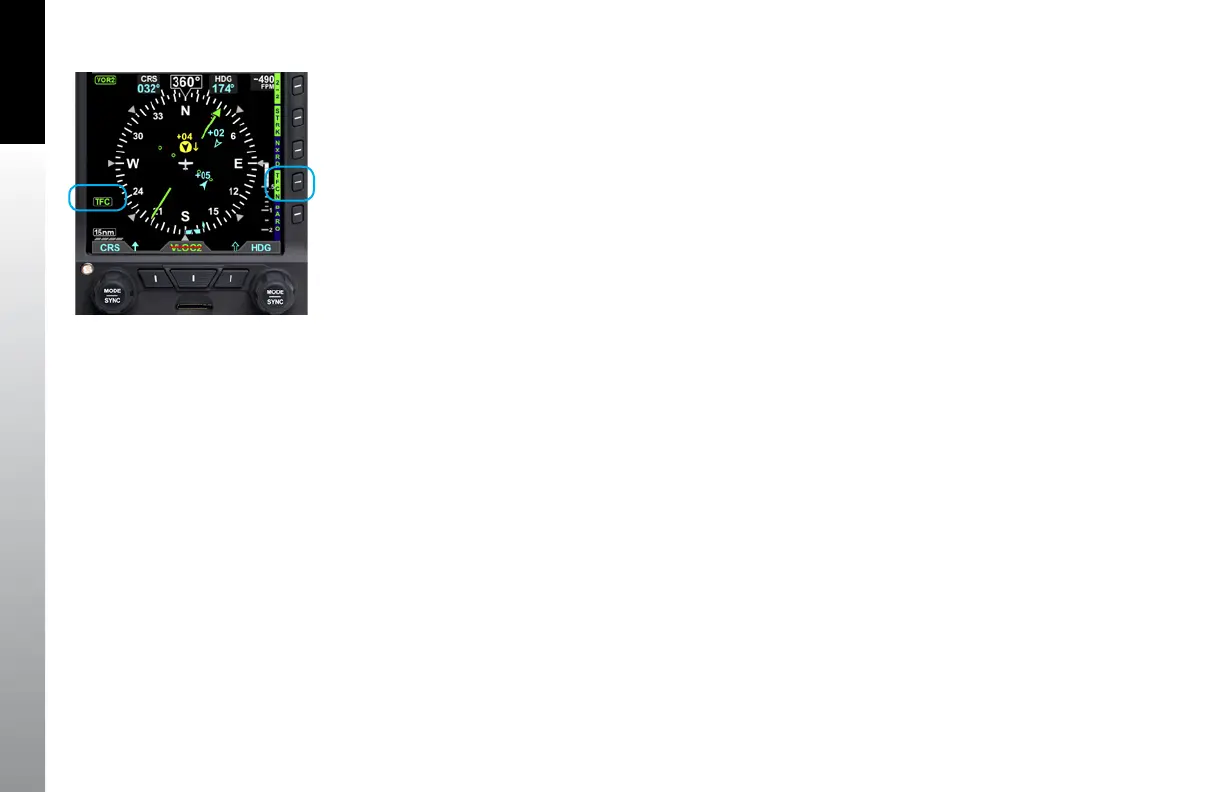
Pressing the TFC Hot Key enables Traffic and the selection of a Traffic Altitude Filter.
The Hot Key Label is inverse green (green label with dark blue letters) when enabled
(Figure 4-98) or a blue label with green letters when disabled.
When Traffic is enabled, a TFC annunciation is presented on the lower left of the
Navigation Display. The traffic setting that was previously reset over a power cycle is
retained as last configured by the pilot.
4.7.6.1 Display of Traffic Symbols
The EFD1000 PRO MAX PFD displays three threat levels using TCAS symbology; traffic
advisory (amber), proximity advisory (solid cyan), and other traffic (hollow cyan).
If supported by the Traffic Sensor, Directional and Ground traffic symbols may also be
shown. Table 4-9 lists the various types of traffic symbols that can be shown.
The EFD1000 PRO MAX PFD displays intruder information from the Traffic Sensor with
the threat level assigned by the Traffic Sensor. Each traffic symbol is positioned at a
location representing the relative range and bearing to the ownship symbol
(Figure 4-97). All intruders within the current display range and the selected altitude
filter are shown (up to a limit of 32 intruders, prioritized in the order received from the
traffic sensor).
Figure 4-100
Traffic Overlay Enabled



 To Next Page