CHAPTER 4 REFERENCE GUIDE
EFD1000 PRO MAX PFD Pilot’s Guide
Page 4-56
091-00005-002 ()
4.7.6.4 None Bearing Advisories
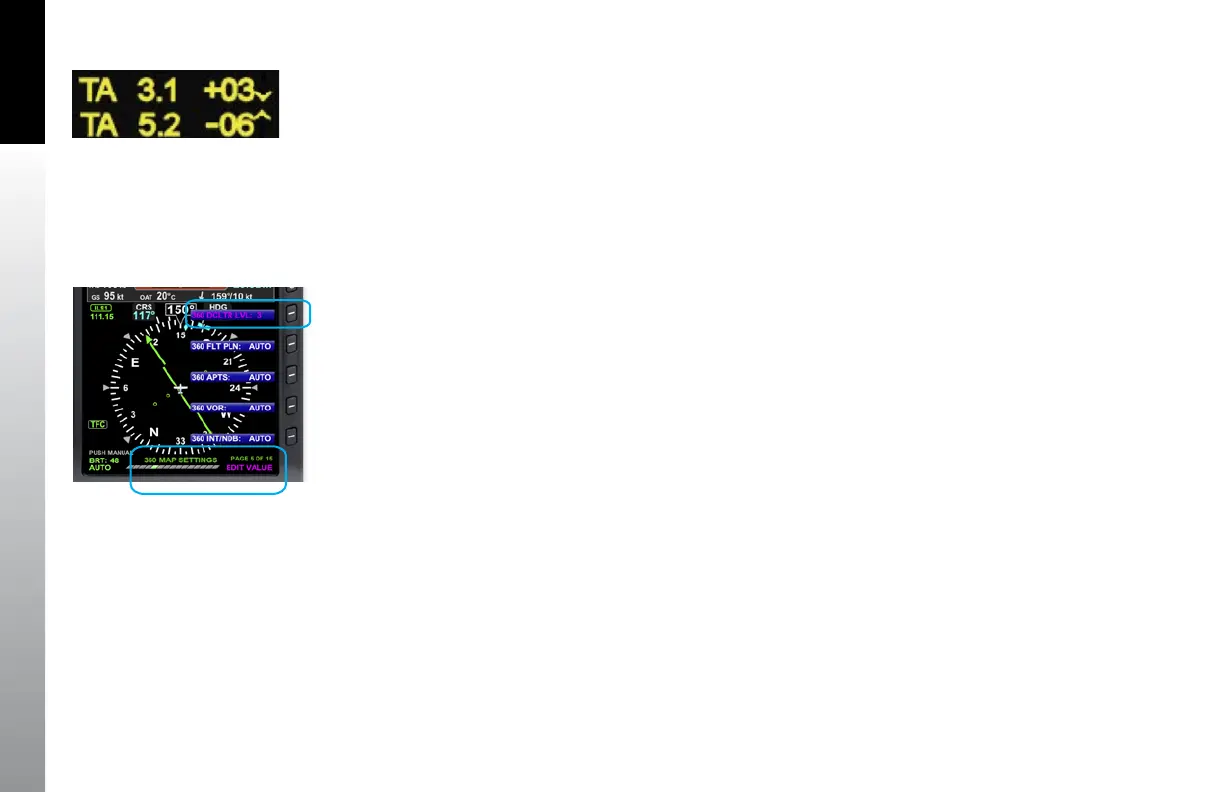
If the traffic sensor reports Traffic Advisories without bearing information, the advisory is
displayed as a text only data block centered on the display below the ownship symbol
(Figure 4-104). The EFD1000 PRO MAX PFD displays up to two Traffic Advisories at
a time, with the most urgent listed first. Non-bearing Traffic Advisories outside the
displayable range are displayed based on priority. Intruders generating a Proximity
Advisory or Other Traffic Advisory without bearing data or outside the displayable
region are not displayed.
4.7.7 Map Layering and Declutter
The features on the Navigation Map are displayed and layered as detailed in Table 4-11.
The level of detail of Flight Plan and basemap Symbols can be controlled via the
Declutter Setting. Other are controlled by dedicated Hot Keys.
To select the desired level of basemap detail on the map, the pilot selects one of the
declutter levels as described in Table 4-11. The default map declutter level is Level 4.
The map range corresponds to the outside radius of the compass scale, 2, 3, 5, 10, 15,
20, 30, 40, 60, 80, 100, or 200 nautical miles from the aircraft Ownship Symbol.
Figure 4-104
Text-format Traffic Advisories
Figure 4-105
MAP Hot Key



 To Next Page