CHAPTER 4 REFERENCE GUIDE
EFD1000 PRO MAX PFD Pilot’s Guide
Page 4-57
091-00005-002 ()
Feature Group and Layer Order
(from Top to Bottom)
Max Range
feature is
displayed
Declutter Setting
Level 4 Level 3
Level 2 Level 1
Level 0 (Off)
Traffic Overlay Symbols 1 Enabled/Disabled via Hot Key Only
Ownship Symbol 2 Always ON
Instruments
1
and Annunciations
2
3 Always ON
Flight Plan Legs and Waypoints
3
4 200
Airports
3
5 100
NDBs
3
6 15
VORs, (HIGH, LOW, Terminal)
3
7 200
Intersections 8 15
WX-500 or Data Link Lightning
4
9 Enabled/Disabled via Hot Key Only
NEXRAD Weather 10 Enabled/Disabled via Hot Key Only
Table 4-11
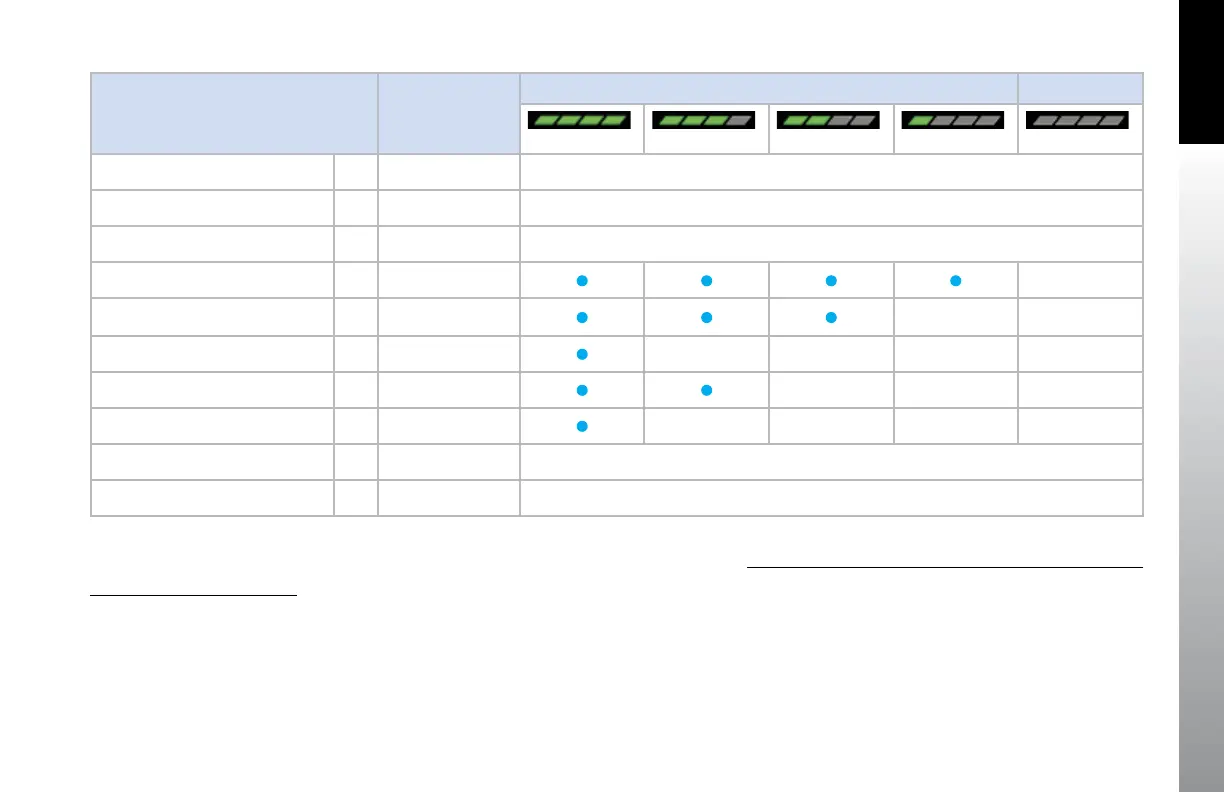
Map Feature Group Layering, Range, and Declutter Levels
Select Map Declutter Level
1. Press the MENU Button and rotate the Right Knob to MAP SETTINGS page.
2. Press the DCLTR LVL Menu Key (Figure 4-105) and rotate the Right Knob to
select the desired map declutter level.
3. Press the MENU Button to exit.
1. e.g., VSI, Direction Indicator, CDI, TO/FROM.
2. e.g., NAV INFO Block, Range.
3. Shown only when data is provided by a compatible and connected GPS
system.
4. Removed at ranges less than 20nm.



 To Next Page