CHAPTER 4 REFERENCE GUIDE
EFD1000 PRO MAX PFD Pilot’s Guide
Page 4-55
091-00005-002 ()
4.7.6.2 Traffic Altitude Filter
There are five Altitude Filters available: Off, Normal, Unrestricted, Above, and Below
(Table 4-10). Only traffic within the selected altitude filter value will display.
Hot Key Label Altitude Filter Level Traffic Display Volume
TRFC Off None
TFCN Normal ±2,700 ft
TFCU Unrestricted ±9,900 ft
TFCA Above +9,900 ft to -2,700 ft
TFCB Below +2,700 ft to -9,000 ft
Table 4-10 Traffic Filter Parameters
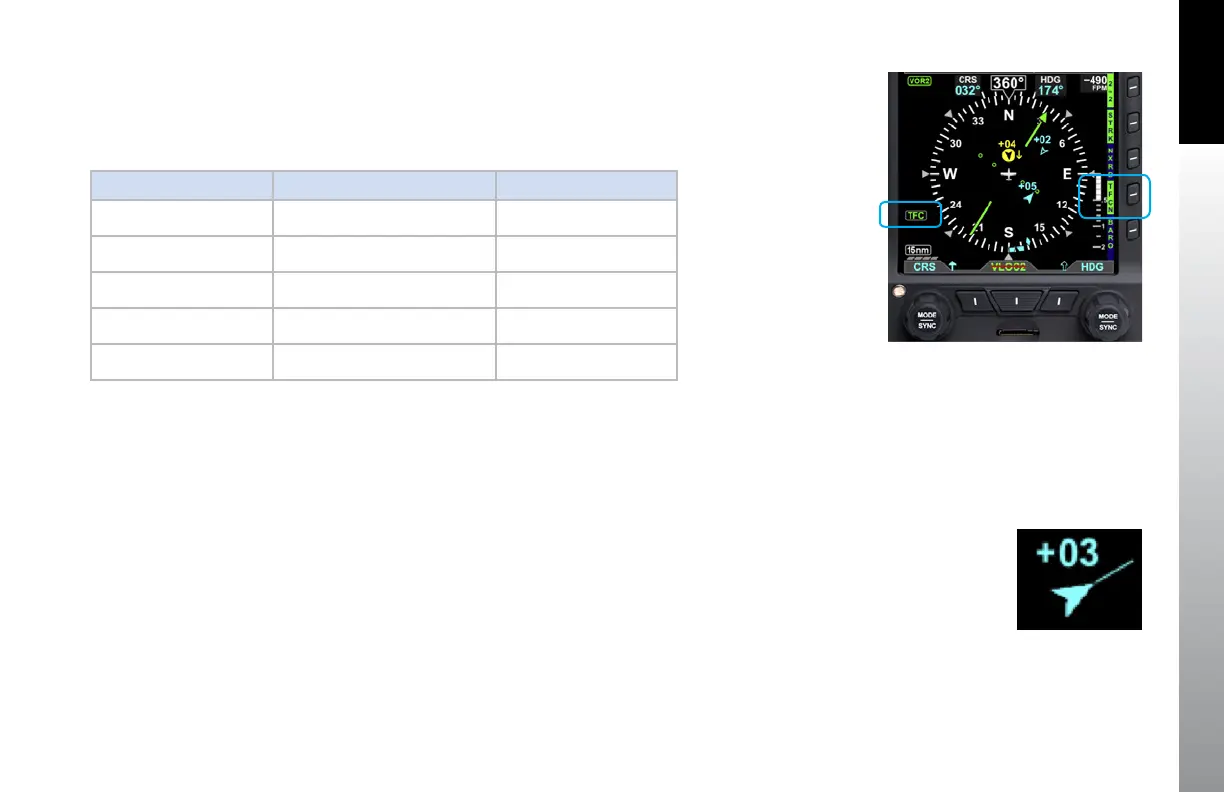
The pilot adjusts the altitude filter value by continuously pressing the TFC Hot Key, which
cycles through each of the filter levels. The TFC annunciation displays in the lower left of
the display (Figure 4-102).
4.7.6.3 Traffic Velocity vector
If the Traffic Sensor is “ADS-B IN”, then the velocity vector of the traffic can be display
as part of the data block (Figure 4-103). The length of the velocity is defined by the
distance the intruder will travel at current ground speed in a specified number of
seconds. The number of seconds to display is selectable in the Main Menu page “UAT”,
item “HORZ VERT SCALE” and can be set to 0, 10, 20, 30, 40, 50 or 60 seconds. If selected
to 0 seconds, then the vector is not shown.
Figure 4-102
Traffic Altitude Filter
Figure 4-103
Traffic with Velocity Vector



 To Next Page