CHAPTER 4 REFERENCE GUIDE
EFD1000 PRO MAX PFD Pilot’s Guide
Page 4-60
091-00005-002 ()
If the connected GPS does not provide the required steering commands, the GPSS
legend adjacent to the GPSS Hot Key will be rendered in gray, and it will not be possible
to enable GPSS with the Hot Key.
Enable/Disable GPSS
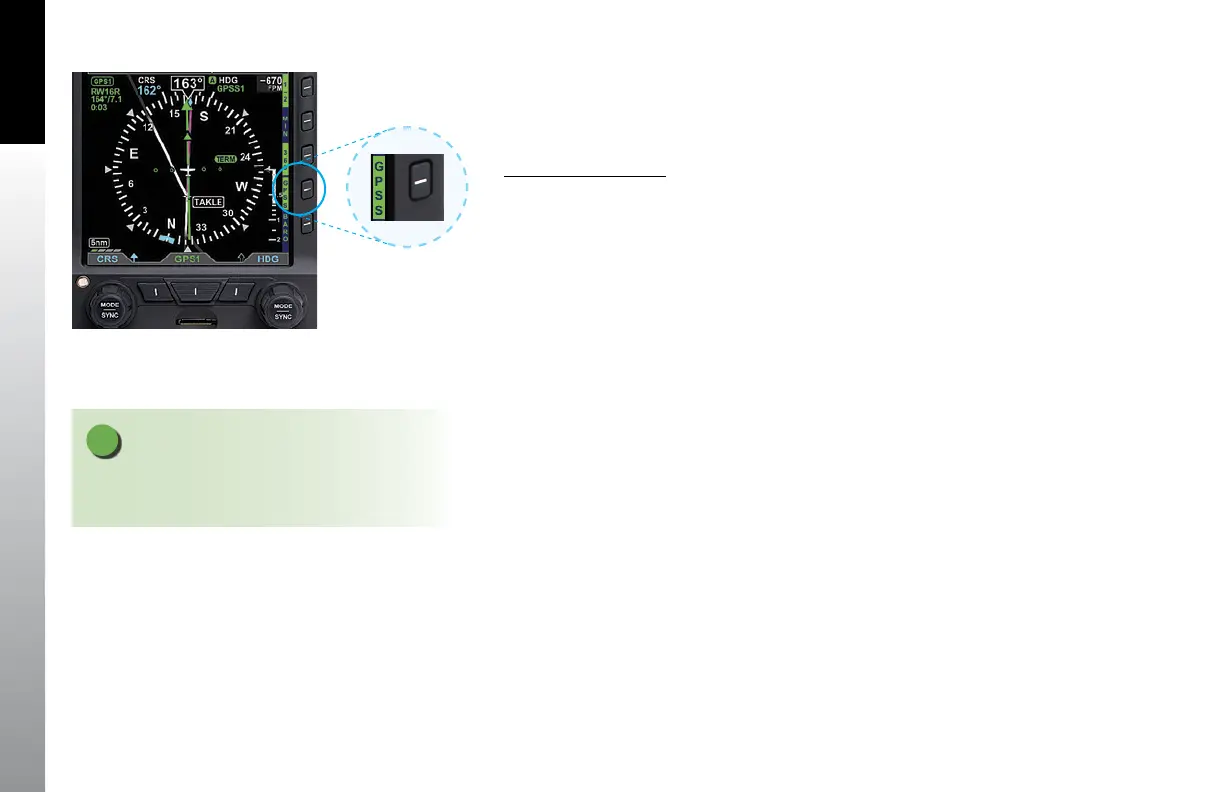
1. Press the GPSS Hot Key to alternately enable or disable GPS Steering
(Figure 4-106).
When GPSS is enabled, and the autopilot is in HDG mode, the autopilot will follow the
steering commands from the GPS. A GPSS enabled state will be indicated on the PFD in
two locations: 1) the GPSS legend adjacent to the GPSS Hot Key will be shown in inverse
green; and 2) the annunciation GPSS1 (or GPSS2, depending on the selected source),
along with an inverse A, will be shown next to the HDG reference at the top of the
Navigation Display, to the right of the Magnetic heading indication (Figure 4-107).
When GPSS is disabled, and the autopilot is in HDG mode, the autopilot will follow the
PFD Heading Bug. A GPSS disabled state will be indicated on the PFD in two locations:
1) the GPSS legend adjacent to the GPSS Hot Key will be shown in gray; and 2) the
Selected Heading Field will return. (Figure 4-108).
When the PFD navigation source is GPS1, enabling GPSS with the autopilot in HDG
mode will cause the autopilot to track the flight plan in GPS1, and GPSS1 will be
annunciated by the HDG reference at the top of the Navigation Display. Similarly, when
GPS2 is the navigation source on the PFD, and GPSS is enabled, the autopilot in HDG
mode will track the GPS2 flight plan, and GPSS2 will be annunciated at the top of the
navigation display.
NOTE
When GPSS is selected on the PFD, the autopilot must
be in Heading mode to follow the GPSS commands.
Figure 4-106
GPSS Hot Key



 To Next Page