CHAPTER 4 REFERENCE GUIDE
EFD1000 PRO MAX PFD Pilot’s Guide
Page 4-70
091-00005-002 ()
When integrated with Autopilots which support it, the EFD1000 PRO MAX PFD can also
display and edit the Autopilot targets, including Airspeed, Altitude and Vertical Speed.
The PFD selected values can also be modified via the Autopilot Control Panel where
supported.
Selecting Altitude and Airspeed are done normally as previous discussed. For Autopilots
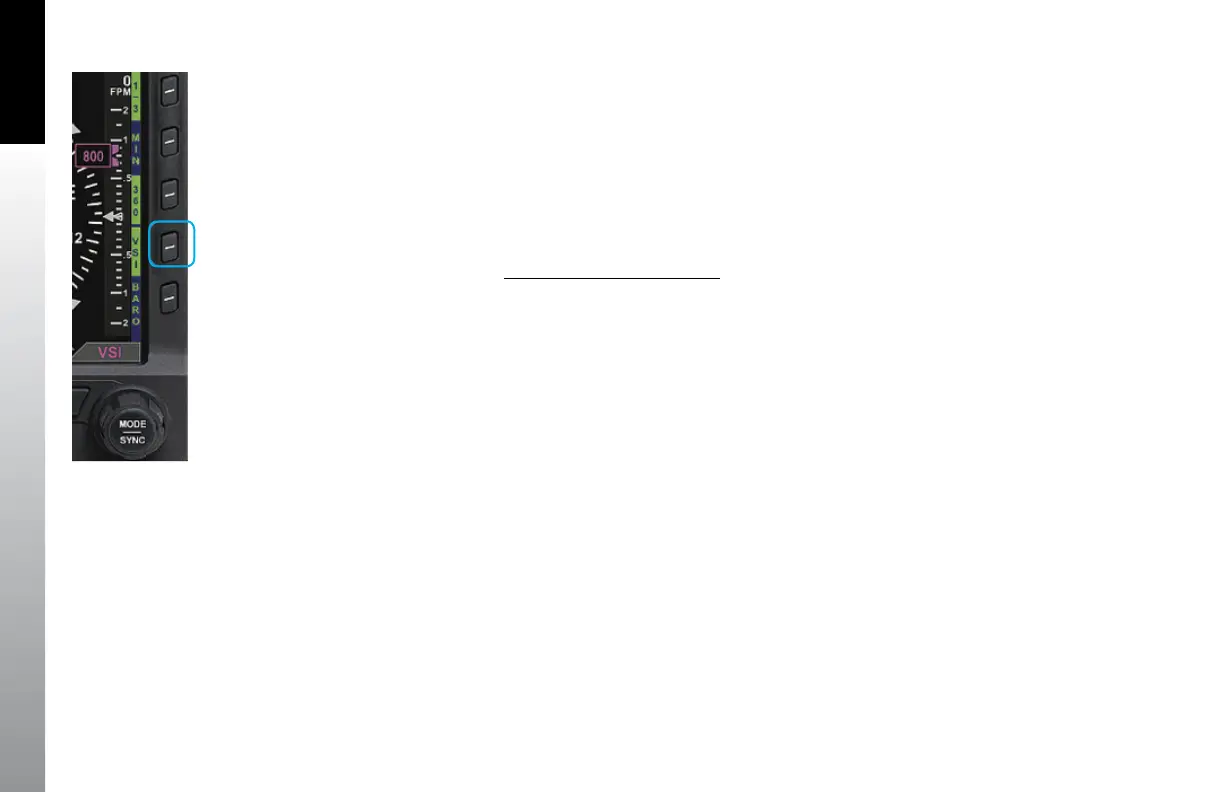
that support a PFD supplied Selected Vertical Speed, the GPSS Hot Key is replaced with
a VSI Hot Key that enables editing of the Selected Vertical Speed.
Edit Selected Vertical Speed
1. Press the VSI Hot Key, VSI in Magenta is displayed over the Right Knob and the
Selected VS is shown next to the VS Bug, both in Magenta.
2. Turn the Right Knob to select the desired Vertical speed. The Bug and Speed
will move up/down the VSI as the value is changed
3. Press the VSI again to exit edit mode. The VS Bug will change to Cyan and
indicates the Selected Vertical Speed, the Numeric VS value is removed.
Figure 4-112
VSI Hot Key



 To Next Page